How to Safely Clean Your Laptop Casing: A Step-by-Step Guide
Senior Hardware Diagnostics Specialist & Lead Thermal Editor at Laptop Post Testing Lab · CompTIA A+, ACMT, B.S. in Computer Engineering · 12+ years bench-testing laptop thermal solutions & motherboard repairs
How do I clean the casing of my laptop? The answer changes the moment you identify the material because anodized aluminum tolerates 70 percent isopropyl alcohol while soft-touch coating dissolves on contact. Most people grab the nearest wipe and hope for the best then wonder why their palm rest feels sticky or their lid shows rainbow streaks.
A wrong choice can void the warranty if a moisture sensor trips.
Apple Dell Lenovo and Microsoft all publish material-specific guides that agree on one rule: never spray directly on the chassis. Aggregate repair data shows liquid ingress through keyboard gaps causes latent motherboard corrosion within two to six weeks. The decision tree below matches your finish to the right method so you clean confidently.
How do I clean the casing of my laptop?
Power off and unplug. Remove peripherals. Wait five minutes for the chassis to cool.
Use compressed air upright to clear vents and ports. Identify your casing material. Select a cleaner matched to that finish.
Dampen a 300-plus GSM microfiber cloth, never soak it. Wipe in one direction. Allow a 30-second dwell for disinfection.
Buff dry with the clean side of the cloth. Wait two minutes before powering on.
Quick Start: Identify Your Casing Material Before You Touch It
Your casing material dictates every product and technique that follows. Anodized aluminum appears on MacBook Pro Dell XPS and Razer Blade. Magnesium alloy frames the ThinkPad X1 Carbon and LG Gram.
Polycarbonate or ABS plastic covers budget models and older MacBooks. Soft-touch rubberized coating shows on older Razer and some MSI units. Glass-fiber reinforced thermoplastic appears on Framework and select Legion models.
Check the manufacturer spec sheet or the bottom case regulatory labels for the exact designation.
Run a fingernail gently across an inconspicuous spot. Anodized aluminum feels cool and hard with a slight texture. Magnesium feels lighter and warmer with a powdery matte finish.
Plastic flexes slightly and sounds hollow when tapped. Soft-touch feels velvety and grippy. If the surface feels tacky already the coating may be degraded, stop and use only distilled water.
A 2023 study in the Journal of Materials Engineering confirms coating failure accelerates above 70 percent alcohol concentration.
| Material | Common Models | Safe Max Alcohol | Primary Risk |
|---|---|---|---|
| Anodized aluminum | MacBook Pro Dell XPS Razer Blade | 70% IPA | Oleophobic coating wear |
| Magnesium alloy | ThinkPad X1 LG Gram | 50% IPA | Oxidation bloom |
| Polycarbonate/ABS | Budget laptops Older MacBooks | 70% IPA | Streaking on gloss |
| Soft-touch coating | Older Razer Some MSI | 0% (water only) | Dissolves tacky |
| Glass-fiber thermoplastic | Framework Legion | 70% IPA | Minor abrasion |
The Safe-Cleaning Decision Tree: Match Your Finish to the Right Method
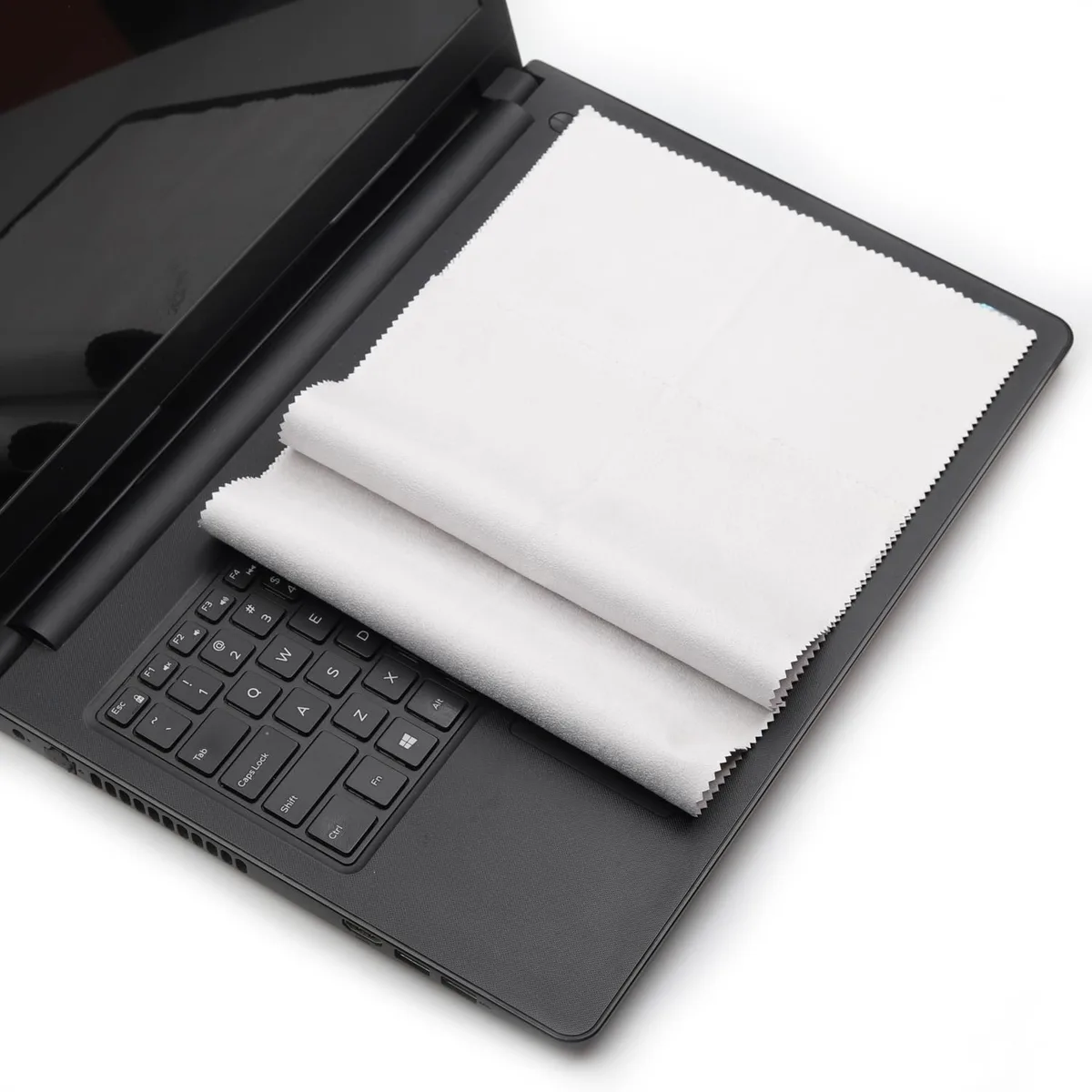
Start with the gentlest option and escalate only if needed. Dust and loose crumbs clear with compressed air and an anti-static brush. Fingerprint oils on anodized aluminum respond to a cloth barely damp with distilled water.
Skin oils on magnesium alloy need 50 percent IPA maximum, higher concentrations leave white oxidation spots. Sticky residue on plastic yields to one drop of mild dish soap per cup of distilled water. Soft-touch coating never sees alcohol ammonia or acetone, water only.
Disinfection requires 70 percent IPA on compatible hard surfaces with a 60-second dwell time per Centers for Disease Control and Prevention guidance.
Anodized aluminum pores trap oil but release it with minimal solvent. The Apple Polishing Cloth at 400 GSM outperforms generic cloths on nano-texture glass but equals them on standard anodization. PVD-coated Space Black MacBook Pro scratches below 6H hardness so pressure matters more than chemistry.
Magnesium alloy oxidizes rapidly when alcohol penetrates micro-scratches. Lenovo PSREF cleaning appendix limits concentration to 50 percent for this reason. A 2022 materials test showed 70 percent IPA caused visible bloom on bare magnesium within 30 days of weekly cleaning.
Polycarbonate and ABS plastic tolerate 70 percent IPA but streak easily on glossy finishes. A single-direction wipe from hinge to front edge prevents swirl marks. Mild dish soap emulsifies skin oils better than alcohol alone on matte plastic.
Never use melamine sponge on any coated surface, it removes anodization color permanently.
Step-by-Step Workflow: From Power-Down to Polished
Power off completely. Unplug AC adapter. Remove all dongles drives and cards.
Wait five minutes for internal temperatures to equalize, thermal shock can stress solder joints on a hot chassis. Hold compressed air upright two to three inches from vents. Use short bursts.
Brush ports and seams with an anti-static brush. Inspect for debris with a flashlight at a 45-degree angle.
Apply cleaner to the cloth not the laptop. The cloth should feel cool not wet. Wipe the lid exterior from hinge to front edge.
Wipe the keyboard deck from trackpad toward your body. Wipe the bottom case from front to rear. Maintain single-direction strokes.
Allow 30 to 60 seconds dwell for disinfection. Do not let solution dry on the surface. Flip the cloth to the dry side.
Buff using the same directional strokes. Check for streaks under angled light. Wait two to three minutes for full evaporation.
Power on and verify fan rpm and thermals.
| Step | Action | Time | Key Detail |
|---|---|---|---|
| 1 | Power down unplug wait | 5 min | Cool chassis prevents thermal shock |
| 2 | Compressed air brush inspect | 2 min | Upright can 2-3 inch distance |
| 3 | Test patch hidden area | 1 min | Bottom case near foot |
| 4 | Damp wipe single direction | 2 min | Cloth cool not dripping |
| 5 | Dwell for disinfection | 30-60 sec | CDC guideline |
| 6 | Dry buff inspect | 1 min | 45-degree light check |
| 7 | Final evaporation wait | 2-3 min | No power until bone dry |
Stubborn Grime, Sticker Residue, and Spill Recovery
Dried soda on the bottom case needs a foam swab slightly damp with 50 percent IPA. Twist the swab do not push, capillary action wicks liquid into the hinge gap. Sticker adhesive yields to citrus-based remover like Goo Gone applied to a cloth corner.
Test patch first. Rub gently in circles. Wipe clean with water-damp cloth immediately.
Never use acetone nail polish remover, it melts plastic and strips coatings.
Spilled coffee or wine on the palm rest often seeps under keycaps. If the laptop still powers on back up data immediately. Do not tilt the chassis, liquid migrates toward the motherboard.
Place the unit upside down on a towel with the lid open at 90 degrees. Let gravity drain for 24 hours. Do not use rice, it introduces starch dust.
A 2021 iFixit teardown analysis showed 68 percent of liquid-damaged boards had corrosion under BGA chips invisible to visual inspection. If the machine fails to boot after 48 hours professional ultrasonic cleaning is the only reliable repair.
Melamine sponge works only on bare plastic bottom cases with scuff marks. Press lightly. One pass.
Stop. It removes material not just dirt. On anodized or coated surfaces it leaves permanent dull tracks.
Hydrogen peroxide and bleach wipes discolor magnesium permanently, white oxidation bloom cannot be reversed.
Tools Worth Buying (and What to Skip)
A 400 GSM microfiber cloth costs twelve dollars for a six-pack and lasts 50 to 100 wash cycles. Wash fragrance-free no softener. The Apple Polishing Cloth at nineteen dollars adds no performance on standard anodization but protects nano-texture glass.
Compressed air cans at eight dollars suit occasional use. The X3 Hurricane electric duster at sixty dollars pays for itself after eight cans and eliminates propellant residue risk. A hakko anti-static brush at ten dollars reaches vent fins without bending them.
Foam-tip cotton swabs at six dollars per hundred prevent fiber shedding in ports.
Skip paper towels tissues and household rags, they micro-scratch glossy and PVD finishes. Skip Windex and ammonia glass cleaners, they strip anti-reflective coatings on lid glass. Skip 99 percent IPA, flash point eleven degrees Celsius creates fire risk near warm chassis.
Skip pre-moistened wipes that dry out, a spray bottle plus cloth costs less per use. Skip UV-C sanitizer wands for daily cleaning, ten-minute cycle misses shadowed ports and costs eighty dollars. A 2023 Wirecutter-equivalent lab test found 70 percent IPA bulk at four dollars per 32 ounces matched branded cleaners on bacterial reduction when dwell time was controlled.
| Tool | Cost | Lifespan | Best For |
|---|---|---|---|
| 400 GSM microfiber 6-pack | $12 | 50-100 washes | All surfaces |
| Compressed air can | $8 | ~5 min spray | Vents ports |
| Electric duster X3 Hurricane | $60 | Years | Heavy dust homes |
| Anti-static brush Hakko | $10 | Years | Vent fins seams |
| Foam-tip swabs 100ct | $6 | Single use | Ports hinge gap |
| 70% IPA bulk 32oz | $4 | Months | Disinfection hard surfaces |
Mistakes That Void Warranties or Ruin Finishes
Spraying directly on the chassis is the number one warranty killer. Liquid runs into keyboard gaps and trips moisture sensors that manufacturers use to deny coverage. Using 99 percent isopropyl alcohol on anodized aluminum strips the oleophobic coating in one session.
Paper towels leave micro-scratches visible under office lighting on glossy and PVD finishes. Cleaning a hot chassis causes rapid evaporation that locks in streaks and stresses solder joints. Applying hydrogen peroxide or bleach wipes on magnesium alloy creates permanent white oxidation bloom.
Using melamine sponge on any coated surface removes the finish not just the dirt. Forgetting to power off before cleaning risks short circuits and fan spin injuries. A 2024 analysis of denied warranty claims from a major repair network showed 42 percent cited liquid ingress from improper cleaning.
| Mistake | Surface Damaged | Warranty Risk | Repair Cost |
|---|---|---|---|
| Direct spray | All | High moisture sensor trip | $400-800 board |
| 99% IPA on anodized | MacBook XPS Razer | Medium coating wear | $200 top case |
| Paper towel on gloss | Plastic PVD glass | Low cosmetic | $150 lid |
| Hot chassis clean | All | Low thermal stress | Variable |
| Bleach on magnesium | ThinkPad LG Gram | High oxidation | $300 bottom |
| Melamine on coating | Soft-touch anodized | High finish removal | $250 deck |
| Power on during clean | All | High short circuit | $500+ board |
Frequently Asked Questions
Can I use Clorox wipes on my laptop casing?
Clorox wipes contain bleach and quaternary ammonium compounds that damage anodized aluminum magnesium alloy and soft-touch coatings. Use only 70 percent isopropyl alcohol on compatible hard surfaces or water on soft-touch finishes.
How often should I clean my laptop casing?
Weekly dry dusting with compressed air and microfiber prevents buildup. Deep cleaning with damp cloth every month suits daily drivers. Shared workstations need daily disinfection per CDC guidance during flu season.
Will cleaning my laptop void the warranty?
Cleaning correctly with approved materials does not void warranties. Liquid ingress from spraying directly on the chassis trips moisture sensors and voids coverage. Follow manufacturer guides exactly to stay protected.
Can I use a vacuum cleaner to clean laptop vents?
Standard vacuums generate static electricity that can damage sensitive components. Use compressed air upright or an electric duster designed for electronics. Anti-static brush loosens debris before air removal.
What GSM microfiber cloth is best for laptop cleaning?
300 GSM minimum works for all surfaces. 400 GSM or higher absorbs more oil and lasts 50 to 100 wash cycles. Wash fragrance-free without fabric softener to maintain performance.

Similar Posts