Windows 7: Still Usable or Too Old?
Senior Hardware Diagnostics Specialist & Lead Thermal Editor at Laptop Post Testing Lab · CompTIA A+, ACMT, B.S. in Computer Engineering · 12+ years bench-testing laptop thermal solutions & motherboard repairs
Is Windows 7 very old? Yes, it launched in October 2009 and lost free security patches in January 2020. Microsoft sold paid Extended Security Updates until January 2023.
Millions of devices still run it in factories, hospitals, and ATMs today. The risks are real but the context matters more than the calendar age.
As of 2026 StatCounter shows Windows 7 holds roughly 3 percent global desktop share. Lansweeper data indicates 11 percent of enterprise endpoints have not migrated. Gartner estimated average migration cost at $800 to $1,200 per seat including labor and hardware refresh.
The next sections break down the timeline, the holdout scenarios, the breaking points, and the migration paths that actually work.
Is Windows 7 very old?
Windows 7 launched October 22 2009. Mainstream support ended January 13 2015. Free extended support ended January 14 2020.
Paid Extended Security Updates ended January 10 2023. Embedded variants ran until October 2024. The OS is fifteen years old and has not received a public security patch in three years.
The Real Timeline: Launch, Support Drops, and the ESU Cliff Edge
Windows 7 RTM build 7600 arrived July 2009. Service Pack 1 build 7601 shipped February 2011. Mainstream support closed January 2015 with no new features after that date.
Extended support delivered monthly security rolls until Patch Tuesday January 2020. Microsoft then offered Extended Security Updates (ESU) for Professional and Enterprise volume license holders. Year one cost $25 per device for Enterprise and $50 for Pro.
Year two doubled. Year three doubled again reaching $200 per Enterprise seat. ESU required active Software Assurance.
Keys activated via slmgr /ipk
The Microsoft Lifecycle Policy page confirms these dates.
Where Windows 7 Still Runs Today — And Why It Hasn't Been Replaced
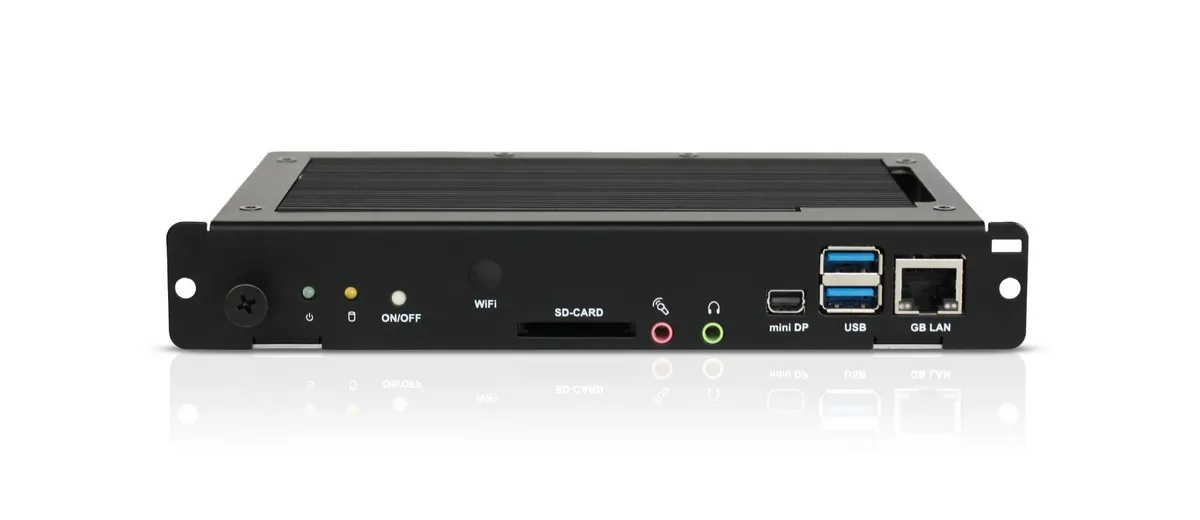
Industrial HMIs and SCADA nodes run validated Windows 7 Embedded Standard 7 images air gapped from the internet. Medical devices including MRI controllers and infusion pumps stay on FDA validated Win7 builds because revalidation costs exceed $500,000 per device. POS terminals and ATMs used POSReady 7 until its October 2024 end of life.
Legacy ERP clients written in VB6 or Access block Windows 10 upgrades due to 16 bit subsystem removal. Kiosks and digital signage rely on Thin PC images with locked configurations. Gaming retro rigs target SecuROM and SafeDisc titles broken on newer kernels.
Virtualized Win7 VMs persist for compatibility testing in Hyper V and ESXi. Government systems hold custom ESU Year 3 plus 0patch contracts. The common thread is certified stability outweighing patch status.
What Actually Breaks When You Keep Running It in 2024
Chrome 109 released January 2023 was the last browser version supporting Windows 7. Edge 109 and Firefox 115 ESR followed in September 2023. Modern SaaS portals enforce TLS 1.2 minimum and Windows 7 Schannel stack negotiates TLS 1.0 by default.
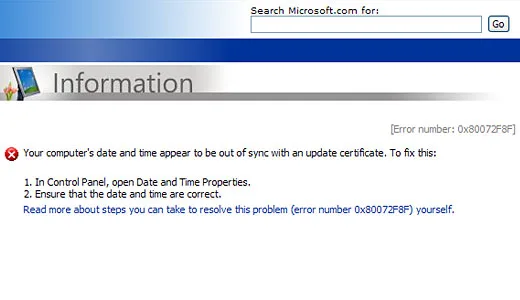
Office 365 authentication fails when ADAL libraries hit deprecated endpoints. SHA-1 deprecation broke Windows Update agent with error 0x80072F8F until manual KB4490628 install. NVIDIA 470.x and AMD Adrenalin 22.6.1 were final WHQL drivers.
Spectre and Meltdown microcode updates never reached pre Skylake CPUs on this OS. Antivirus definitions still ship but behavioral EDR agents require Windows 10 sensor kernels. Volume Activation fails if client time drifts more than five minutes from domain controller.
In place upgrade to Windows 10 blocks on third party disk encryption from McAfee or Check Point.
Migration Paths That Work: LTSC, Virtualization, or Linux on the Metal
Windows 10 Enterprise LTSC 2019 receives security updates until January 2029. LTSC 2021 extends to January 2032. Both lack Store Cortana and feature upgrades.
Windows 11 IoT Enterprise LTSC 2024 runs until 2034 but requires TPM 2.0 and Secure Boot. For air gapped legacy apps Microsoft recommends App V or MSIX App Attach streaming from a supported host. Citrix Virtual Apps and VMware Horizon deliver seamless Win7 apps to modern endpoints.
Azure Virtual Desktop and Windows 365 Cloud PC run Win10 multi session with RemoteApp mode. Linux thin clients including IGEL OS ThinKiosk and Stratodesk NoTouch repurpose existing hardware for browser only workloads. ChromeOS Flex supports certified models list for kiosk redeployment. 0patch PRO sells micro patches for CVE-2020-0601 PrintNightmare and PetitPotam at $24.95 per seat per year.
Custom Support Agreements with Microsoft start around $200 per seat annually. Migration tooling includes Upgrade Readiness Log Analytics workspace ConfigMgr task sequences with /DynamicUpdate USMT 10 ScanState LoadState and DISM driver injection for WinPE 10 boot images.
Compliance, Insurance, and the Audit Trail You Can't Ignore
HIPAA Security Rule §164.308(a)(5)(ii) requires protection from malicious software. An unsupported OS is a documented finding in every audit. PCI DSS v4.0 requirement 6.3.3 mandates systems protected from known vulnerabilities.
No patches equals non compliance. NIST SP 800-53 Rev 5 controls CM-7 and SI-2 prohibit unsupported software on federal systems. GDPR Article 32 demands ongoing confidentiality integrity availability.
An EOL OS weakens that claim. Cyber insurance questionnaires ask directly about unsupported OS. A yes answer triggers premium surcharge or denial.
FDA 21 CFR Part 11 and IEC 62304 require supported OS or compensating controls for medical devices. FTC Safeguards Rule under GLBA requires multi factor authentication. Windows 7 lacks modern MFA hooks.
The only defensible position is documented compensating controls. Network segmentation air gaps application whitelisting 0patch micro patching and continuous monitoring. Without written evidence auditors will cite you.
Microsoft Lifecycle Policy page and CISA Known Exploited Vulnerabilities catalog are the primary references auditors check.
CISA Known Exploited Vulnerabilities Catalog
Frequently Asked Questions
Is Windows 7 still safe to use in 2024?
No Windows 7 has not received public security patches since January 2023 and modern browsers no longer support it leaving you exposed to active exploits.
Can I still get security updates for Windows 7?
Only organizations with active Custom Support Agreements or 0patch subscriptions receive limited patches. Public updates ended permanently in January 2023.
What is the cheapest way to migrate off Windows 7?
Repurpose hardware with Linux thin clients like IGEL OS or ChromeOS Flex for browser only workloads. For legacy apps use Azure Virtual Desktop or Citrix to stream from a supported host.
Does Windows 7 Embedded have a different end of life?
Yes Windows 7 Embedded Standard 7 reached end of life October 2021. POSReady 7 reached end of life October 2024. Both are now unsupported.
Will my antivirus protect Windows 7?
Antivirus definitions still update but behavioral detection and EDR agents require Windows 10 kernel sensors. Signature only protection is insufficient against modern threats.

Similar Posts