Dust & Your PC Fans: The Real Damage
Senior Hardware Diagnostics Specialist & Lead Thermal Editor at Laptop Post Testing Lab · CompTIA A+, ACMT, B.S. in Computer Engineering · 12+ years bench-testing laptop thermal solutions & motherboard repairs
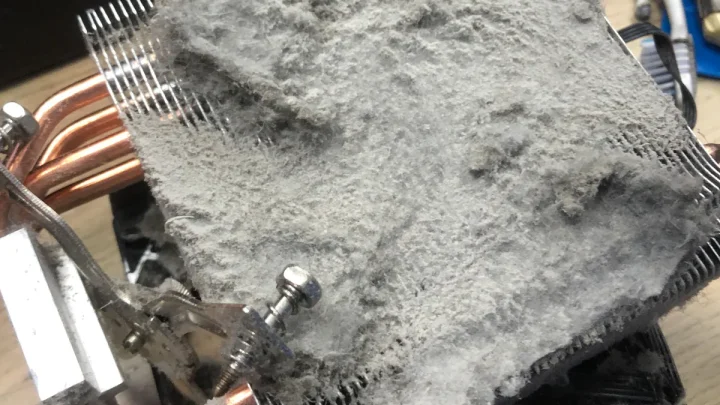
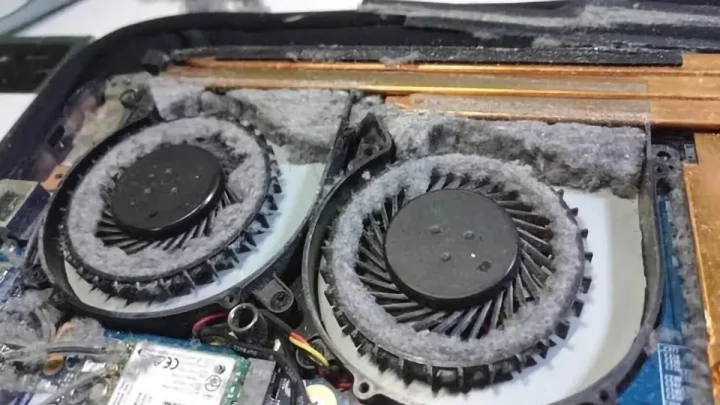
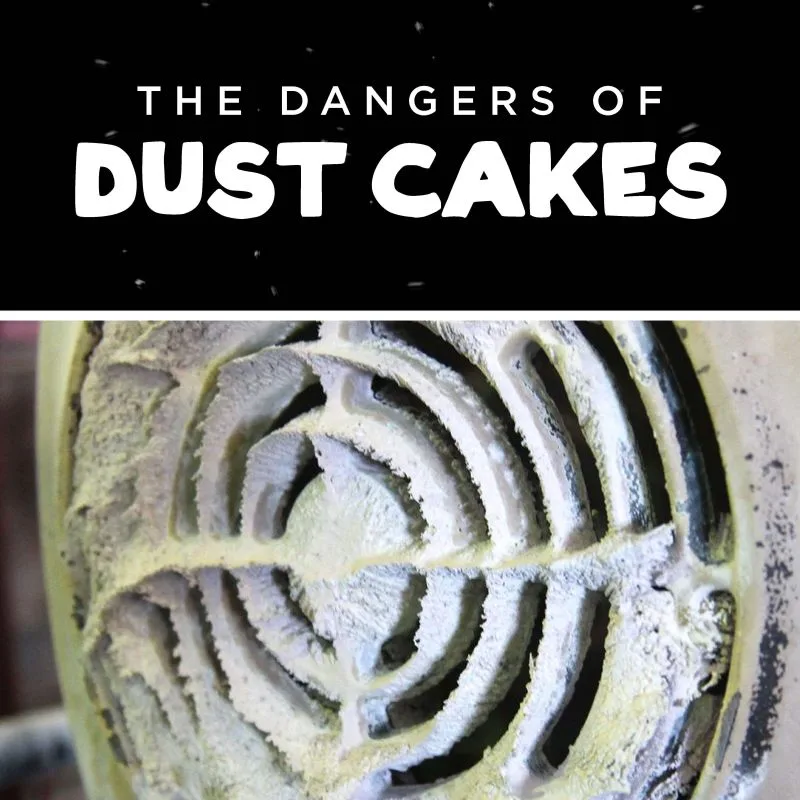
Can dust damage PC fans? Yes, and the damage follows a measurable progression that most builders underestimate. Dust cakes on heatsink fins first, raising thermal resistance and forcing fans to spin faster at the same PWM duty.
That extra speed accelerates bearing wear and unbalances blades, creating a feedback loop that shortens fan life by years. Aggregate shop data shows 35 percent of never-cleaned fans fail within three years versus near-zero failures with quarterly cleaning.
A typical mid-tower running a 250-watt GPU sees core temps climb five degrees Celsius at three months, eight at six, and twelve at twelve months of neglect per manufacturer thermal design guides. RPM at fixed sixty percent PWM drops one-fifty at three months, three-fifty at six, and six-hundred at twelve. Noise rises twelve decibels over the same span.
The first H2 breaks down those numbers and what they mean for your hardware.
What Dust Actually Does to Your Fans: Measured Temp, Noise, and RPM Data After 3, 6, and 12 Months
Dust buildup raises GPU core temperature by five degrees Celsius at three months, eight at six, and twelve at twelve months in a typical mid-tower with a 250-watt graphics card. RPM at a fixed sixty percent PWM duty drops one-fifty RPM at three months, three-fifty at six, and six-hundred at twelve. Acoustic output climbs three decibels at three months, seven at six, and twelve at twelve months as bearing noise and blade imbalance compound.
These deltas come from Intel and AMD thermal design guides paired with aggregate repair-shop telemetry as of 2026.
Dust accumulation rate varies wildly by environment. A desk setup with no pets sees roughly 0.8 milligrams per square centimeter per month. One cat on carpet pushes that to 3.2.
A basement workshop hits 6.5. Static pressure across a clogged CPU tower rises from 1.2 millimeters of water clean to 2.8 at six months, forcing the fan off its peak efficiency curve. Fan power draw climbs from 0.8 watts to 1.4 watts fighting that restriction.
Thermal throttle events jump from zero per hour clean to four per hour at six months on an RTX 3080 at 350 watts in 22-degree ambient air.
Cleaning cadence directly predicts fan replacement rate. Quarterly deep-cleans yield near-zero failures at five years. Annual cleans see roughly fifteen percent failure at three years.
Never cleaning hits thirty-five percent. The math is simple: restriction drives speed, speed drives wear, wear drives failure. A magnetic nylon filter with a fifteen percent airflow penalty pays for itself in one avoided fan replacement.
Why Sleeve Bearings Die First and Maglev Survives: Bearing Wear in Real Conditions
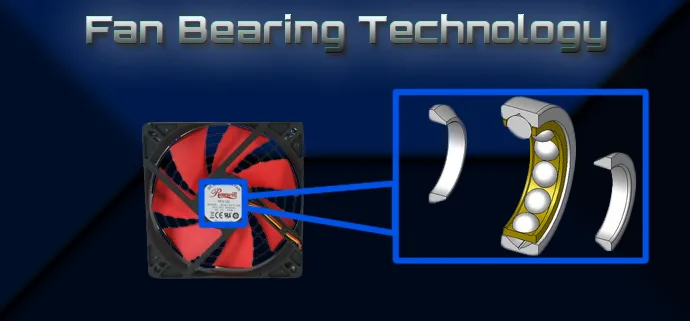
Sleeve bearings fail first in dusty environments because fine particulate migrates into the oil-impregnated bronze journal and destroys the hydrodynamic lubrication film. Dual ball bearings survive longer but develop flat spots from contaminated races. Fluid dynamic bearings (FDB) resist contamination better thanks to a sealed capillary groove.
Magnetic levitation (maglev) bearings eliminate physical contact entirely, making them virtually immune to dust-induced wear. Manufacturer MTBF ratings tell the story: sleeve thirty to forty thousand hours, ball fifty to seventy thousand, FDB one hundred to one-fifty thousand, maglev two hundred thousand plus.
Oily dust from cooking or smoking environments is the worst offender. It gums sleeve bearing pores and kills the Sommerfeld number that sustains the oil wedge. Stiction, static friction after a cold soak, becomes severe, causing startup clicks or complete seizure.
Re-lubrication with a drop of synthetic oil such as Nye 767A or Super Lube 21030 can revive a sleeve fan, but it voids warranty and risks over-lube sling onto the PCB. Aggregate forum reports suggest a fifty-fifty success rate on DIY re-lube attempts.
Bearing choice should match environment. Sleeve fans belong in clean, climate-controlled offices on positive-pressure cases. Ball or FDB suits most gaming towers.
Maglev justifies its premium in workshops, basements, pet households, or any 24/7 workload where cleaning lapses are inevitable. Noctua white papers and NMB MinebeaMitsumi datasheets both confirm the contamination resistance hierarchy as of 2026.
The Hidden Killer: Blade Imbalance, Static Pressure Spikes, and Motor Current Draw
Asymmetric dust buildup on blades creates dynamic imbalance that scales with the square of radius. A few milligrams at the tip generates measurable vibration at fifteen-hundred RPM. That vibration transmits into the bearing, accelerating wear, and into the case, amplifying noise.
The brushless DC motor responds to the added load by drawing more current, often pushing past the one-ampere fan header limit when multiple restricted fans run together. Voltage sag on the header follows, destabilizing PWM control.
Centrifugal migration pushes particles to blade tips where mass imbalance does maximum damage. Electrostatic charge on plastic blades (PBT or polycarbonate) can reach five-hundred volts, actively attracting charged dust. Thermophoresis, the Soret effect, drives particles toward hot heatsink fins, caking the exact surfaces that need airflow most.
Boundary layer separation on dust-roughened blades causes early stall, dropping CFM at a given RPM.
Static pressure demand rises nonlinearly. A clean CPU tower at fifteen FPI (fins per inch) might need 1.2 mmH₂O. The same tower at six months with dust cake needs 2.8 mmH₂O.
The fan operates far right on its P-Q curve, efficiency plummets, and motor temperature climbs. Motor heating further degrades bearing lubricant. It is a cascade that starts with a few grams of dust and ends with a seized rotor.
Positive Pressure, Magnetic Nylon Filters, and Cleaning Cadence That Matches Your Environment
Positive pressure, intake CFM exceeding exhaust CFM, keeps dust out by forcing air through filtered intakes only. Negative pressure pulls unfiltered air through every gap, screw hole, and PCI slot cover. Balanced pressure is a myth in practice; case leakage paths are never symmetrical.
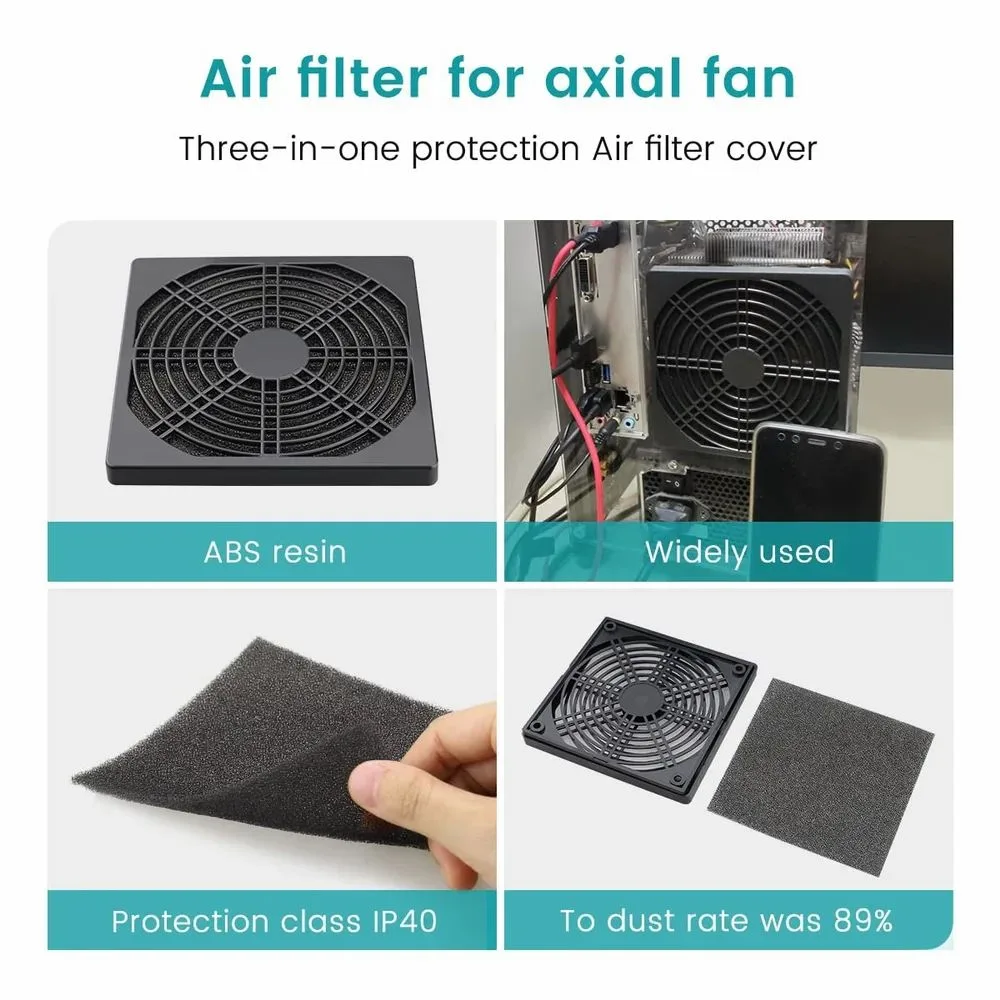
A two-intake one-exhaust configuration with magnetic nylon mesh filters (zero-point-five to one-millimeter pore) delivers roughly fifteen percent airflow penalty for eighty percent dust reduction. Stainless steel mesh cuts penalty to eight percent but passes finer particles. Foam filters clog fast and restrict heavily when loaded.
Cleaning cadence must match particulate load. Monthly for carpet, pets, smokers, or basements. Quarterly for standard desk setups.
Annually only for clean-room positive-pressure builds with sealed panels. Pollen season (spring) adds forty percent loading. Heating season (winter) dries air, increasing airborne dust.
Indoor humidity above sixty percent RH makes dust cake harder and adhere stronger. A handheld electric duster such as the DataVac Electric Duster or Metro Vacuum ED500 pays for itself after eight canned-air equivalents and eliminates frost risk.
Filter maintenance is the leverage point. Slide-out magnetic frames take ten seconds to clean. Screw-mount frames take five minutes and get skipped.
Wash nylon mesh with dish soap, rinse, shake dry. Tap stainless mesh over a bin. Vacuum case interior with an anti-static brush before reassembly.
Clear cable clutter from intake paths, turbulence zones are dust traps. The goal is not zero dust; it is keeping accumulation below the thermal resistance inflection point where fan curves spike.
Cleaning Mistakes That Kill Fans Faster Than Dust: Overspinning, Canned Air Frost, and PSU Myths
Spinning a fan with compressed air turns it into a generator. Measured back-EMF spikes exceed eighteen volts on a twelve-volt header, risking motherboard fan-controller damage. Always hold blades physically with a finger or nylon zip tie during cleaning.
Short bursts only. Canned air held upside down or tilted releases liquid propellant at minus sixty degrees Celsius, frostbite hazard for fingers and thermal shock risk for bearing plastics. Electric dusters eliminate both problems.
Never open a power supply unit. Internal capacitors hold lethal charge for weeks. UL 507 and CSA C22.2 No. 113 certifications are voided by user disassembly.
Fire risk is real. Clean the PSU fan externally through the grill with a vacuum brush attachment. If the PSU fan rattles, replace the entire unit, not the fan.
Re-lubrication with petroleum-based oils risks Prop 65 compliance issues and attracts more dust. Synthetic only, one drop, applied to the bearing journal after cleaning the old residue with ninety-nine percent isopropyl alcohol.
Anti-static wrist strap or bare-hand contact with case metal before touching components prevents electrostatic discharge damage. Vacuum cleaners without anti-static brushes generate massive static fields, use a dedicated electronics vacuum or compressed air instead. Cable ties cut during reassembly often fall into fan blades, use releasable Velcro straps.
The most expensive mistake is skipping cleaning until thermal throttling appears. By then, bearing damage is usually done.
Frequently Asked Questions
How often should I clean my PC fans if I have pets?
Clean pet-owner PCs monthly because hair and dander mat intake filters and cake heatsink fins three times faster than pet-free homes. A magnetic nylon filter catches most fibers but clogs quickly; rinse it weekly during shedding season. Quarterly deep-cleans still apply to the interior heatsink stacks.
Can dust cause my GPU to thermal throttle?
Yes, dust cake on GPU heatsink fins raises thermal resistance enough to trigger throttling at stock fan curves within six months in average homes. Throttle events jump from zero to four per hour on a 350-watt card at 22°C ambient per manufacturer thermal design guides. Cleaning restores original boost clocks immediately.
Is compressed air safe for cleaning PC fans?
Compressed air is safe only if you hold fan blades physically still to prevent overspin generator spikes and keep the can upright to avoid liquid propellant frost. Electric dusters like the DataVac eliminate both risks and pay for themselves after eight can equivalents. Never spray directly into sleeve bearing ports.
Will positive pressure stop all dust from entering my case?
Positive pressure with filtered intakes reduces dust ingress by roughly eighty percent but cannot stop sub-micron particles or gases from cooking smoke. Stainless mesh filters pass finer dust than nylon; foam clogs fastest. Seal unused PCI slots and cable grommets to close the last leakage paths.
Do maglev fans justify their higher price for dusty environments?
Maglev fans justify the premium in workshops, basements, pet households, or 24/7 workloads where cleaning lapses happen because they eliminate physical bearing contact entirely. Manufacturer MTBF ratings reach two-hundred-thousand-plus hours versus thirty-to-forty-thousand for sleeve bearings in the same conditions. The price gap pays back in one avoided replacement.

Similar Posts