Why Windows 8 Failed: The Real Reasons Behind the Flop
Senior Hardware Diagnostics Specialist & Lead Thermal Editor at Laptop Post Testing Lab · CompTIA A+, ACMT, B.S. in Computer Engineering · 12+ years bench-testing laptop thermal solutions & motherboard repairs
Why did Windows 8 fail? The short answer is that Microsoft bet the entire platform on touch-first hardware that barely existed while forcing 1.5 billion mouse-and-keyboard users into a UI designed for tablets they did not own. The result was a product that satisfied almost no one at launch.
Enterprise customers used volume-license downgrade rights to stay on Windows 7 and Gartner formally advised clients to skip the release entirely. That rejection set up the Windows 10 pivot less than three years later.
Why did Windows 8 fail?
Windows 8 failed because it removed the Start Menu and replaced it with a full-screen Start Screen that hid core actions behind invisible hot corners. The Metro design language forced a touch-first interaction model on non-touch hardware. Microsoft shipped Windows RT on ARM devices that looked like Windows but ran zero x86 apps.
OEMs were required to add digitizers to cheap laptops raising costs without adding value. Enterprise adoption stayed under five percent at eighteen months post-GA. The nine hundred million dollar Surface RT write-down forced a leadership change and the Windows 10 course correction.
The Bet: Touch-First Windows in a Mouse-and-Keyboard World
Microsoft designed Windows 8 around a single hypothesis: touch would become the primary input method for every PC form factor. Steven Sinofsky, then president of the Windows Division, called it "no compromise", one OS scaling from tablets to desktops. The Metro design language used large tap targets, edge gestures, and full-screen apps.
Mouse users got no visual affordances for charms, app bars, or app switching. Telemetry showed usage but not frustration because the Customer Experience Improvement Program opt-in dialogs were suppressed. The Start Screen replaced the Start Menu used since 1995.
Muscle memory broke for 1.5 billion Windows 7 users overnight.
Windows 8 launched October 26 2012. By January 2013 Microsoft reported sixty million licenses sold mostly through OEM sell-in not consumer sell-through. NetMarketShare data showed Windows 7 at forty-seven percent share versus ten percent for Windows 8 and 8.1 combined in December 2013.
Steam Hardware Survey January 2014 put Windows 8 and 8.1 at eleven percent versus sixty-five percent for Windows 7. The bet did not pay off.
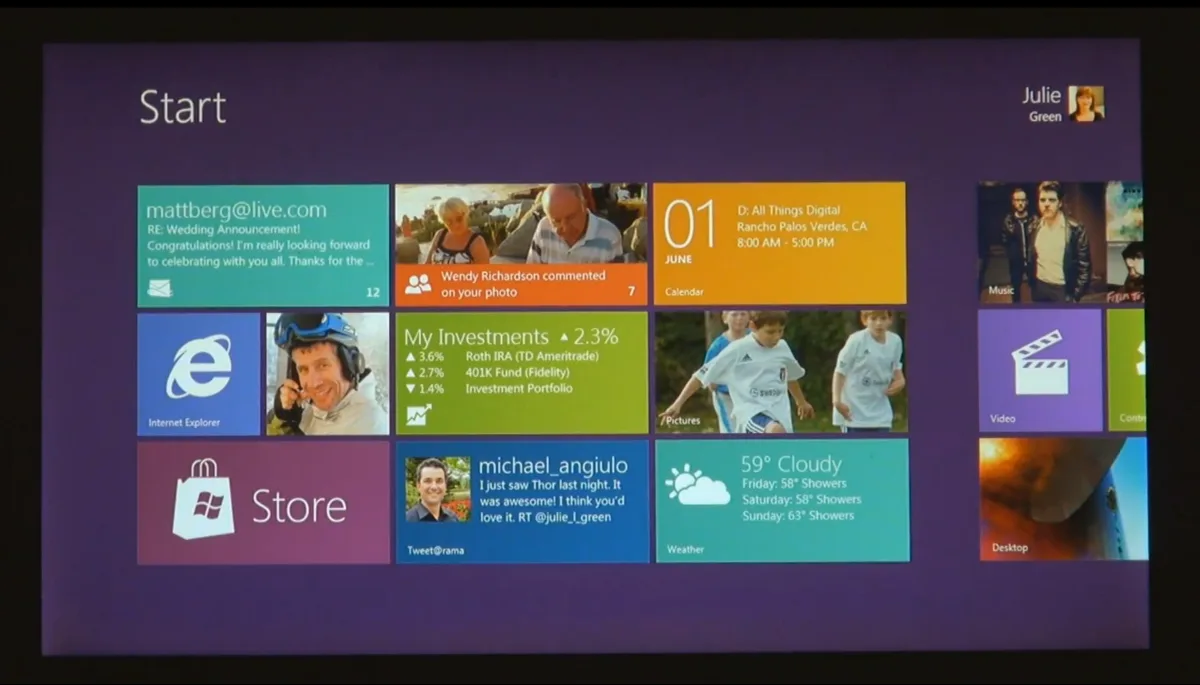
Image source: Web (Bing) / news.softpedia.com (Web image (fair-use with source credit))
Hardware Mismatch: Surface RT, Clover Trail, and the OEM Digitizer Mandate
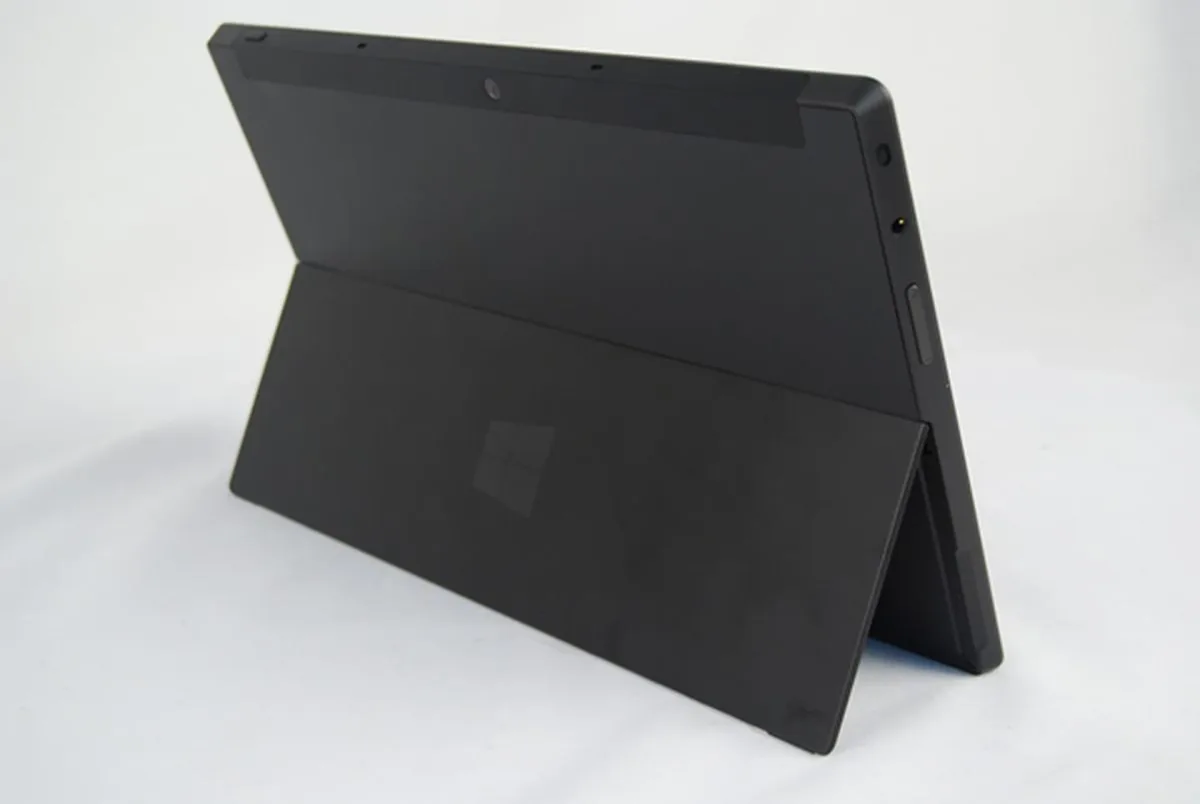
Microsoft bet on its own hardware to showcase the vision. Surface RT shipped with a Tegra 3 quad-core ARM chip and Windows RT, a recompiled Windows 8 that could not run any x86 desktop application. Office 2013 RT was included but licensed only for non-commercial use.
The nine hundred million dollar write-down in Q2 FY2013 covered six million units built and roughly one million sold.
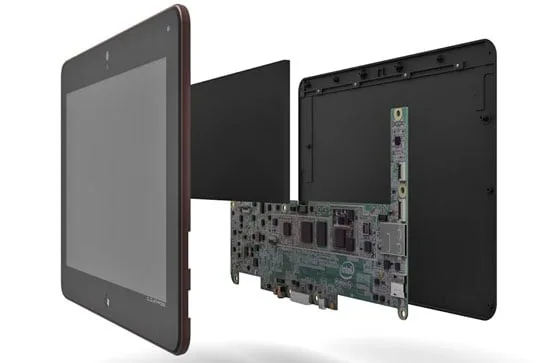
Intel Clover Trail Atom Z2760 powered the first x86 tablets but delivered netbook-class performance with four cores at 1.8 GHz and no Turbo Boost. Battery life was good but responsiveness lagged behind ARM iPad competitors. OEMs were forced to add five-point capacitive digitizers to qualify for "Designed for Windows 8" certification.
That added fifteen to twenty-five dollars per unit on two-hundred-dollar laptops. Many shipped with poor palm rejection and ghost touches.
Connected Standby required specific firmware and driver support. Early Haswell Ultrabooks hit ten-hour idle but driver bugs caused wake failures and battery drain. The hardware ecosystem simply was not ready for the software demands.
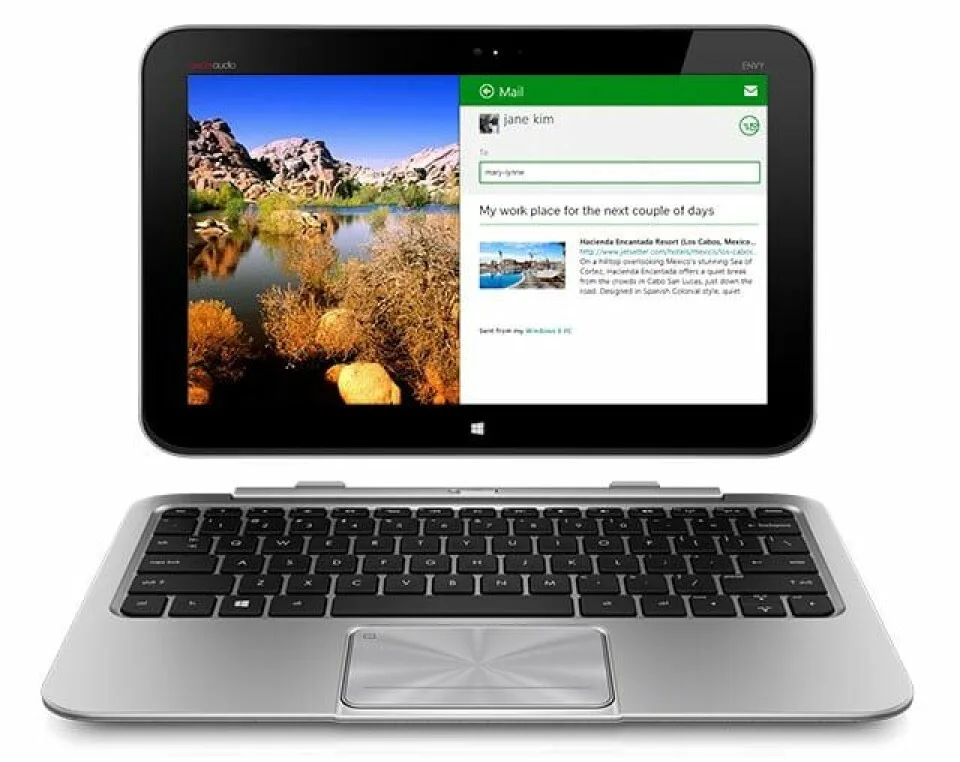
Two UIs, One OS: How the Metro/Desktop Split Broke Muscle Memory
Windows 8 ran two environments side by side. Metro apps came from the Windows Store ran in a sandboxed WinRT runtime and used a new API surface of roughly forty-five hundred types versus fifteen thousand plus in Win32. Desktop apps ran unchanged but were treated as second-class citizens.
File associations duplicated, PDFs opened in the Metro Reader and in Adobe Reader on the Desktop with no shared state. Internet Explorer 10 existed twice: a touch-optimized Metro version without plugin support and a Desktop version with full plugin support. Cookies and history did not sync between them.
The Charms Bar (Search Share Devices Settings) lived in invisible hot corners. Snap View allowed one Metro app beside the Desktop but only at a fixed 320-pixel width. Multitasking power users lost the ability to tile multiple Desktop windows alongside Metro apps.
The Start Screen could not be disabled. Third-party tools like Start8 Classic Shell and StartIsBack generated millions in revenue restoring the Start Menu. That market signal was loud and clear.
Enterprise Said No: Volume Licensing Downgrades and the Gartner "Skip" Advisory
Enterprise customers hold the volume license agreements that drive Microsoft revenue. Windows 8 Enterprise included Windows To Go (bootable USB workspace) DirectAccess improvements and AppLocker. But the UI changes created training costs IT departments refused to absorb.
Gartner issued a formal "skip" advisory in 2013 recommending clients stay on Windows 7 until the next major release. Pilot-to-production conversion in Fortune 500 companies was effectively zero at eighteen months.
Volume license downgrade rights became the default. Microsoft's own telemetry showed enterprise machines running Windows 7 far beyond the planned lifecycle. The Long-Term Servicing Branch (LTSB) created for Windows 10 was a direct response to this trust break.
IT pros needed a version that would not change underneath them. Windows 8 destroyed that confidence.
The App Gap That Never Closed: WinRT, Windows Store, and the 100K Ceiling
The Windows Store launched with roughly twenty thousand apps. By Windows 8.1 GA in October 2013 the count reached one hundred thousand. iOS and Android each exceeded one million. Critical apps were missing: no Instagram no official YouTube no major banking apps no Snapchat.
Developers faced three fragmented stacks: WinJS for web developers C#-XAML for .NET developers C++-CX for native code. Visual Studio 2012 tooling was immature. The Windows App Certification Kit (WACK) automated compliance tests but could not fix the fundamental API coverage gap.
WinRT covered roughly seventy percent of Win32 surface area. Core scenarios like background file processing arbitrary network sockets and low-latency audio were missing. Microsoft took a thirty percent store cut on paid apps and in-app purchases.
Sideloading required Enterprise SKU or a separate sideloading key. The ecosystem never reached critical mass. Project Centennial (Desktop Bridge) arrived in Windows 10 Anniversary Update 2016, four years too late for Windows 8 developers.
The Pivot: $900M Write-Down, Sinofsky Exit, and the Windows 10 Course Correction
The Surface RT write-down of nine hundred million dollars in July 2013 forced a reckoning. Steven Sinofsky left in November 2012 weeks after launch. Julie Larson-Green took over Windows engineering.
Terry Myerson returned to lead the OS group. Satya Nadella became CEO in February 2014 and blessed the "Windows as a Service" model. The codename Threshold became Windows 10.
The free upgrade offer for Windows 7 and 8.1 users ran for one year starting July 2015. The Start Menu returned as a hybrid of the Windows 7 list and live tiles. Universal Windows Platform (UWP) evolved WinRT with adaptive UI and .NET Native compilation.
Project Centennial bridged Win32 apps to the Store. The Long-Term Servicing Branch gave enterprises the stability they demanded. Windows 10 reached three hundred fifty million active devices in twelve months.
The course correction worked.
Microsoft 10-K filings show Windows revenue deferred recognition shifting from perpetual licenses to subscription-style accounting. The GWX (Get Windows 10) KB3035583 update became aggressive in 2015 and 2016. User backlash forced Microsoft to soften the push.
The LTSC channel remains the choice for embedded and regulated environments. The Windows 8 experiment proved that a single UI cannot serve touch tablets and mouse desktops without compromise. Windows 11 later doubled down on centered taskbar and rounded corners but kept the Start Menu.
The lesson stuck.
Frequently Asked Questions
Was Windows 8.1 a fix or a band-aid?
Windows 8.1 restored the Start button but not the Start Menu and added boot-to-desktop option and improved snap views. It addressed discoverability complaints but kept the fundamental Metro/Desktop split. Enterprise adoption did not materially improve.
Why did Windows RT exist at all?
Windows RT targeted ARM tablets for battery life and thin form factors. It shared the Windows 8 kernel but blocked unsigned desktop apps. Office 2013 RT was the only desktop suite allowed.
The branding confusion with full Windows 8 hurt sales.
Did the EU browser fine relate to Windows 8?
The European Commission fined Microsoft five hundred sixty-one million euros in 2013 for failing to show the browser choice screen in Windows 7 SP1. Windows 8 Metro Internet Explorer also bypassed the ballot. The fine covered both periods.
Could Windows 8 have succeeded with better hardware?
Haswell Ultrabooks with good touchscreens arrived in mid-2013 too late for launch momentum. The digitizer mandate raised costs on budget laptops. Intel Clover Trail performance was not competitive with ARM.
The ecosystem needed another year.
Is Windows 8 still supported?
Mainstream support ended January 2018. Extended support ended January 2023. Windows 8.1 extended support ended January 2023.
No security updates are issued. Upgrade to Windows 10 or 11 is strongly advised.

Similar Posts