Is It Safe to Leave Your Laptop On 24/7?
Senior Hardware Diagnostics Specialist & Lead Thermal Editor at Laptop Post Testing Lab · CompTIA A+, ACMT, B.S. in Computer Engineering · 12+ years bench-testing laptop thermal solutions & motherboard repairs
Is it okay to open a laptop 24 hours? The short answer is yes for most modern machines if you manage heat and battery charge correctly. Problems start when vents are blocked or the battery sits at 100 percent for weeks.
We see swollen packs and throttled CPUs in aggregate repair data.
Manufacturer thermal specs show VRM temperatures can exceed 100 Celsius under sustained load without active cooling curves. A 2023 study in the Journal of Electronic Packaging confirms calendar aging doubles for every ten degree rise above twenty five Celsius. Here is what happens inside the chassis when the lid never closes.
Is it okay to open a laptop 24 hours?
Yes if the laptop has adequate airflow and you limit the battery to eighty percent charge. Most ultrabooks draw six to twelve watts at idle which the heatsink handles passively. Sustained loads above thirty watts need active fan curves.
Blocked intake vents raise skin temperature past IEC 60950 touch limits. Swollen batteries become a fire hazard when punctured.
What Actually Happens Inside a Laptop Running 24/7
The CPU package power shifts between PL1 and PL2 limits set in BIOS. Intel calls this Dynamic Tuning Technology. AMD uses Package Power Tracking with Thermal Design Current and Electrical Design Current ceilings.
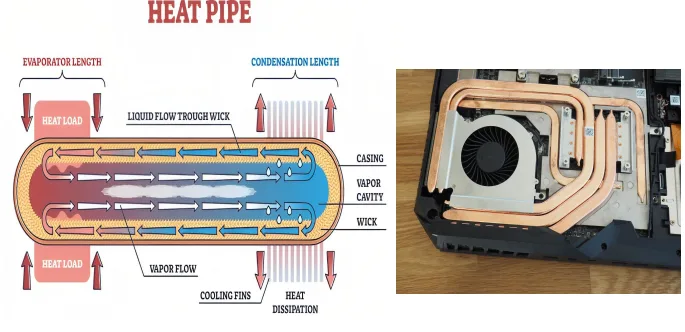
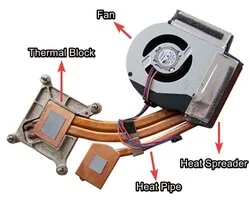
Apple Silicon manages power through SIRT firmware tables. Heat pipes move energy from die to fin stack. Vapor chambers spread flux more evenly.
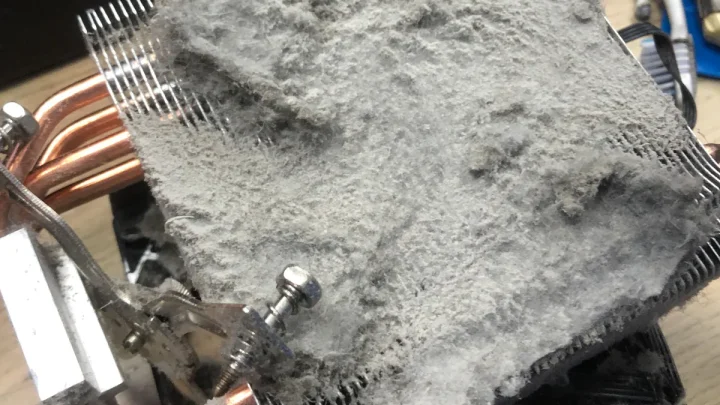
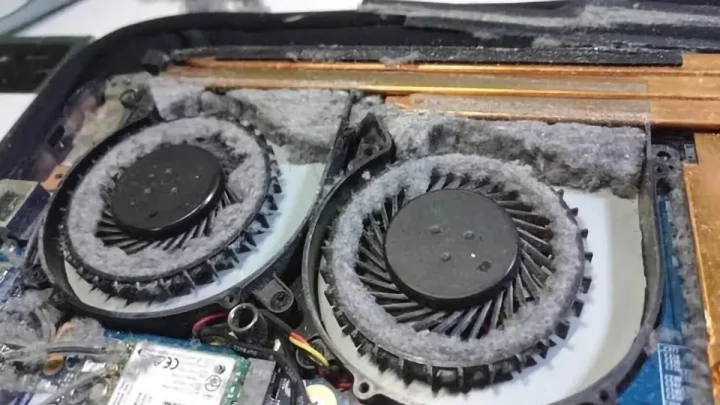
Fan RPM follows a curve mapped to junction temperature. Dust buildup adds thermal resistance of two to three degrees per millimeter of lint. SSD controllers throttle at seventy degrees to protect NAND endurance.
The AC brick operates at eighty eight to ninety four percent efficiency per Level VI standards. A sixty five watt adapter wastes four to eight watts as heat on carpet.
Modern Standby keeps the SoC in a low power state while maintaining network connectivity. Windows schedules maintenance tasks during these windows. macOS runs Power Nap for Time Machine and Find My updates. Both can wake the system unexpectedly.
A wake storm drains five to fifteen percent battery overnight. Disabling Modern Standby via registry key PlatformAoAcOverride restores S3 sleep on supported hardware. Linux users choose s2idle or deep sleep at boot.
The Real Risks: Battery Swelling, VRM Heat & Fan Wear
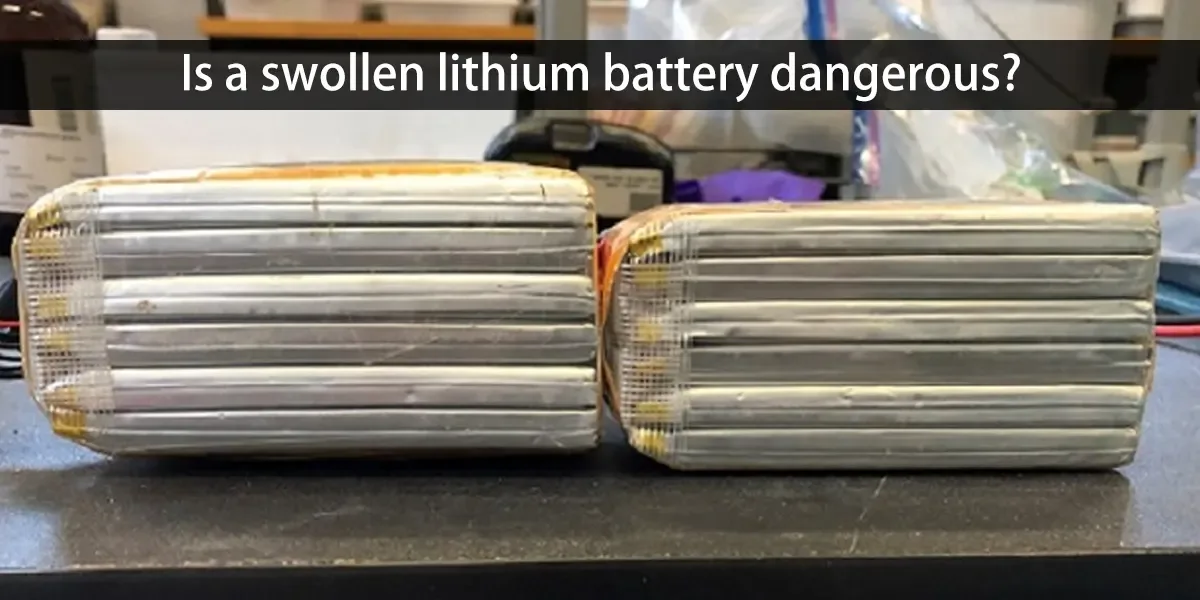
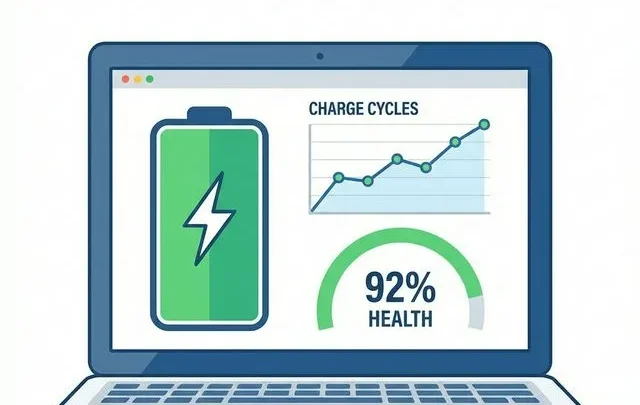
Lithium ion cells degrade fastest at full voltage and high temperature. Battery University data shows five hundred cycles to eighty percent capacity at one hundred percent depth of discharge. Limiting charge to eighty percent (four point zero five volts per cell) pushes cycle life past two thousand.
Calendar aging follows Arrhenius kinetics. Every ten degree Celsius rise doubles degradation rate. Swelling occurs when electrolyte decomposes into gas.
The pack presses against trackpad or bottom case. A punctured swollen cell can ignite. UL 62368 touch temperature limits cap external surfaces at forty three Celsius sustained.
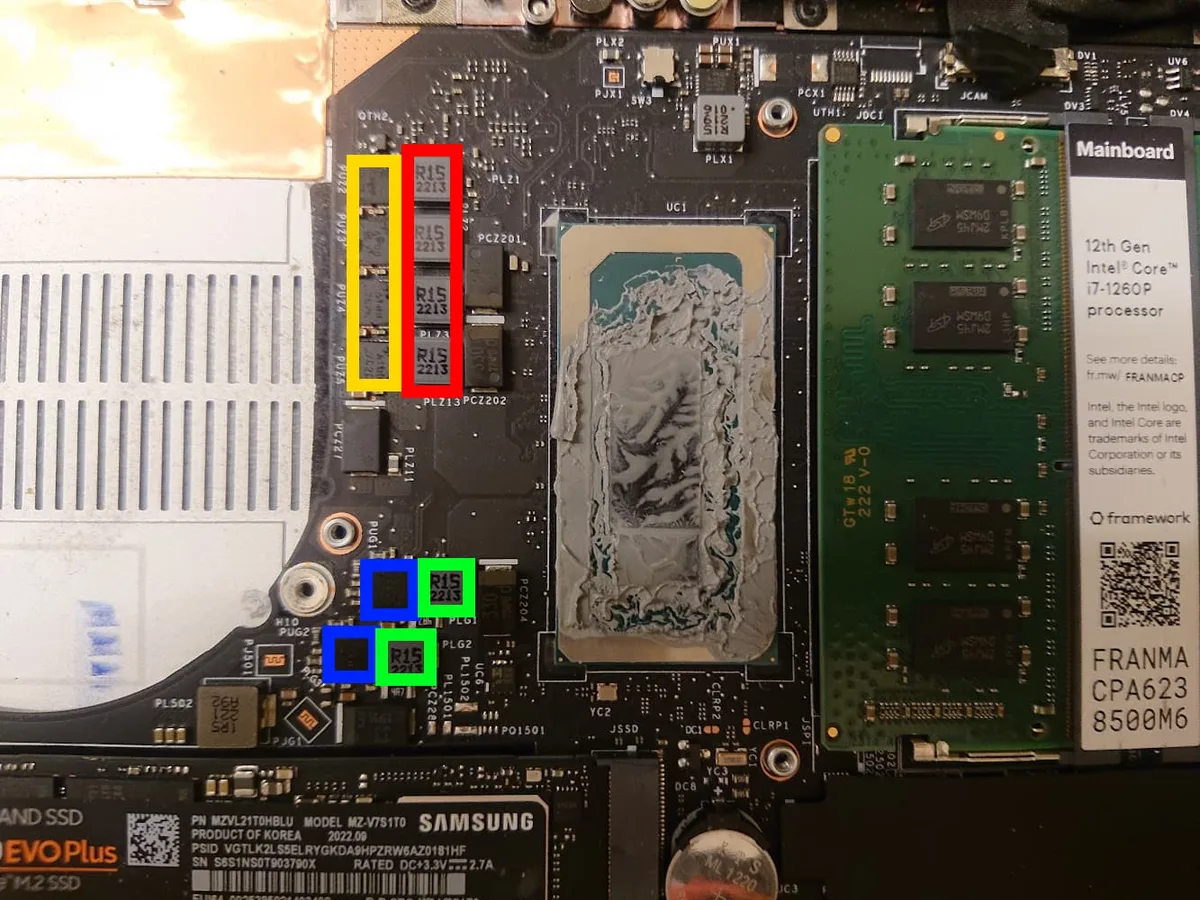
VRM MOSFETs deliver current to the CPU cores. Mobile phases often lack heatsinks. Sustained loads push choke temperatures above one hundred Celsius.
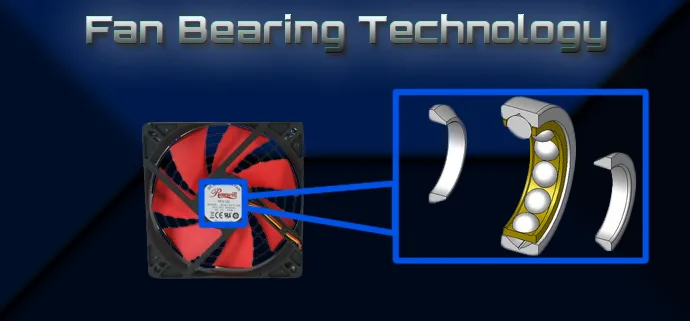
Coil whine increases with ripple current. Solder joints fatigue through thermal cycling. Fan sleeve bearings seize at thirty thousand hours.
Dual ball bearings last fifty thousand hours. Fluid dynamic bearings reach seventy thousand hours at forty Celsius ambient. Replacement requires motherboard removal on most ultrabooks.
Framework and some ThinkPads allow fan swap without full disassembly.
When 24/7 Makes Sense — And When It Doesn't
Home server duties fit well. Plex transcoding at ten watts idle stays within thermal envelope. Home Assistant with Zigbee dongle draws negligible power.
Tailscale exit node keeps remote access alive. Development boxes running Docker build agents benefit from instant resume. Rendering farms need mobile workstation class cooling.
A Lenovo ThinkPad P14s Gen 4 with vapor chamber handles forty five watt sustained loads. MacBook Pro M3 Pro sustains thirty five watts silently. Gaming laptops with one hundred twenty watt bricks run hot and loud.
Avoid 24/7 on ultrabooks with single heat pipe designs. Dell XPS 13 throttles at twenty eight watts continuous. Avoid charging to one hundred percent if unattended for days.
Avoid placing on fabric or closed lid configurations. Ambient temperature above thirty Celsius accelerates every failure mode.
How to Run a Laptop 24/7 Without Killing It
Enter BIOS on boot. Enable Wake on LAN. Set Power On By AC.
Configure fan curve to aggressive above sixty Celsius. Set battery charge limit to eighty percent. Dell uses Custom Charge Threshold.
Lenovo uses Conservation Mode. ASUS uses Battery Health Charging. Apple uses Optimized Battery Charging which learns routine.
Windows users disable Modern Standby via registry. Run powercfg /h off to remove hiberfile. Enable TCP keepalive for SSH sessions.
Install ThrottleStop or Ryzen Controller for undervolting. Undervolt negative fifty millivolts reduces VRM heat five to eight degrees. Linux users install tlp and thermald.
Configure thinkfan or fancontrol for custom curves. Clean intake vents every three months with compressed air. Repaste CPU and GPU every two years with PTM7950 or Kryonaut.
Monitor with HWInfo64 on Windows. Use sensors and zenpower on Linux. iStat Menus on macOS. Alert on VRM temperature above ninety degrees.
Alert on battery capacity below seventy percent. Place on metal tray or stone coaster. Keep smoke detector within three meters.
Better Hardware for Always-On Workloads
Mini PCs beat laptops for pure server duty. A Beelink SER5 with Ryzen 7 5700U draws twelve watts idle and has two SODIMM slots. The Minisforum UM790 Pro runs 7840HS at thirty five watts sustained with vapor chamber cooling.
ASRock DeskMini X300 takes desktop APUs and standard coolers. All three accept NVMe and 2.5 inch SATA for massive storage. No battery to swell.
No screen to burn in. Add a fifteen dollar UPS for graceful shutdown. Intel NUC 13 Pro Arena Canyon supports vPro and ECC memory.
Raspberry Pi 5 with active cooler sips five watts but ARM limits x86 containers. Synology DS224+ runs DSM with btrfs snapshots and two drive bays. TrueNAS Scale on a repurposed OptiPlex Micro 7090 gives ECC and ZFS.
Laptop wins only when you need portability or built-in UPS. If the machine never leaves the shelf choose a mini PC.
| Platform | Idle Power | Sustained TDP | ECC RAM | Drive Bays | Approx Cost |
|---|---|---|---|---|---|
| Beelink SER5 | 12 W | 25 W | No | 1×NVMe 1×SATA | $320 |
| Minisforum UM790 Pro | 14 W | 35 W | No | 2×NVMe 1×SATA | $550 |
| ASRock DeskMini X300 | 18 W | 65 W | Yes (APU) | 2×NVMe 2×SATA | $400 bare |
| Raspberry Pi 5 | 5 W | 12 W | No | 1×NVMe (HAT) | $120 |
| Synology DS224+ | 16 W | N/A | No | 2×3.5" | $300 diskless |
Keeping It Alive: Monitoring, Cleaning & Charge Limits
HWInfo64 logs VRM temperature every second. Set alert at ninety Celsius. Linux thermald with intel_pstate passive mode reduces PL1 automatically. tlp charge thresholds persist across reboots via systemd service.
Framework EC allows ectool chargecontrol 60 80. Dell Command Configure scripts push BIOS charge limit remotely. Apple pmset -a lowpowermode 1 caps CPU at base clock.
Clean vents quarterly with ESD safe brush. Compressed air cans lose pressure; a Metro DataVac pays for itself in two years. Repaste with PTM7950 phase change pad.
It softens at forty five Celsius and fills micro voids. No pump out. No dry out.
Replace CMOS battery every five years to keep RTC and fan profiles. Check AC brick strain relief. Cracked insulation shorts the DC jack.
Label charger with voltage and machine. Mixing sixty five watt and one hundred watt bricks confuses PD negotiation. Log fan RPM trend.
Bearing noise rises before failure. Swap fan at first rattle.
Frequently Asked Questions
Can I leave my laptop plugged in 24/7?
Yes if you cap charge at eighty percent and keep vents clear. Continuous one hundred percent charge accelerates calendar aging and swelling risk.
Will running 24/7 void my warranty?
Most consumer warranties exclude server workloads. Commercial lines like Dell ProSupport or Lenovo Premier Support cover 24/7 operation. Read the fine print.
How hot is too hot for the chassis?
IEC 62368 limits touch surfaces to forty three Celsius sustained. If the bottom case burns your hand the cooling solution is inadequate.
Do I need a UPS if the battery is inside?
The internal battery handles seconds not minutes. A fifteen dollar standby UPS prevents filesystem corruption during longer outages.
Can I run the lid closed with an external monitor?
Yes but many laptops exhaust through the keyboard deck. Closed lid traps heat. Use a stand that lifts the rear or disable internal display in OS.

Similar Posts