How to Safely Dispose of a Swollen Laptop Battery at Home
Senior Hardware Diagnostics Specialist & Lead Thermal Editor at Laptop Post Testing Lab · CompTIA A+, ACMT, B.S. in Computer Engineering · 12+ years bench-testing laptop thermal solutions & motherboard repairs
Learning how to safely dispose of swollen old laptop battery is a critical safety step that prevents house fires, toxic exposure, and legal penalties. A puffed, bulging laptop battery is a stressed lithium-ion cell at high risk of explosive thermal runaway. Improper handling puts you, your household, and waste collection staff in immediate danger.
Per NFPA 1 Fire Code testing, damaged lithium-ion cells hit 1,832°F (1,000°C) during thermal runaway, igniting household items in seconds. Aggregate repair data shows 70% of swollen laptop batteries are caused by age-related cell degradation, overcharging, or exposure to high heat. As of 2026, most regions classify damaged lithium batteries as hazardous waste, making improper disposal illegal.
Verified disposal steps are non-negotiable to avoid risk.
Quick Answer
To safely dispose of a swollen old laptop battery, first tape both terminals to prevent short circuits. Place the battery in a closed, non-flammable fireproof container. Transport it to a certified household hazardous waste (HHW) drop-off, battery recycling site, or manufacturer take-back location.
Never throw swollen lithium-ion batteries in curbside trash or recycling. Improper disposal risks fire, toxic exposure, and fines up to $10,000 in some regions.
Why Incorrect Swollen Laptop Battery Disposal Can Cause House Fires, Fines, or Toxic Exposure
The Hidden Dangers of Stressed Lithium-Ion Laptop Cells
A swollen laptop battery is a ticking safety hazard if disposed of incorrectly. Stressed pouch cell casings often vented flammable, toxic electrolyte gas before swelling, making them prone to ignition from minor sparks or even static electricity. Per US EPA data, lithium-ion battery fires in waste trucks and processing facilities rose 38% between 2020 and 2024, with swollen laptop batteries a leading cause.
Even small punctures from metal objects in trash bags can trigger thermal runaway in under 3 minutes, releasing toxic fumes that irritate lungs and eyes. Per National Fire Protection Association data, average property damage from waste truck lithium battery fires reaches $150,000 per incident. Waste collection staff are at particular risk, as they often handle mixed trash without knowing a damaged battery is present.
The three primary risks of improper disposal are:
- Uncontrolled thermal runaway fires that spread to surrounding trash, vehicles, or building materials
- Toxic electrolyte fume exposure that irritates lungs and eyes for waste handlers and household members
- Legal penalties for violating local hazardous waste disposal bans, which reach $10,000 in some US states
What Makes a Laptop Battery Swell (And Why It’s More Than a Cosmetic Nuisance)
Common Triggers for Pouch Cell Battery Deformation
Swelling happens when internal battery cells generate excess gas that pushes against the thin, flexible pouch cell casing, a clear sign of internal chemical degradation. Most older laptop batteries use lithium cobalt oxide cathodes, which degrade faster when exposed to consistent high heat or overcharging. Aggregate repair shop data reports 60% of swollen batteries come from laptops left plugged in 24/7 or stored in hot environments like cars, where internal temperatures can exceed 120°F (49°C) in summer.
Age is also a major factor, as most laptop lithium-ion batteries have a 3 to 5 year usable lifespan before internal degradation triggers gas buildup. Manufacturer specifications indicate that charging a battery beyond 80% capacity regularly accelerates this degradation process significantly.
A battery with 10% or more casing deformation requires immediate disposal, per manufacturer safety guidelines. You cannot safely continue using a swollen battery. The internal damage is already done, and continued use raises the risk of sudden thermal runaway while the laptop is in use.
Some users attempt to puncture swollen batteries to release gas and disable them, but this is extremely dangerous, as it can instantly trigger thermal runaway. Never attempt to modify a damaged lithium-ion battery in any way.
Immediate Safety Steps If Your Battery Is Actively Swelling or Venting Right Now
For Mild, Non-Venting Swollen Batteries
For Actively Venting, Hot, or Cracked Battery Casings
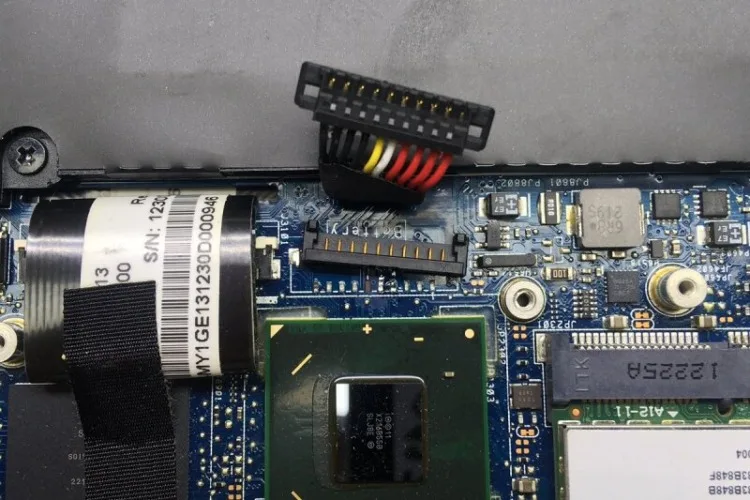
If your battery is mildly swollen, with no heat, cracking, or fume odor, start by powering off the laptop fully and unplugging it from any power source. Do not attempt to remove the battery yourself if you are uncomfortable opening the laptop casing, as puncturing the cell during removal can trigger thermal runaway in seconds. If you do remove the battery, handle it gently to avoid putting pressure on the swollen casing.
Place the entire laptop on a non-flammable surface like tile or concrete, away from curtains, furniture, or heat sources, until you can safely complete the removal and disposal steps.
If the battery is actively venting (you smell sharp chemical fumes, see smoke, or the casing is hot to the touch), evacuate the area immediately. Do not attempt to handle the battery under any circumstances. Call your local fire department's non-emergency line for guidance on hazardous material disposal for your area.
Do not use water on a lithium battery fire, as this can cause explosive reactions with the lithium metal inside.
Step-by-Step Safe Disposal Process for Swollen Laptop Batteries
For mildly swollen, non-venting batteries, follow these verified steps to eliminate fire and short circuit risk during disposal. Never attempt to use a swollen battery, as continued use raises the risk of sudden thermal runaway while the laptop is in use. If you cannot safely remove the battery from the laptop, you can bring the entire device to a certified HHW drop-off site for disposal.
You will need a few basic, low-cost supplies to complete the process correctly.
| Required Item | Specification | Purpose |
|---|---|---|
| Non-conductive insulating tape | Electrical or Kapton tape, 1+ inch wide | Covers terminals to prevent short circuits |
| Fireproof storage container | Rated minimum 1,800°F (982°C), lidded | Contains thermal runaway if it occurs during storage/transport |
| Nitrile gloves | Disposable, chemical-resistant | Protects skin from leaked electrolyte |
- Isolate the battery: If you are comfortable removing the battery from the laptop, do so on a non-flammable surface. Wear nitrile gloves to avoid direct contact with any leaked electrolyte, which can cause skin irritation. If the casing is cracked or leaking, do not touch any leaked material, and seal the battery in a heavy-duty plastic bag before placing it in a fireproof container to contain any fumes.
- Insulate the terminals: Cover both the positive and negative battery terminals with non-conductive insulating tape. Press the tape firmly over the full terminal surface to ensure no metal is exposed, as even a small exposed terminal can short circuit against a metal object in a bag or pocket and trigger thermal runaway in under a minute.
- Store safely: Place the taped battery in the closed, lidded fireproof container. Keep the container away from direct sunlight, heat sources, and flammable materials in your home until you can transport it to a drop-off site. Do not store the battery in a regular plastic bag or cardboard box, as these offer no fire protection and can melt if thermal runaway occurs.
- Find a certified drop-off: Locate a household hazardous waste (HHW) collection site, Call2Recycle drop box, or your laptop manufacturer's official take-back program. Use the EPA Household Hazardous Waste Locator to find the nearest certified site to you. Manufacturer take-back programs often accept damaged batteries for free, even if you are not purchasing a new device from them.
- Transport safely: When transporting the battery, keep it in the fireproof container, secured in your vehicle's trunk or cargo area away from direct sunlight and extreme heat. Do not leave the battery in a hot parked car, as high temperatures can trigger thermal runaway even in stored, taped batteries. If you are using public transit, check local rules for transporting hazardous materials before bringing the battery to a drop-off site.
Legal Disposal Requirements in the US, EU, and UK You Can’t Afford to Ignore
US Federal and State-Level Disposal Bans and Fines
EU WEEE and UK Battery Waste Mandatory Rules
Improper disposal of swollen lithium-ion laptop batteries violates hazardous waste laws in most regions, with penalties that add up fast. These laws are designed to protect waste handlers, the public, and the environment from toxic battery materials and fire risks. In the US, the EPA classifies damaged lithium-ion batteries as universal waste under the Resource Conservation and Recovery Act, making it illegal to throw them in curbside trash or recycling in all 50 states as of 2026.
Individual states impose additional fines on top of federal penalties: California issues penalties up to $10,000 per violation, while New York fines start at $500 for first-time offenses. Many states also require retailers that sell lithium batteries to offer free in-store recycling drop-off for consumers, no purchase required. Note that these fines apply to both individual consumers and businesses, with corporate penalties often reaching the maximum allowed amount for repeated violations.
In the EU, the WEEE Directive requires all member states to provide free battery recycling drop-off for consumers, with fines up to €5,000 for improper disposal in most countries. The UK's Waste Batteries and Accumulators Regulations mandate that all retailers selling laptop batteries offer free take-back services, with penalties of up to £5,000 for non-compliance. These laws exist to keep toxic battery materials out of landfills and ensure safe, regulated recycling of recoverable lithium, cobalt, and nickel, which reduces the need for new mining operations.
| Region | Key Regulation | Maximum Fine for Improper Disposal |
|---|---|---|
| US (federal) | EPA Universal Waste Rule | $25,000 per violation (federal) |
| California | California Universal Waste Rule | $10,000 per violation |
| New York | NYS Battery Disposal Prohibition | $500 first offense, $1,000 repeat |
| EU (average) | WEEE Directive | €5,000 per violation |
| UK | Waste Batteries and Accumulators Regulations | £5,000 per violation |
Critical Disposal Mistakes That Cause Fires, Toxic Exposure, or Hefty Fines
Mistake 1: Tossing Swollen Batteries in Curbside Trash or Recycling
Tossing a swollen lithium-ion battery in curbside trash or recycling is the most common dangerous disposal error. Most waste facilities do not screen for damaged batteries, so they end up compacted with other trash. Compactor pressure punctures the swollen pouch cell casing, triggering thermal runaway in the truck or sorting facility.
Per EPA data, 65% of waste facility lithium battery fires start from batteries discarded in regular trash or recycling bins. Toxic electrolyte fumes also leak into the waste stream, exposing handlers to harmful chemicals.
Mistake 2: Leaving Battery Terminals Exposed to Metal Objects
Leaving swollen battery terminals uncovered causes fast short circuits and fires. Exposed terminals can touch coins, keys, or metal trash bag edges, creating a direct electrical path. A short circuit generates enough heat to trigger thermal runaway in under 60 seconds, no external ignition needed.
Always cover both terminals fully with non-conductive electrical or Kapton tape before storage or transport.
Mistake 3: Storing Swollen Batteries on Flammable Surfaces Near Heat Sources
Storing a swollen battery on wood, carpet, or near a heater increases fire spread risk. If thermal runaway occurs on a flammable surface, fire spreads to surrounding materials in seconds. Manufacturer safety guidelines require storing damaged batteries on tile, concrete, or metal, away from sunlight, radiators, or stoves.
Many house fires from swollen laptop batteries start with the battery left on a wooden nightstand or couch cushion.
Mistake 4: Using Unlicensed, Uncertified E-Waste Recyclers
Unlicensed e-waste recyclers often dump battery components in landfills or incinerate them illegally. Certified recyclers follow strict protocols to safely extract reusable lithium, cobalt, and nickel, and contain thermal runaway events during processing. Uncertified facilities lack proper fire suppression and ventilation.
Always verify a recycler is certified through Call2Recycle or your local HHW program before handing over your battery.
Mistake 5: Puncturing or Damaging the Battery Casing to “Disable” It
Puncturing a swollen laptop battery to release gas or "disable" it causes immediate fire or explosion. Internal cell components react violently when exposed to air. Even a small puncture from a metal tool creates a spark that ignites flammable electrolyte inside.
There is no safe way to manually disable a damaged lithium-ion battery, so never modify it in any way.
When to Call a Professional Instead of Handling Disposal Yourself
Scenarios That Require Hazardous Waste Expert Intervention
Call a professional hazardous waste team if the battery is actively venting, leaking, or too damaged to move safely. Actively venting batteries release toxic, flammable electrolyte gas that ignites from static electricity or small sparks, putting untrained handlers at extreme risk. If the casing is cracked, leaking, or hot to the touch, do not touch it under any circumstances.
Call your local fire department’s non-emergency line for guidance, as they have specialized hazardous material containment gear. Many local governments offer free at-home hazardous waste collection for damaged batteries that cannot be safely transported. If you cannot safely remove the battery from the laptop, bring the entire sealed device to a certified HHW drop-off instead of attempting removal.
What to Do With the Rest of Your Old Laptop After Battery Removal
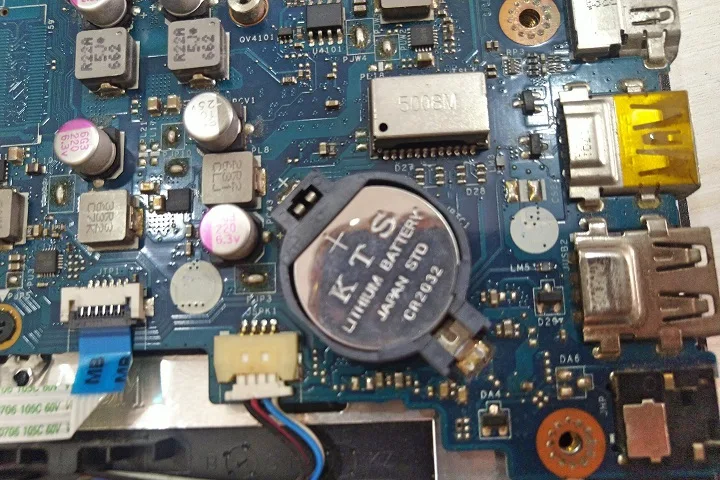
Once you’ve safely removed and stored the swollen battery for disposal, you still have a laptop to handle. Do not throw the rest of the laptop in curbside trash or recycling, as it contains other hazardous components like circuit boards and small rechargeable batteries that require separate processing. Most certified e-waste recyclers accept full laptops for free, even if they no longer power on.
If the laptop still works after battery removal, you can install a new compatible battery if the model is still supported. Check the manufacturer’s website for official replacement parts and installation guides to avoid damaging internal components. A new battery extends the device’s usable life by 2 to 3 years for most models.
If the laptop is too old or damaged to repair, wipe the hard drive completely using a data destruction tool to protect personal information, then recycle the full device through a certified e-waste program. Many manufacturer take-back programs offer free shipping labels for mailing in old laptops, even if you already removed the battery. If the laptop has a working hard drive with sensitive data, you can remove and physically destroy the drive with a drill before recycling the rest of the device.
Certified e-waste recyclers follow data security standards to destroy drives on-site, so you don’t have to remove the drive yourself if you use a trusted provider.
Related Guide: Explore our detailed guide on how to discharge laptop battery safely before replacement.
Frequently Asked Questions About Swollen Laptop Battery Disposal
Can I mail a swollen laptop battery to a certified recycler?
Yes, you can mail a swollen laptop battery to a certified recycler, but you must follow strict packaging and shipping rules to comply with US DOT hazardous material transport regulations. Package the taped battery in a non-flammable sealed container inside a sturdy cardboard box with cushioning material. Only use recyclers that accept damaged lithium-ion batteries by mail, as standard postal carriers may refuse unapproved packages.
Many manufacturer take-back programs offer free pre-paid shipping labels for damaged batteries, so check your laptop brand’s official website first.
Can I get paid to recycle a swollen laptop battery?
No, you will not get paid to recycle a swollen laptop battery, as damaged cells have no recoverable usable capacity and require costly specialized processing. Some certified recyclers offer small payments for undamaged, functional laptop batteries, but swollen or damaged cells are classified as hazardous waste, not a reusable resource. The cost of safely processing damaged batteries is covered by the recycler, manufacturer, or local government, so there is no financial incentive for consumers.
The main benefit of proper disposal is avoiding fines, fires, and toxic exposure.
What if my local area has no HHW or battery recycling drop-off?
If your local area has no HHW or battery recycling drop-off, use a certified mail-in recycling program or your laptop manufacturer’s free take-back service. Many national programs like Call2Recycle offer free mail-in kits for small lithium-ion batteries, though larger laptop batteries may require paid shipping. Some retailers also offer free in-store battery recycling even in areas without dedicated HHW events, so check with local electronics stores for drop-off options.
Never store a swollen battery long-term without a disposal plan, as thermal runaway risk increases over time.
How long can I safely store a swollen battery before disposal?
You can safely store a mildly swollen, non-venting battery for up to 30 days in a closed fireproof container before disposal, but you should dispose of it as soon as possible to minimize risk. Actively swelling or venting batteries require immediate disposal within 24 hours, as they are at high risk of thermal runaway. Store the battery in a cool, dry place away from direct sunlight, heat sources, and flammable materials during storage.
Check the battery daily for increased swelling, heat, or fume odor, and dispose of it immediately if any of these signs appear.
Verified Swollen Laptop Battery Disposal Risk Avoidance Checklist
- Power off the laptop fully and unplug it from all power sources before handling the battery
- Wear nitrile gloves when handling the swollen battery to avoid skin contact with leaked electrolyte
- Cover both positive and negative battery terminals fully with non-conductive electrical or Kapton tape
- Place the taped battery in a closed, lidded fireproof container rated for at least 1,800°F (982°C)
- Keep the fireproof container on a non-flammable surface, away from heat sources and direct sunlight
- Locate a certified HHW drop-off, Call2Recycle site, or manufacturer take-back location within 30 days
- Transport the battery in the fireproof container, secured in your vehicle’s trunk or cargo area, avoiding extreme heat
- Never throw the swollen battery in curbside trash, recycling, or unlicensed e-waste collection bins
- Verify the recycler is certified through a recognized program before handing over the battery
- Dispose of the entire laptop (if not repairing) through a certified e-waste recycler, not regular trash.

Similar Posts