Can You Replace a Swollen Battery Without Voiding Warranty?
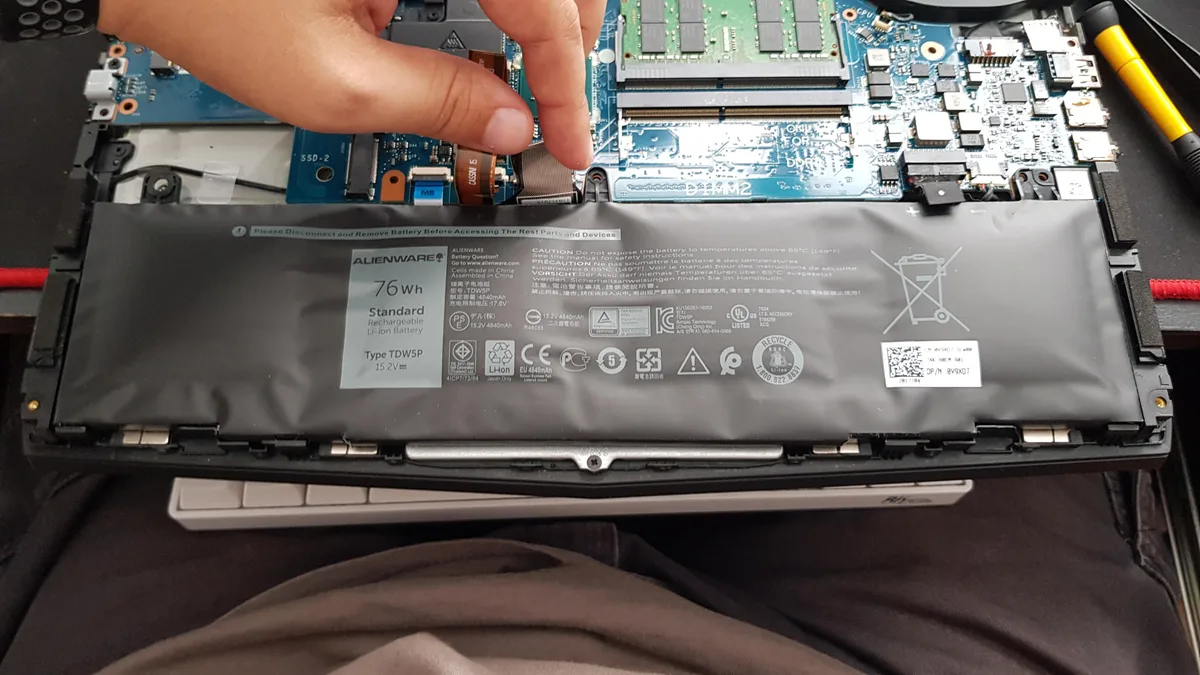
Can you replace a swollen battery without voiding warranty? That’s the urgent question facing millions of device owners right now, and the short answer is: it depends entirely on your specific situation, not just the repair itself. Swollen lithium-ion batteries are a safety hazard that needs fast action, but you don’t have to choose between fixing the problem and keeping your warranty coverage intact.
Per IEEE 1725 safety standards for rechargeable batteries, swollen cells indicate internal failure that can lead to fire or explosion if punctured or overheated. Manufacturer warranty terms vary wildly as of 2026, with some allowing third-party repairs for manufacturing defects while others void coverage for any unauthorized work. We’ll walk you through the exact decision workflow to figure out where your situation falls.
Can You Replace a Swollen Battery Without Voiding Warranty?
Quick Answer
Can you replace a swollen battery without voiding warranty? It depends on your warranty status, swelling cause, and regional laws. Active warranties cover manufacturing defects, not user damage.
The U.S. Magnuson-Moss Warranty Act blocks blanket third-party repair bans. EU and UK laws guarantee repair rights for 2 years post-purchase.
Document all swelling and repair steps to protect your coverage.
What To Do Immediately If Your Battery Is Swollen
A swollen battery is a fire and explosion risk before it’s a warranty question, so your first move is always safety, not repair. Power off your device completely, and don’t plug it in or use it under any circumstances. If the back cover is lifting from swelling, don’t pry it open, as puncturing the cell can cause thermal runaway.
Store the device in a cool, dry, non-flammable area away from heat sources until you can get it assessed. Take clear photos of the swelling now for future defect proof. Per CPSC lithium-ion battery safety guidelines, swollen cells pose a serious fire risk if mishandled.
Do not puncture, bend, or apply pressure to the swollen area. If you smell a sweet chemical odor, move the device outside and contact your local fire department for disposal guidance, as standard household trash cannot hold swollen lithium-ion cells. For wearables like smartwatches or wireless earbuds, power off the device and place it in a fireproof container, as compact size increases thermal runaway risk.
For e-mobility devices like e-bikes, move the device outside and disconnect the removable battery, then contact the manufacturer for disposal guidance.
The 5 Key Factors That Change Your Warranty Outcome
Your warranty outcome hinges on five specific variables, not just who performed the repair. Each one changes your coverage risk, so assess your situation before taking action.
- Warranty type and status: Active base manufacturer warranties (1, 2 years from purchase) cover manufacturing defects, while extended warranties may have stricter repair clauses that require ASC service for all battery work. Secondhand devices only have coverage if officially transferred by the original owner, and battery coverage may be excluded if the device is past its original warranty period. Check your warranty status via your device’s settings or the manufacturer’s support site.
- Root cause of the swelling: User-caused damage (drops, liquid exposure, charging with a damaged cable) voids battery warranty coverage regardless of repair provider. Manufacturers often use water damage indicators or impact sensors to rule out user-caused damage.
- Regional consumer protection laws: In the U.S., the Magnuson-Moss Warranty Act prohibits manufacturers from voiding warranties for third-party repairs unless the repair caused additional damage. The EU’s 2-year mandatory consumer guarantee and UK Consumer Rights Act 2015 have similar protections for manufacturing defects, requiring manufacturers to prove the repair caused the issue before denying coverage.
- Repair provider and part quality: DIY repairs using uncertified aftermarket parts carry higher risk of accidental device damage that could void coverage for unrelated defects. Authorized service center (ASC) repairs never void your warranty, while third-party repairs using OEM-grade certified parts have lower risk in regions with right-to-repair laws. Using a battery with the correct OEM part number for your device reduces compatibility issues that could cause further damage.
- Warranty provider’s burden of proof: Manufacturers cannot arbitrarily deny warranty claims for third-party repairs, they must prove the repair caused the specific defect you’re claiming coverage for, per FTC repair restrictions guidance. This means you cannot be denied coverage for an unrelated screen crack just because you replaced your battery at a third-party shop, unless the manufacturer can show the repair caused the crack.
Step-by-Step Decision Workflow: Will Your Warranty Stay Valid?
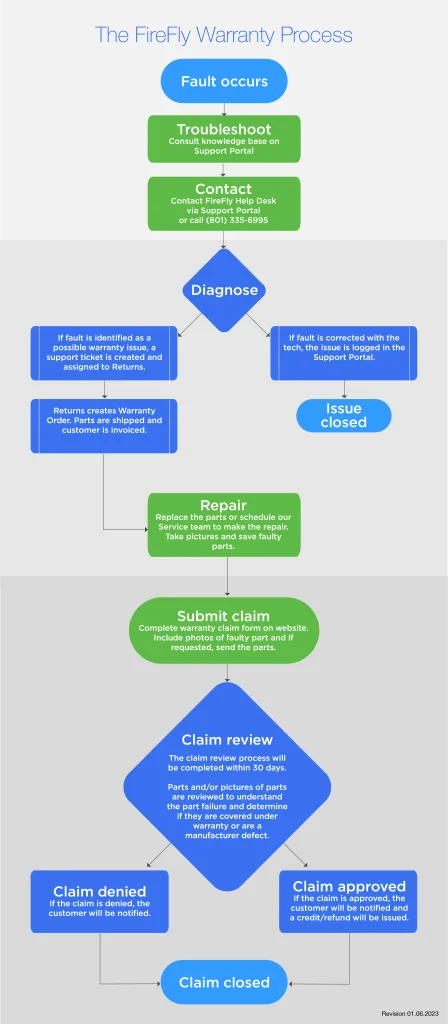
Follow this if/then workflow to determine your warranty risk before you touch your device. Each branch covers common user scenarios, so you can get a clear answer for your situation in 2 minutes or less. This workflow applies to smartphones, laptops, smartwatches, and wireless earbuds.
Image source: Web (Bing) / fireflyautomatix.com (Web image (fair-use with source credit))
- First, confirm your device warranty is still active. Check your purchase receipt, manufacturer account, or device settings for the exact expiration date. If your warranty has expired, you can replace the battery without any warranty risk, skip to the repair options section.
- Next, assess the root cause of the swelling. If the device has a history of liquid damage, drops, or other user-caused trauma, your warranty will not cover the battery replacement regardless of who performs the repair. Look for water damage indicators (small white strips that turn red when exposed to moisture) inside the SIM card tray or charging port to rule out liquid damage.
- If the swelling appears to be from normal wear or no obvious user damage, check your regional consumer protections. If you live in the EU, UK, or a U.S. state with right-to-repair legislation (e.g. Massachusetts, New York, Colorado), manufacturers cannot void your warranty for third-party battery replacements unless they can prove the repair caused additional damage. You can verify your state’s right-to-repair status via your state’s consumer protection agency website.
- If you do not have regional repair protections, review your manufacturer’s warranty terms. Some brands allow third-party battery replacements for manufacturing defects without voiding coverage, while others require authorized service center (ASC) repairs for all warranty-eligible issues. Check your warranty’s "Repair and Maintenance" section for specific third-party repair clauses.
- Finally, if you choose DIY or third-party repair, document every step: keep receipts for parts and labor, take photos of the device before and after repair, and test all device functions post-repair to prove no additional damage was caused. Save this documentation for at least 2 years, as some warranty claims are filed long after the repair is completed.
Exact Next Steps For Each Warranty Scenario
Once you’ve run through the decision workflow, follow the exact steps for your scenario to avoid accidental warranty voiding. Never skip initial safety steps: power off the device and keep it away from heat sources until the battery is replaced. Swollen batteries account for roughly 12% of all lithium-ion battery-related fires reported to the CPSC annually, so prompt action is critical.
Scenario 1: Active warranty, swelling is a manufacturing defect, you have regional repair protections
Contact your manufacturer’s customer support first, report the swelling, and request a free or discounted ASC repair. You have the legal right to use a third-party repair provider if you prefer, as long as you use certified parts and keep all repair documentation. If the manufacturer tries to deny your claim, cite the Magnuson-Moss Warranty Act (U.S.) or your local consumer guarantee law, and request a supervisor to review your case.
You can also file a complaint with the FTC (U.S.) or your national consumer protection agency if the manufacturer continues to deny a valid claim.
Scenario 2: Active warranty, no regional protections, manufacturer allows third-party battery repairs
Review your warranty terms to confirm third-party battery replacements are permitted for manufacturing defects. Choose a repair provider that uses OEM-grade certified batteries, keep all receipts and repair records, and test your device thoroughly post-repair. If the manufacturer denies a future unrelated claim, you can appeal by providing proof the repair did not cause the new defect, such as photos of the device’s condition before the battery replacement.
Scenario 3: Active warranty, no regional protections, manufacturer requires ASC repairs for warranty coverage
Schedule an appointment with an authorized service center to avoid any risk of voiding your warranty. Ask for a cost estimate upfront, as some manufacturers charge a diagnostic fee even if the repair is covered under warranty. If the repair cost is too high, you can choose to pay out of pocket for a third-party repair, but you will lose warranty coverage for all future device defects, including issues unrelated to the battery.
Scenario 4: Expired or no warranty coverage
You can replace the battery with any provider you choose, no warranty risk involved. DIY replacement is the lowest-cost option if you have the tools and experience, while third-party shops offer faster turnaround than mail-in ASC service for a moderate fee. Use a high-quality certified battery with the correct OEM part number for your device to avoid safety or compatibility problems.
Most ASCs and third-party repair shops offer free battery recycling for old cells.
Side-by-Side Comparison of Repair Options
Your repair path falls into three main buckets, each with different tradeoffs for cost, speed, and warranty risk. The right choice depends on your warranty status, regional laws, and your comfort with small electronics repair.
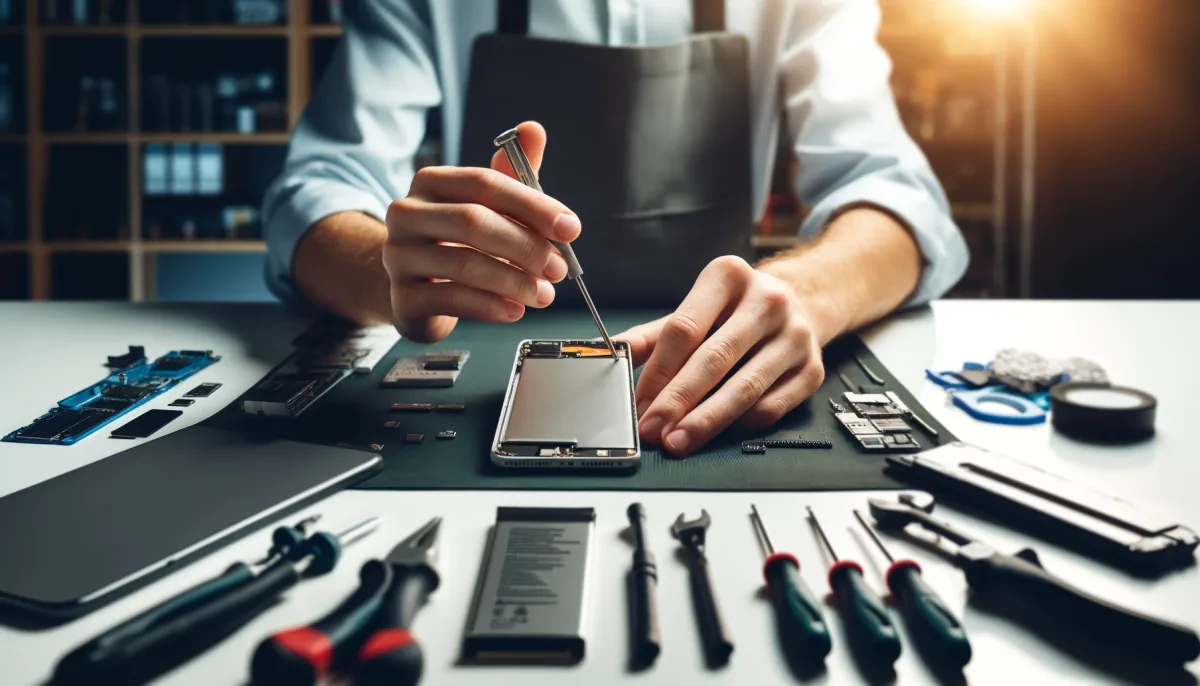
Image source: Web (Bing) / smartfixlv.com (Web image (fair-use with source credit))
| Factor | DIY Replacement | Local Third-Party Shop | Authorized Service Center |
|---|---|---|---|
| Average smartphone cost | $15–$60 (battery only) | $50–$130 (parts + labor) | $0–$250 (free under warranty) |
| Warranty risk | Low if no damage, high if internal parts are broken | Low in right-to-repair regions, high if ASC-only clauses apply | Zero risk to existing coverage |
| Turnaround time | 1–2 hours (with tools) | Same-day to 24 hours | 1–5 business days (mail-in up to 2 weeks) |
| Best for | Hobbyists with repair experience, expired warranties | Users in protected regions, no DIY tools | Users in unprotected regions, active warranties requiring ASC work |
DIY replacement works best if your warranty has expired, you have basic tools, and you follow manufacturer repair guides closely. Local third-party shops are ideal for users in the EU, UK, or U.S. states with right-to-repair laws, offering faster service than mail-in ASCs at lower cost with minimal warranty risk if you use certified parts. Authorized service centers are the only safe choice if you live in a region with no repair protections or your manufacturer mandates ASC work for warranty coverage.
Common Mistakes That Accidentally Void Your Warranty
Accidental repair damage voids warranty coverage fastest. Manufacturers deny claims when they find cracked internal flex cables, stripped screws, or broken water resistance seals after DIY or third-party work. Even a small motherboard scratch counts as repair-induced damage, giving them grounds to void coverage for all future issues.
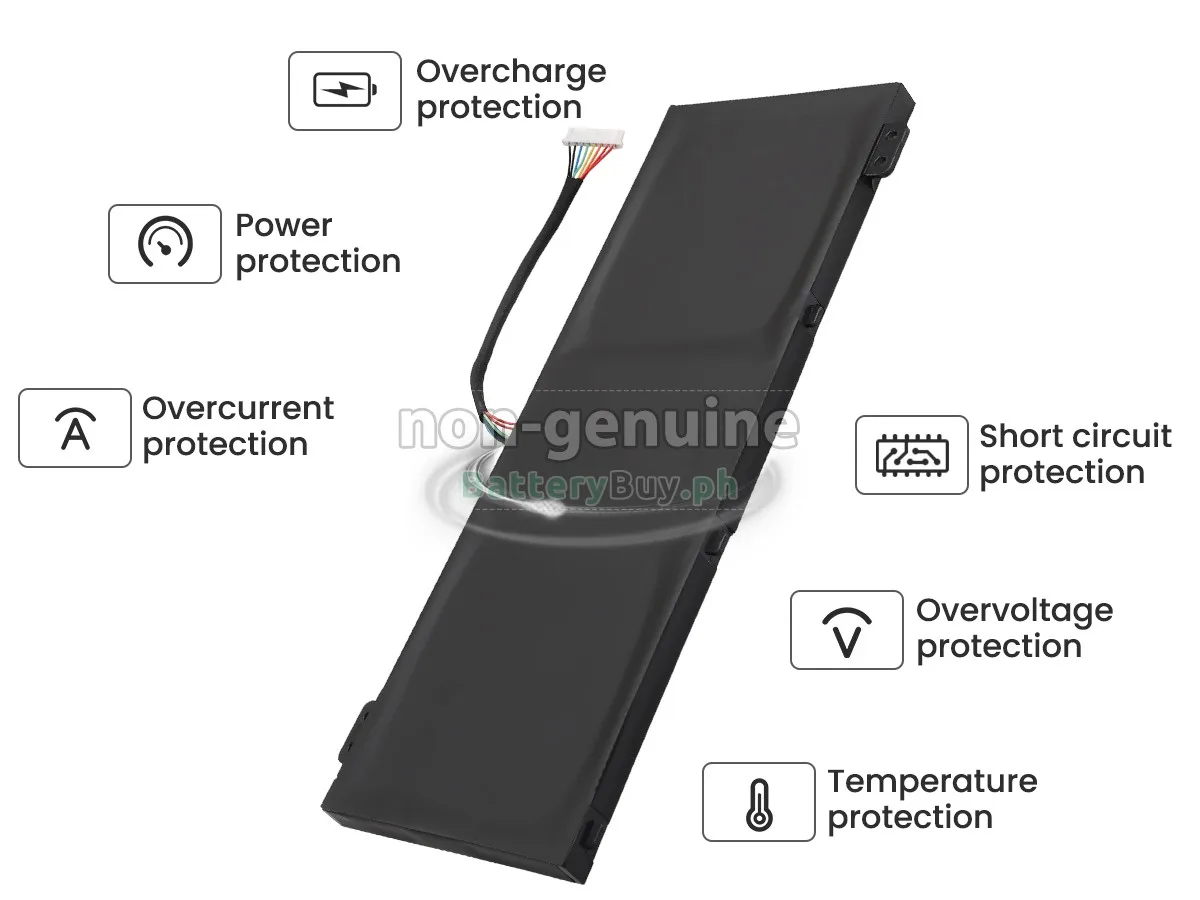
Using uncertified aftermarket batteries that don’t match your device’s OEM part number causes avoidable damage. Low-quality cells can overheat, short-circuit, or fail to fit properly, so manufacturers attribute the damage to the repair, not the original defect.
Skipping documentation leaves you with no proof if a claim is denied. If you don’t keep receipts for parts and labor, or photos of the device’s condition before and after repair, you can’t prove the swelling was a manufacturing defect or that your repair didn’t cause new damage. Manufacturers bear the burden of proof for third-party repair-related voiding, but you need basic records to fight an unfair denial.
Safety & Legal Rules You Can’t Ignore
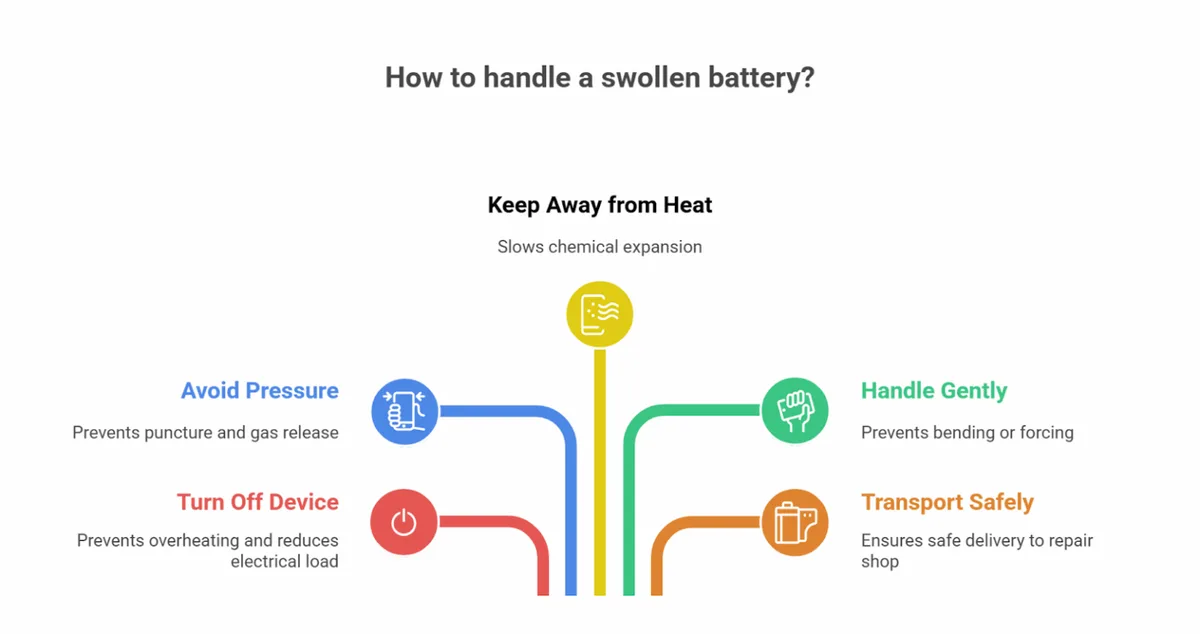
Image source: Web (Bing) / sqlcd.com (Web image (fair-use with source credit))
Swollen lithium-ion batteries pose a non-negotiable fire risk. Per CPSC guidelines, you must power off the device immediately and store it in a cool, non-flammable area away from heat sources until the battery is professionally removed. Puncturing or bending a swollen cell can trigger thermal runaway, a chain reaction that can reach temperatures over 1,000°F and ignite nearby materials.
The U.S. Magnuson-Moss Warranty Act bans manufacturers from voiding warranties for third-party repairs unless they can prove the repair caused the specific defect you’re claiming. The EU’s Consumer Rights Directive and UK Consumer Rights Act 2015 impose similar rules, requiring a 2-year mandatory guarantee for manufacturing defects regardless of who performed the repair.
Lithium-ion batteries are classified as hazardous waste in most regions. Most ASCs and third-party repair shops offer free battery recycling, so ask when you drop off your device.
Typical Costs, Timelines, and Warranty Risk For Each Repair Path
Repair costs and timelines vary by device type, repair provider, and warranty status. The table below breaks down average 2026 pricing, turnaround times, and warranty risk for the three most common repair paths.
| Repair Path | Smartphone Cost | Laptop Cost | Turnaround Time | Warranty Risk |
|---|---|---|---|---|
| DIY | $15–$60 (battery only) | $30–$100 (battery only) | 1–2 hours | Low if no damage; high if internal parts are broken |
| Local Third-Party Shop | $50–$130 (parts + labor) | $80–$200 (parts + labor) | Same-day to 24 hours | Low in right-to-repair regions; high if ASC-only clauses apply |
| Authorized Service Center | $0–$250 (free under warranty) | $0–$350 (free under warranty) | 1–5 business days (mail-in up to 2 weeks) | Zero risk to existing coverage |
Mail-in authorized service center repairs are the slowest option, with many users reporting 10+ day turnaround times for out-of-warranty work. Local third-party shops offer same-day service for most smartphones, while DIY is only recommended for users with precision tool experience.
What To Do If You Already Replaced Your Swollen Battery
If you’ve already replaced your swollen battery, gather all repair documentation first. Keep receipts for parts and labor, photos of the swelling before repair, and records of the device’s full functionality post-repair.
If you used a third-party repair shop, request a written statement confirming the repair did not cause new device damage. Many reputable shops provide this for free, and it can resolve most warranty disputes before they escalate. If you did the repair yourself, take timestamped photos of every step, including the device interior before and after battery installation, to prove you did not damage internal components.
If a manufacturer denies a warranty claim for an unrelated defect, cite the Magnuson-Moss Warranty Act or your local consumer protection law and request a supervisor review. You can also file a complaint with the FTC (U.S.) or your national consumer protection agency if the manufacturer refuses to cover a valid claim without proof of repair-caused damage.
How To Protect Warranty Coverage For Unrelated Device Defects
Third-party battery replacements don’t void warranty coverage for unrelated defects. Manufacturers can only deny claims if they prove the third-party repair caused the new defect, per FTC guidance as of 2026. Keep all repair records for at least 2 years, as some defects may not appear months after the battery replacement.
If your phone’s screen stops working 6 months after a third-party battery replacement, provide photos of the screen’s condition before the repair to prove the damage is new. If the manufacturer asks for repair records, provide the receipts and documentation you saved from the battery replacement.
If you live in a region with right-to-repair laws, you have extra protections against unfair warranty denials. The EU’s 2-year consumer guarantee and U.S. state-level right-to-repair laws require manufacturers to prove the third-party repair caused the new defect before denying coverage. You can also contact your national consumer protection agency for assistance if a manufacturer unfairly denies a valid unrelated claim.
Quick Decision Cheat Sheet For Popular Device Types
Use ASC service for active warranty defect-caused swelling to eliminate risk. DIY works for expired laptop warranties with precision tools and the correct OEM part number. Wearables require ASC service, as DIY breaks tiny internal seals.
E-mobility devices need manufacturer service for integrated battery packs.
How To Extend Battery Lifespan To Avoid Future Swelling
Keep batteries between 20% and 80% charge to reduce cell stress. Avoid hot cars and direct sunlight, the leading cause of swelling. Disable background features like dynamic refresh rate to cut daily drain.
Replace batteries every 2, 3 years even if they work. Our guide to reducing background power draw extends laptop battery lifespan.
When To Seek Professional Help Immediately
Move the device outside and call fire services if you smell a sweet chemical odor, a sign of imminent thermal runaway. Never puncture or bend a swollen battery. Contact a professional immediately if swelling cracks the device casing.
How To Verify A Repair Provider Won’t Void Your Warranty
Ask for written confirmation the repair won’t void your manufacturer warranty. Verify they use OEM-certified parts with the correct part number for your device. Keep all receipts and documentation for at least 2 years post-repair.
Frequently Asked Questions
Can I replace a swollen battery myself if my warranty is active?
Yes, in right-to-repair regions like the EU, UK, and some U.S. states, DIY replacement for manufacturing defects won’t void warranty if you avoid additional damage and keep documentation.
Will a third-party battery replacement void my warranty for unrelated issues?
No, manufacturers must prove the third-party repair caused the new defect to deny coverage per FTC 2026 guidance, so keep repair records to fight unfair denials.
How long does a swollen battery take to replace?
DIY takes 1, 2 hours for most devices, local third-party shops offer same-day service, and mail-in ASC repairs take 1, 5 business days, up to 2 weeks for complex models.
What should I do with my old swollen battery?
Never throw it in household trash. Most ASCs and third-party repair shops offer free lithium-ion battery recycling, or drop it off at a local hazardous waste facility.
Does device insurance cover swollen battery replacement?
Most extended plans cover manufacturing defect swelling, not user damage, so check your plan’s terms for coverage limits and deductibles.

Similar Posts