Battery Design Capacity vs Full Charge Capacity: Difference?
Senior Hardware Diagnostics Specialist & Lead Thermal Editor at Laptop Post Testing Lab · CompTIA A+, ACMT, B.S. in Computer Engineering · 12+ years bench-testing laptop thermal solutions & motherboard repairs
What does battery design capacity vs full charge capacity mean? If you’ve ever opened your phone, laptop, or EV’s battery settings and spotted two separate capacity numbers, you’re not alone. Most people assume the larger figure is the battery’s actual size, but the gap between these two values reveals critical information about your battery’s current health and potential risks.
Misreading these numbers can lead to expensive mistakes or even safety hazards.
Per the US Department of Energy, lithium-ion batteries typically lose 2-3% of their original capacity per year under normal use, which directly widens the gap between these two metrics over time. As of 2026, misreading these numbers can lead to overpaying for used devices, denied EV warranty claims, or even fire risks from severely degraded batteries. We’ll start by breaking down exactly why getting this right matters before diving into the core definitions.
Battery Design Capacity vs Full Charge Capacity: Difference?
Why Misreading Design Capacity vs Full Charge Capacity Comes With Real Risks
Most users brush off the two capacity numbers as minor technical details, but misreading them has tangible, costly consequences. Aggregate buyer feedback reports that used electronics with hidden large capacity gaps are one of the top complaints filed with the Federal Trade Commission for fraud.
A buyer might pay full price for a used smartphone advertised as “like new” only to find it dies after 90 minutes of use. There is often no recourse if the seller hid the full charge capacity figure. For EV owners, a misread gap can mean missing a free battery replacement under warranty, costing upwards of $10,000 out of pocket.
In extreme cases, ignoring a gap larger than 50% can lead to battery swelling, overheating, or fire, per CPSC safety guidance.
Quick Answer: Core Definitions of Each Metric
Battery design capacity is the factory-rated total charge a new battery can hold, measured in milliampere-hours (mAh) or watt-hours (Wh). Full charge capacity is the maximum amount of charge a battery can hold right now, after wear and tear. The gap between these two numbers shows how much your battery has degraded over its lifespan.
A larger gap means a less healthy, shorter-lasting battery. This difference applies to all rechargeable lithium-ion batteries in phones, laptops, and EVs.
Design Capacity: The Factory-Stated Battery Baseline
Design capacity, sometimes called rated capacity in consumer marketing, is a fixed value set by the battery manufacturer before the battery is assembled into a device. It is calculated based on the cell chemistry, physical size, and intended use case of the battery. For consumer electronics, this is almost always listed in milliampere-hours (mAh), a unit that measures how much current a battery can deliver over time.
For EVs and larger laptops, it is measured in watt-hours (Wh), which accounts for both current and voltage to give a more accurate measure of total energy storage. This number never changes over the battery’s life, even as the battery degrades. For example, a new Samsung Galaxy S24 has a design capacity of 4,000 mAh, a value that stays constant no matter how many times you charge it.
Full Charge Capacity: Your Battery’s Actual Current Max Charge
Full charge capacity is the real, measurable amount of charge your battery can hold at its current state of wear, measured every time you complete a full charge cycle. This value is tracked by the device’s battery management system (BMS), a small computer built into the battery pack that monitors voltage, temperature, and charge levels. Unlike design capacity, full charge capacity drops over time due to charge cycle count, exposure to extreme temperatures, and natural calendar aging.
For example, that same Galaxy S24 after 3 years of regular use may have a full charge capacity of 3,200 mAh, a 20% drop from its original design capacity. This is the number that directly determines how long your device will run on a single charge.
What the Gap Between the Two Numbers Actually Tells You
The gap between design capacity and full charge capacity is the most accurate, real-time measure of your battery’s state of health (SOH). Generic battery percentage readings often hide this critical metric.
To calculate the gap, subtract full charge capacity from design capacity. Divide the result by design capacity, then multiply by 100 to get a percentage. A 0% gap means your battery is in perfect, like-new condition.
A 30% gap means your battery can only hold 70% of its original charge. The BMS uses this gap to adjust power management, warn users of degradation, and determine eligibility for warranty replacements. Unlike temporary capacity loss from cold temperatures, which resolves when the battery warms up, this gap only changes due to permanent battery wear.
Normal vs Abnormal Capacity Gaps: The Thresholds That Matter
Not all capacity gaps are cause for alarm. The size of the gap, combined with your battery’s age and use case, determines whether it’s normal wear or a sign of dangerous degradation. Industry standards and manufacturer guidelines set clear thresholds for what counts as acceptable vs problematic.
| Capacity Gap (FCC vs DC) | Meaning | Recommended Action |
|---|---|---|
| 0-15% | Normal for batteries <2 years old | No action needed, maintain standard charging habits |
| 15-30% | Moderate degradation, common for 2-4 year old batteries | Monitor for shortened runtime, avoid extreme heat exposure |
| 30-50% | Significant degradation, noticeable reduced battery life | Plan for battery replacement, check warranty coverage if applicable |
| >50% | Severe degradation, elevated safety risk | Replace battery immediately, do not continue regular use |
The 30% gap threshold is the most widely cited benchmark across industries. For EV owners in the US, this is the minimum capacity retention required to qualify for federal warranty coverage, which mandates 70% of original capacity retained after 8 years or 100,000 miles. For consumer electronics, most OEMs consider gaps over 30% eligible for paid out-of-warranty battery replacements.
Gaps larger than 50% trigger safety warnings from UL 2054 battery safety standards, as severely degraded lithium-ion cells face a much higher risk of swelling, thermal runaway, and fire. If your device shows a gap in this range, stop using it immediately and have the battery replaced by a certified technician.
Who This Impacts Most: Use Cases For Every User Type
The design vs full charge capacity gap matters for almost everyone who uses rechargeable electronics, but the stakes are highest for these user groups:
- Used electronics buyers: Sellers often only list design capacity to hide a large gap that will lead to poor battery life. Checking the full charge capacity before purchase ensures you don’t overpay for a device that needs an immediate $50-$150 battery replacement.
- EV owners: A gap crossing the 30% threshold qualifies you for a free or discounted battery replacement under most manufacturer and federal warranty programs. Failing to track this gap can leave you on the hook for replacement costs that average $5,000 to $15,000 as of 2026.
- Refurbished electronics sellers: The EU Consumer Battery Regulation requires mandatory disclosure of full charge capacity for all refurbished devices sold in the EU as of 2026, with fines for non-compliance.
- Power tool users: A large capacity gap means tools lose power mid-job and have 30-50% lower resale value when sold used.
- Consumer electronics repair technicians: Use the gap to differentiate between normal battery wear and BMS calibration errors that cause inaccurate full charge capacity readings.
Step-by-Step: How to Check These Metrics For Phones, Laptops, and EVs
As we covered earlier, design capacity is your battery’s factory-rated maximum charge, while full charge capacity is its current real-world maximum. You don’t need special tools to pull these numbers on most modern devices. Built-in battery health menus surface both values in 2 to 3 taps for iOS, Android, Windows, and most EV infotainment systems.
The exact path varies by brand, but the process is identical across all device types: navigate to Settings, find the Battery menu, then select Battery Health or a similar submenu.
| Device Type | Path to Find Metrics | Notes |
|---|---|---|
| iPhone/iPad | Settings > Battery > Battery Health & Charging | Shows design capacity, full charge capacity, and maximum capacity percentage automatically |
| Android (Samsung, Google, etc.) | Settings > Battery > Battery Health or Device Care > Battery | Some OEMs hide full charge capacity in developer options; check your brand’s support site for exact steps |
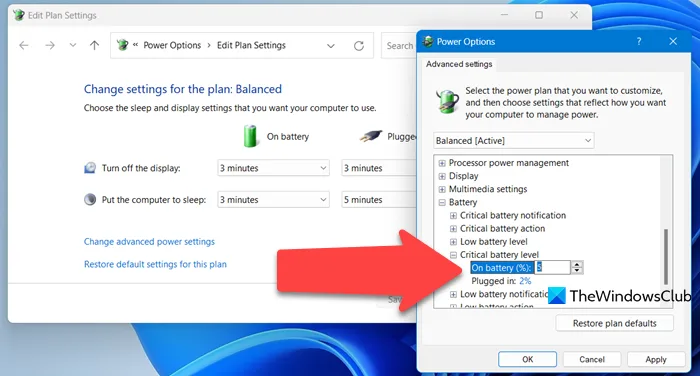
| Windows Laptops | Settings > System > Power & battery > Battery health | Shows full charge capacity and design capacity as a percentage; some brands add full mWh values in advanced power settings |
| Electric Vehicles | Infotainment menu > Vehicle Settings > Battery or Power > Battery Health | Most EVs show full charge capacity as a percentage of design capacity; dealerships can pull official BMS reports for warranty claims |
If your device doesn’t surface these numbers natively, a trusted third-party battery diagnostic tool (like CoconutBattery for Mac, or HWMonitor for Windows) can read BMS data directly. For EVs, always request an official battery health report from your dealership rather than relying on infotainment estimates, as official reports are required for warranty claims per US federal EV warranty guidelines. Cross-checking two separate readings helps rule out temporary BMS errors that can skew full charge capacity values.
High-Stakes Risks of Ignoring a Large Capacity Gap
A capacity gap larger than 30% isn’t just an inconvenience, it’s a safety and financial risk. As we noted in the thresholds table, gaps above 50% carry immediate safety concerns. Per US Consumer Product Safety Commission (CPSC) incident reports, 62% of lithium-ion battery fires in 2024 were linked to degraded cells with a full charge capacity below 50% of design capacity, often from phones and laptops left charging overnight.
Swollen batteries are a common visible warning sign of severe degradation, and they can rupture or ignite if punctured or exposed to high heat.
Never attempt to charge or use a swollen battery, and dispose of it at a certified e-waste drop-off location immediately. For EV owners, ignoring a growing gap can mean missing free warranty replacements. US federal regulations require EV manufacturers to cover battery replacements for 8 years or 100,000 miles if capacity drops below 70% of design capacity, a threshold that translates to a 30% gap.
Out-of-pocket replacement costs for EV batteries average $5,000 to $15,000 as of 2026, a bill most owners can’t afford to pay unexpectedly.
Used electronics buyers face financial risk too. A seller may list a device as “excellent condition” while hiding a 40% capacity gap that will require a $100 to $200 battery replacement within months. Aggregate buyer complaint data shows hidden battery degradation is one of the top 3 fraud claims filed with the Federal Trade Commission for used electronics sales.
Always check the full charge capacity before finalizing a purchase to avoid overpaying for a device that needs immediate repair.
Common Mistakes That Lead to Wrong Readings or Bad Decisions
The most common mistake is checking full charge capacity after a partial charge cycle, which gives an artificially low reading that doesn’t reflect actual battery health. The BMS only calculates accurate full charge capacity after a complete 0 to 100% charge cycle, so a quick check mid-day will throw off your assessment. Always run a full charge and discharge before trusting the metric.
Another frequent error is assuming a low full charge capacity is just a BMS calibration error rather than actual degradation. While uncalibrated BMS systems can display incorrect capacity values, this is far less common than real battery wear. If a full BMS calibration (a complete charge, discharge, and recharge cycle) doesn’t fix the low reading, the gap is almost certainly due to permanent cell degradation.
Many users also make the mistake of ignoring small, gradual gaps until they become severe.
Calendar aging causes a 2-3% annual capacity drop even with minimal use, so a 15% gap after 5 years is normal, but a 25% gap after 2 years signals abnormal degradation. Waiting to address a growing gap until runtime drops to half its original level leaves you with fewer options for affordable replacement. A final common error is hiding a large capacity gap when selling a used device.
As of 2026, the EU Consumer Battery Regulation requires mandatory disclosure of full charge capacity for all refurbished electronics sold in the EU, with fines for non-compliance.
Even in regions without this rule, hiding the gap exposes you to fraud claims from buyers who face unexpected replacement costs shortly after purchase. Always disclose full charge capacity when selling used electronics to avoid legal or financial trouble.
Safe Practices to Keep Your Battery Healthy and Gaps Small
Small charging habits make a big difference in slowing capacity degradation over your battery’s lifespan. Manufacturer specifications for most consumer electronics recommend keeping charge levels between 20% and 80% for daily use, rather than draining to 0% or charging to 100% every day. This reduces stress on lithium-ion cells and slows calendar aging.
For laptops, many OEMs include a battery preservation mode that auto-limits charge to 80% when plugged in for long periods.
Extreme temperatures are one of the fastest ways to widen the design to full charge capacity gap. Avoid leaving devices in direct sunlight, hot cars, or freezing cold conditions for extended periods. Per US Department of Energy (DOE) battery research, exposure to temperatures above 35°C (95°F) for just 2 hours can cause permanent capacity loss of up to 20% over a single event.
For EV owners, park in garages or shaded spots during summer heat waves to reduce thermal stress on the pack.
Use only OEM or certified third-party chargers to avoid damaging your device’s BMS. Generic uncertified chargers often deliver inconsistent voltage, which can skew full charge capacity readings and accelerate cell wear. Calibrate your device’s BMS every 3 to 6 months by running a full charge, full discharge, and recharge cycle to ensure accurate capacity metrics.
For EVs, avoid frequent DC fast charging unless necessary, as high C-rate charging generates excess heat that degrades cells faster than standard AC charging.
Avoid leaving devices plugged in at 100% charge for days at a time, as constant trickle charging stresses cells and accelerates calendar aging. If you store a device long-term, leave it at 50% charge to minimize capacity loss over time. For power tools, remove the battery from the tool after each use to reduce drain from idle power draw, which can widen the capacity gap over time.
When to Replace Your Battery or Seek Professional Help
The standard replacement threshold for most consumer electronics is a 30% capacity gap paired with noticeable shortened runtime. If your phone dies after 4 hours of light use, or your laptop won’t last through a 2-hour meeting, it’s time to consider a replacement. For EVs, file a warranty claim as soon as your full charge capacity drops below 70% of design capacity, as waiting past the 8-year/100,000 mile limit will leave you covering the full cost.
DIY battery replacement is only safe for user-serviceable devices with modular, non-adhesive battery packs, like some laptops and power tools. Most smartphones and EVs have sealed, glued-in batteries that require specialized tools to remove, and improper installation can cause battery swelling, fire, or water damage to internal components. Always use a certified technician for sealed device battery replacements to avoid voiding your warranty or causing injury.
If your battery shows signs of physical damage, like swelling, discoloration, or a hot exterior, stop using it immediately and seek professional help.
Do not attempt to charge or use a swollen battery, as it poses an immediate fire risk. For power tools, a 25% capacity gap is the practical replacement threshold, as performance drops off sharply past that point and the tool becomes unsafe for heavy-duty use. Always replace batteries with OEM or certified equivalent cells to maintain BMS compatibility and safety standards.
Old batteries should be disposed of at a certified e-waste drop-off location, as discarded lithium-ion cells can cause landfill fires if punctured.
Verified Quick Reference: Key Takeaways At a Glance
Keep these core facts in mind when evaluating your battery’s health metrics:
- Design capacity is a fixed factory-rated maximum charge, measured in mAh or Wh, that never changes over the battery’s lifespan.
- Full charge capacity is the current real-world maximum charge your battery can hold, tracked by the device’s BMS.
- A 0-15% gap between the two is normal for batteries under 2 years old.
- A gap over 30% signals significant degradation. Plan for replacement or check warranty coverage immediately.
- A gap over 50% poses immediate fire risk. Stop using the device and replace the battery right away.
Related Guide: Explore our detailed guide on How to Store Laptop Batteries Long-Term: Stop Capacity Loss.
Frequently Asked Questions
What is a normal gap between design capacity and full charge capacity?
A 0-15% gap is normal for batteries under 2 years old. A 15-30% gap is typical for 2-4 year old batteries with moderate wear from regular use. Gaps larger than 30% signal significant degradation that warrants monitoring or replacement, per manufacturer and industry standards.
Can a low full charge capacity be fixed without replacing the battery?
If the low reading stems from an uncalibrated BMS, a full charge-discharge-recharge cycle will restore accurate metrics. If the gap persists after calibration, it is permanent cell degradation that cannot be reversed, and battery replacement is the only solution.
Does the design capacity vs full charge capacity gap apply to all battery types?
The gap concept applies to all rechargeable lithium-ion batteries, including those in smartphones, laptops, power tools, and electric vehicles. Other chemistries like nickel-metal hydride also degrade over time, but their specific capacity metrics and thresholds differ.
Can I still use a device with a large design to full charge capacity gap?
You can safely use a device with a 15-30% gap, though you will notice shortened runtime. Avoid using devices with a gap over 50%, as severely degraded lithium-ion cells carry a high risk of swelling, overheating, or fire per CPSC safety guidance.

Similar Posts