Can You Clean a Laptop with Wet Wipes? Safe Guide
Senior Hardware Diagnostics Specialist & Lead Thermal Editor at Laptop Post Testing Lab · CompTIA A+, ACMT, B.S. in Computer Engineering · 12+ years bench-testing laptop thermal solutions & motherboard repairs
Can I clean my laptop with wet wipes? The short answer is yes, but only if you match the wipe chemistry to your specific screen coating and chassis material. Most household disinfecting wipes contain surfactants and fragrances that strip oleophobic coatings in a single pass.
Manufacturer specs from Apple, Dell, and Lenovo all converge on a 50% isopropyl alcohol ceiling for coated glass.
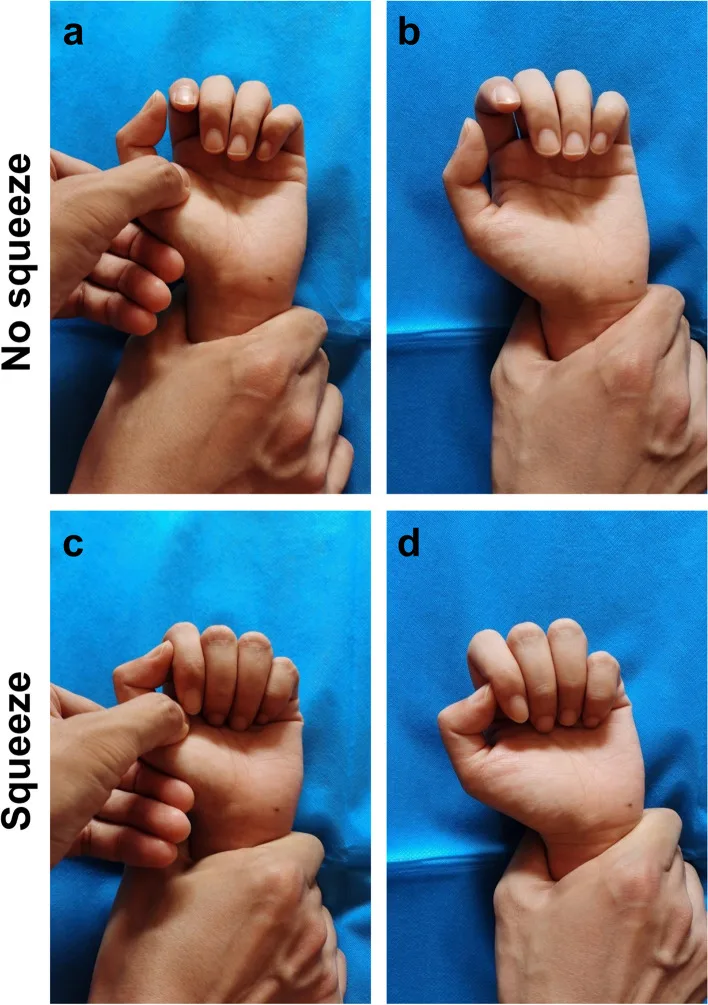
One squeeze test separates safe wipes from screen killers: press the wipe between your fingers and watch for drips. Zero drips means the moisture load won't wick under keycaps or trip liquid contact indicators. Let's walk through the decision flow so you clean without regret.
Can I clean my laptop with wet wipes?
Yes, you can clean your laptop with wet wipes if the wipe contains 50% isopropyl alcohol or less. Household disinfecting wipes usually exceed this and add surfactants that damage oleophobic coatings. Electronics-specific wipes from Zeiss or iCloth stay within the safe range.
Always power off and unplug first. Squeeze the wipe to confirm zero drips before touching any surface.
The Real Risk: What Wet Wipes Actually Do to Laptop Coatings
Oleophobic coating is a factory-applied fluoropolymer layer that repels skin oils. It wears naturally over two years but aggressive solvents accelerate failure to months. Surfactants in Clorox or Lysol wipes break the carbon-fluorine bonds that make the coating hydrophobic.
The result is permanent rainbow smears that refract backlight and attract oil faster than bare glass.
Matte anti-glare coatings use micro-etching or silica particles to diffuse light. Abrasive wipe fibers polish these peaks into shiny burnish patches visible at low brightness. A 2021 Journal of Hospital Infection study confirmed 70% IPA degrades AR coatings after 50 wipe cycles.
Apple's nano-texture glass on MacBook Pro 14 and 16 models uses a different etching process that rejects all liquids, only the dry Apple polishing cloth is approved.
Chassis materials react differently. Anodized aluminum develops white streaks from alkaline wipe residue. Magnesium alloy shows pitting.
Painted plastic softens. Carbon fiber weave traps fibers. Trackpad glass shares the same oleophobic vulnerability as the screen.
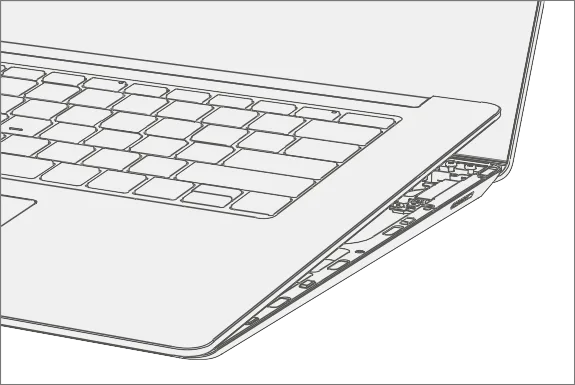
Keyboard membranes wick liquid to the controller board in seconds. Speaker grilles and hinge vents channel moisture straight to the logic board.
Decision Flow: Match Your Wipe to Your Surface
Start by identifying your screen type. Touchscreen 2-in-1s like Surface Pro or Spectre x360 use oleophobic glass. Non-touch matte panels on ThinkPad or Latitude use AG etching.
MacBook Pro M3 models may have nano-texture glass. Check your manufacturer support page for the exact coating spec.
Next, read the wipe label. Active ingredient must be isopropyl alcohol or ethyl alcohol at 50% or lower. No benzalkonium chloride.
No hydrogen peroxide. No fragrance. No surfactants.
Electronics wipes from Zeiss, WHOOSH, iCloth, and Care Check meet this. Generic "electronics wipes" on Amazon often do not, verify the SDS.
Match the surface to the method. Screen: only 50% IPA wipes or distilled water microfiber. Keyboard deck: same wipe, but squeeze-test first.
Chassis: 50% IPA wipe safe on aluminum, magnesium, plastic. Ports and vents: dry cotton swab only. Trackpad: treat like screen.
OLED panels: avoid all alcohol, use water microfiber only. Mini-LED: same as OLED. Nano-texture: dry cloth only.
Safe Cleaning Protocol: Step-by-Step (No Damage, No Streaks)
Power off completely. Unplug AC. Wait 30 seconds for capacitor bleed.
Remove loose dust with compressed air held upright. Take one wipe. Squeeze between thumb and forefinger.
If any liquid drops, discard and grab a drier wipe.
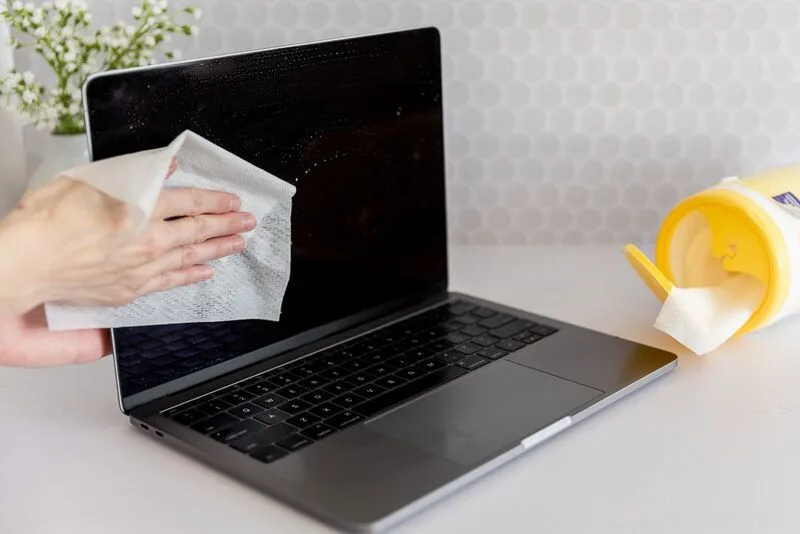
Wipe screen in a single Z-pattern from top left to bottom right. No circular buffing. No pressure.
Let dwell 30 seconds for disinfect contact time per EPA List N. Immediately follow with a dry 250 GSM microfiber in the same Z-pattern. Zero streaks means you nailed the moisture load.
Keyboard: compressed air first. Wipe keycaps only, avoid deck saturation. Invert laptop and shake gently.
Ports: dry swab. Vents: compressed air only. Reassemble.
Power on.
Frequency cap: coated screens once daily max. Chassis two to three times weekly. OLED and nano-texture: water microfiber only, no disinfect claim.
What to Use Instead: Tested Alternatives That Work
Distilled water plus a 250 GSM microfiber removes oils safely on every coating. Zero disinfect capability. Cost: pennies per clean.
70% IPA on a microfiber you control gives you moisture precision. Saturate cloth, wring until damp not wet. Same Z-pattern.
Dwell 30 seconds. Dry pass. Cost: $3 per bottle.
Zeiss Mobile Screen Wipes (individually wrapped, 40-50% IPA, no surfactants). WHOOSH Screen Shine wipes (plant-based, under 50% alcohol). iCloth Aviation wipes (70% IPA but low lint, test on chassis first). Care Check Lens Wipes (50% IPA, anti-static).
All under $0.20 per wipe.
UV-C sanitizer wand: 3-minute cycle, no contact, misses shadows. Good supplement, not primary. Compressed air plus dry microfiber: dust only, no oil removal.
Avoid: Clorox, Lysol, Wet Ones, generic disinfecting wipes, 75% alcohol prep pads, melamine foam, paper towels, tissue, shirt sleeves.
Mistakes That Kill Coatings and Void Warranties
Using household disinfecting wipes is the number one coating killer. Clorox and Lysol wipes pack quaternary ammonium compounds plus surfactants that strip oleophobic layers in one swipe. The damage shows as rainbow smears that never come off.
Manufacturer warranty claims get denied when liquid contact indicators trip near the keyboard or trackpad.
Spraying directly on the screen lets liquid pool at the bottom bezel. Capillary action pulls it under the glass laminate. Always apply to the cloth first.
Circular buffing creates micro-scratches that catch light. The Z-pattern single pass prevents this. Too much pressure on matte panels polishes the anti-glare texture into shiny patches.
Let the solution dwell without pressing.
Skipping the squeeze test guarantees drips. A soaked wipe deposits fluid into speaker grilles and hinge vents. That moisture reaches the logic board in seconds.
Cleaning while powered on risks short circuits. The 30-second capacitor bleed wait is non-negotiable. Using paper towels or tissues leaves lint that scratches coatings.
Only 250 GSM microfiber is soft enough.
Cleaning OLED or Mini-LED panels with any alcohol degrades the organic emissive layer. Water-only microfiber is the only safe method. Nano-texture glass on MacBook Pro M3 models rejects all liquids.
Apple specifies the dry polishing cloth only. Ignoring this voids the display warranty. Frequency matters too.
Daily disinfecting on coated screens accelerates wear to six months. Stick to the once-daily cap.
Frequently Asked Questions
Can I use Clorox wipes on my laptop keyboard?
No, Clorox wipes contain surfactants and quaternary ammonium compounds that strip keyboard coatings and leave conductive residue. The moisture load also risks wicking under keycaps to the controller board. Use a 50% IPA electronics wipe squeezed dry instead.
How often should I clean my laptop screen?
Once per day maximum for coated screens. Chassis surfaces tolerate two to three cleanings weekly. OLED and nano-texture displays need water-only microfiber only when visibly dirty.
Over-cleaning wears the oleophobic layer faster than finger oils do.
Will wet wipes void my laptop warranty?
Liquid damage from excess moisture trips internal indicators and voids warranty coverage. Manufacturer specs from Apple, Dell, and Lenovo all exclude damage from improper cleaning. Follow the squeeze-test protocol and use only approved solutions to stay covered.
What is the safest way to disinfect a shared laptop?
Power off and unplug. Use a Zeiss or WHOOSH electronics wipe at 50% IPA or less. Squeeze until zero drips.
Wipe screen and keyboard deck in a Z-pattern. Let dwell 30 seconds. Polish dry with a clean microfiber.
Avoid ports and vents entirely.
Can I clean my MacBook screen with alcohol wipes?
Only if the wipe contains 50% IPA or less and your model has standard glass. MacBook Pro 14 and 16 with nano-texture glass must never touch liquid. Apple supports only the dry polishing cloth for those models.
Check your specific model on Apple Support HT204172.

Similar Posts