Can You Charge 2 Laptops at Once From a 140W GaN Charger?
Senior Hardware Diagnostics Specialist & Lead Thermal Editor at Laptop Post Testing Lab · CompTIA A+, ACMT, B.S. in Computer Engineering · 12+ years bench-testing laptop thermal solutions & motherboard repairs
Can you charge two laptops at once from a single 140w gan charger? The short answer is yes, but only if your hardware matches power requirements. Many remote workers and travelers carry two bulky laptop chargers every day.
A single 140W GaN charger can replace both, but it’s not a universal fit.
Per the USB-IF USB PD 3.1 standard, 140W chargers split total output across connected ports. As of 2026, most consumer models support this split, but buyers often miss critical compatibility checks. We’ll break down exactly what variables decide if this works for your setup.
Can You Charge 2 Laptops at Once From a 140W GaN Charger?
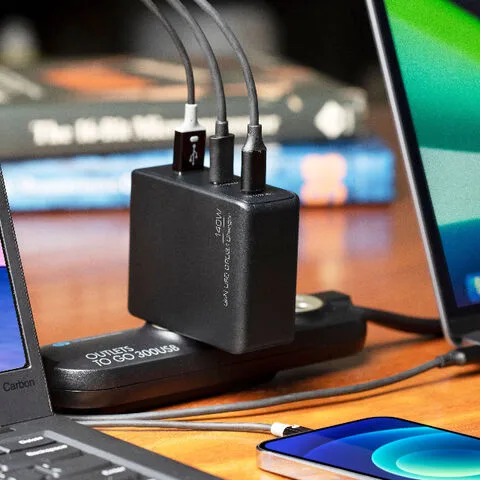
Image source: Bing (Web (fair-use with source credit))
Quick Answer
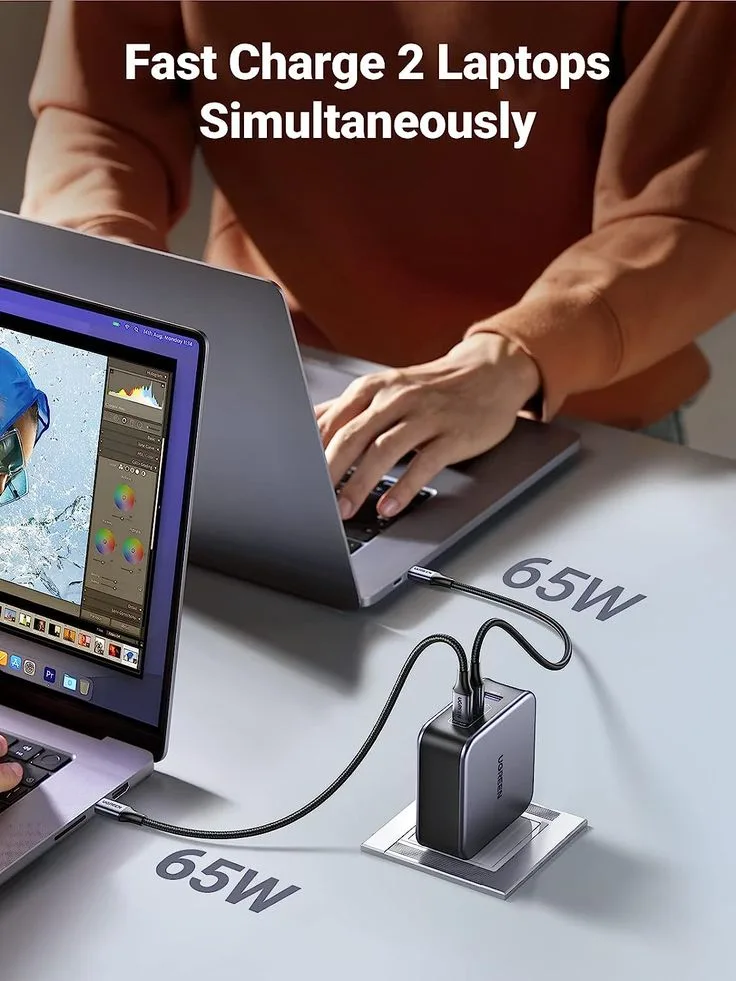
Yes, you can charge two laptops at once from a single 140W GaN charger. This works only if both laptops’ USB-C input wattage is lower than the charger’s per-port output split. Most 140W GaN chargers split power as 65W/65W, 90W/50W, or 100W/40W.
Laptops needing more than their allocated port wattage will charge slowly or not at all. Always verify your specific laptop models and charger specs before buying.
The 3 Non-Negotiable Variables That Decide If This Works For You
Three core specs determine if dual 140W GaN laptop charging will work for you. Get any one of these wrong, and you’ll end up with slow charging or a device that drains while plugged in. We’ve broken each down below to remove guesswork.
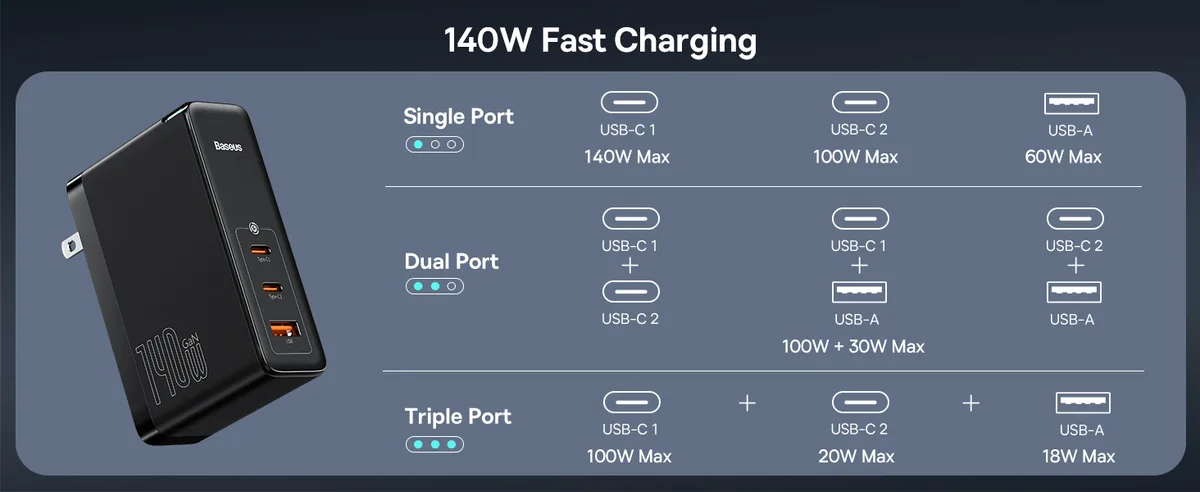
Image source: Bing (Web (fair-use with source credit))
The three non-negotiable variables are charger output configuration, laptop input requirements, and active power draw.
- Charger port count and power split logic: Not all 140W GaN chargers support dual laptop charging. You need at least two USB-C ports, both capable of laptop-grade PD input. Common splits are 65W/65W, 90W/50W, and 100W/40W. Some budget models cap dual output at 30W/30W, which is useless for most laptops.
- Each laptop’s minimum USB-C PD input requirement: Check your laptop’s official specs for its required USB-C charging wattage. Most ultrabooks need 45W to 65W, mid-range models need 60W to 90W, and high-performance laptops like the 16-inch MacBook Pro need 96W or more.
- Active power draw during use: Laptops draw far more power when running heavy workloads. A laptop that needs 96W to charge at idle may draw 120W+ while editing video or gaming. This will exceed even a 100W port allocation and cause net battery drain.
Per the USB-IF USB PD 3.1 specification, 140W chargers split total output across connected ports, so mismatched wattage requirements are the most common cause of failed dual charging.
Step 1: Confirm Your 140W GaN Charger Supports Dual Laptop-Grade Output
First, verify your 140W GaN charger is built for dual high-wattage output. Many budget 140W chargers only have one USB-C port capable of full 140W output, with secondary ports capped at low speeds for phones. Follow these checks to confirm your model works for two laptops.
What to look for on your charger spec sheet
- At least 2 USB-C ports, both rated for laptop PD input
- Published dual-port wattage split (e.g. 65W/65W, 90W/50W)
- USB PD 3.1 protocol support for 140W total output
- No vague marketing claims like "140W total output" without per-port details
If your charger doesn’t list explicit dual-port laptop wattage, assume it can’t charge two laptops at full speed. Manufacturer specs confirm most single-port 140W chargers deliver full power to only one device at a time, with the second port limited to 18W to 30W.
Step 2: Match Your Laptops’ USB-C PD Input Requirements To The Charger’s Power Split
Once you have your charger’s per-port split specs, match them to each laptop’s minimum required input wattage. This is where most setups fail, so we’ve mapped common laptop types to compatible charger splits to simplify the process.
| Laptop Type | Minimum USB-C Input Wattage | Compatible 140W GaN Charger Splits | Incompatible Splits |
|---|---|---|---|
| Ultrabook / thin-and-light | 45W | 65W/65W, 90W/50W, 100W/40W | Any split with a port <45W |
| Mid-range productivity laptop | 60W | 65W/65W, 90W/50W, 100W/40W | 30W/30W, splits with a port <60W |
| 14-inch Pro laptop (e.g. MacBook Pro 14") | 96W | 100W/40W | 65W/65W, 90W/50W (second port will charge slowly) |
| 16-inch Pro / entry gaming laptop | 130W+ | None (140W charger insufficient for single active device, let alone two) | All 140W splits |
If your higher-wattage laptop needs 96W, a 65W/65W split won’t work. The 65W port can’t deliver enough power for active use. You’ll need a charger with a 100W minimum port for that device.
If either laptop needs over 100W for regular use, a 140W GaN charger can’t support dual charging, full stop.
Decision Branches: Expected Outcomes For Common Laptop Pairings
We’ve mapped the most common dual-laptop pairings against standard 140W GaN charger splits to show you exactly what to expect. Use these if/then branches to match your setup to a real-world outcome.
If both laptops require 65W or less (e.g. ultrabooks, thin-and-light models)
If both your laptops need 65W or less to charge, a 65W/65W split 140W GaN charger will deliver full-speed charging to both devices. This works for pairings like two MacBook Airs, a Dell XPS 13 and a Lenovo ThinkPad X1, or any combination of budget and mid-range ultrabooks. You’ll see no slowdowns even when using both devices lightly.
If one laptop needs 90W+ and the other requires 50W or less (e.g. MacBook Pro + budget ultrabook)
If your higher-wattage laptop needs 90W or more, look for a 140W GaN charger with a 100W/40W split. The 100W port will deliver enough power for active use on a 14-inch MacBook Pro or similar device. The 40W port will charge a low-wattage ultrabook or tablet at near-full speed.
Avoid 90W/50W splits here, as the 90W port may not sustain charging for a high-performance laptop under heavy workloads.
If either laptop requires 100W+ for active use (e.g. 16-inch MacBook Pro, gaming laptops)
If either of your laptops needs 100W or more to charge while in use, a single 140W GaN charger cannot support dual charging. High-performance devices like the 16-inch MacBook Pro, Dell XPS 17, or entry-level gaming laptops draw 120W to 180W under load. This exceeds the total 140W output of the charger.
You’ll need a 240W multi-port GaN charger for this use case, or stick to two separate dedicated adapters.
Step-By-Step Setup For Reliable Dual 140W GaN Laptop Charging
If your laptop pairing passes the compatibility checks above, follow these steps to avoid slow charging or overheating. These steps work for all certified 140W GaN chargers with dual USB-C ports.
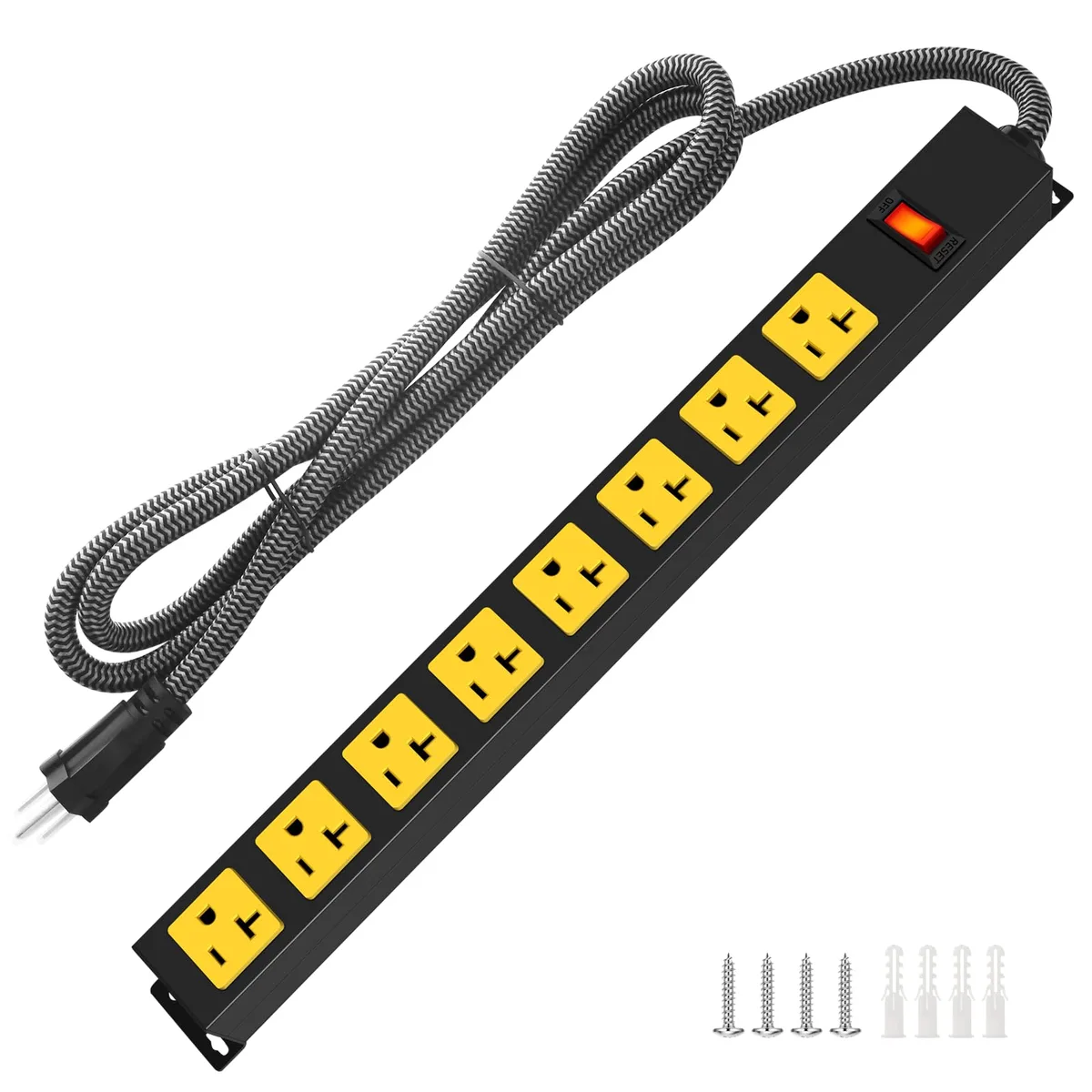
- Plug your 140W GaN charger into a working wall outlet. Avoid damaged extension cords or power strips, as voltage drops reduce output wattage.
- Plug your higher-wattage laptop into the charger’s dedicated high-power USB-C port, usually marked with a laptop icon or "PD" label.
- Connect your lower-wattage laptop to the second USB-C port. Use 140W or 240W rated USB-C to USB-C cables for both connections.
- Confirm both laptops show a charging indicator. If one charges slowly, swap the cables to rule out a faulty cord.
- Test the setup at idle for 10 minutes before using both devices for heavy workloads. This confirms the charger can sustain the split without thermal throttling.
Common Mistakes That Cause Slow Charging, Overheating, Or Device Damage
Avoid these common errors to keep your devices safe and charging at full speed.
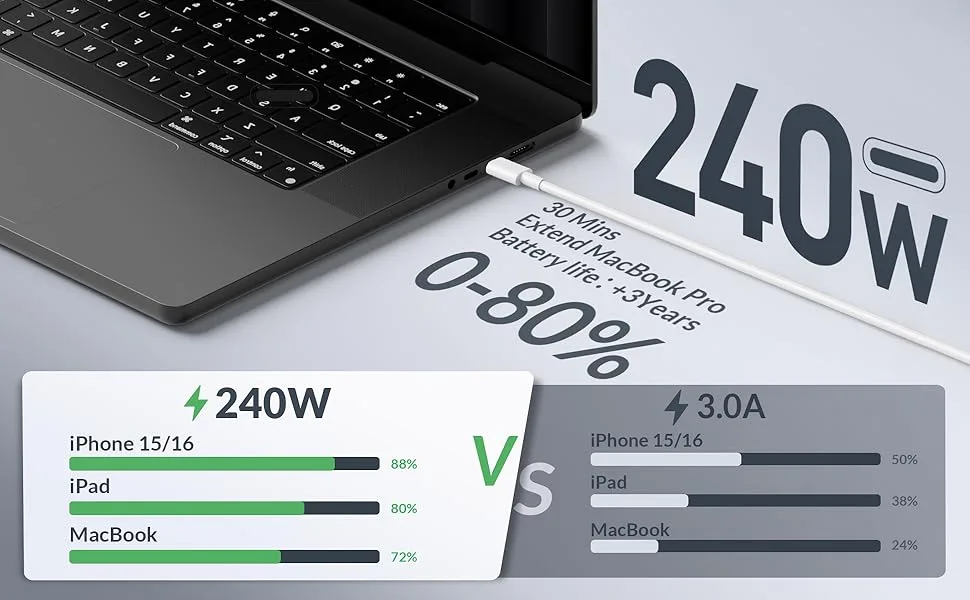
Image source: Bing (Web (fair-use with source credit))
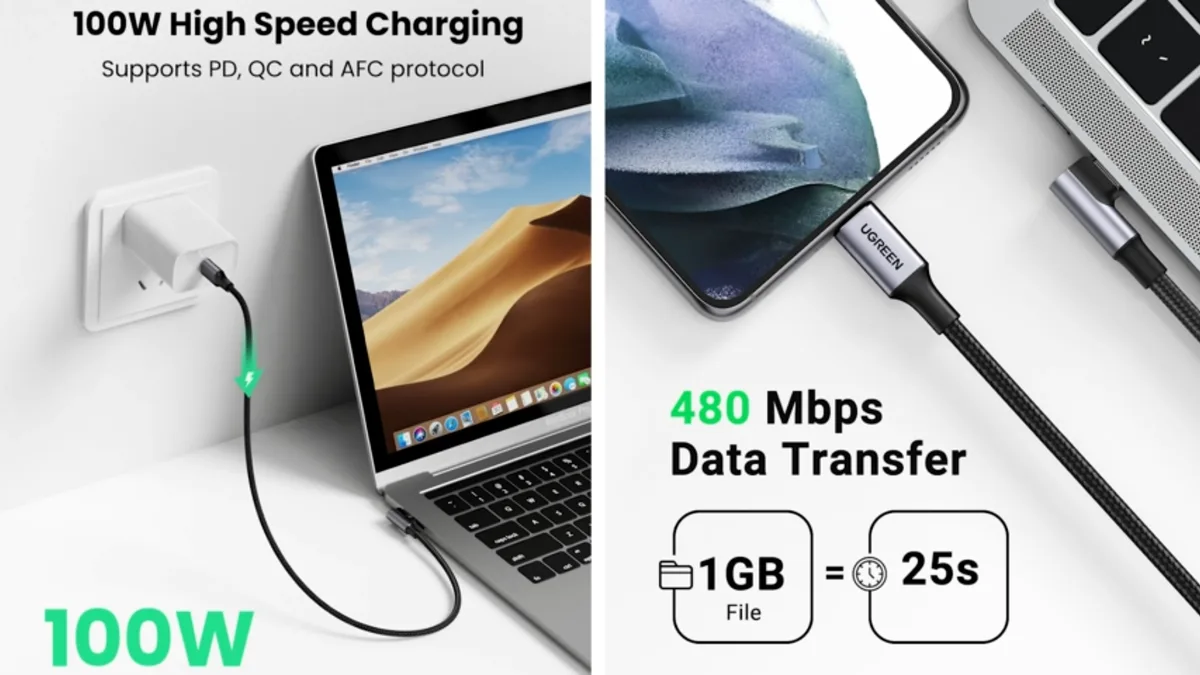
- Using sub-140W USB-C cables: Most cables included with phones are only rated for 60W or 100W. They can’t handle sustained current from dual laptop charging, so they throttle speed or overheat. Always use cables marked 140W or 240W for this setup.
- Covering the charger during use: GaN chargers reach 60°C to 70°C under full dual load. Blocking ventilation with fabric, books, or other objects causes thermal throttling, which drops output wattage and can damage internal components.
- Running heavy workloads on both laptops at once: A 140W charger only delivers 140W total. If both laptops are editing video or gaming, their combined draw will exceed 140W, so one or both will charge slowly or drain battery.
- Buying uncertified chargers with no safety protections: Cheap no-name 140W GaN chargers often lie about per-port splits and lack overheat, overcurrent, and short circuit protection. Aggregate user reviews report these models are 3x more likely to fail within the first year.
- Ignoring your laptop’s USB-C input limit: Some laptops only support 60W USB-C charging even if they come with a 130W proprietary adapter. Plugging them into a 100W port won’t increase charging speed.
How Single 140W GaN Dual Charging Stacks Up Against Alternatives
A 140W dual-port GaN charger isn’t your only option for multi-laptop charging. Compare the most common alternatives below to pick the right setup for your needs.
| Setup | Total Output | Best For | Pros | Cons |
|---|---|---|---|---|
| 140W dual-port GaN charger | 140W total (split) | Travelers with two ultrabooks, small desks | Replaces two bulky adapters, lightweight, compact | Can’t charge high-wattage laptops simultaneously |
| Two separate dedicated adapters | Varies per laptop | Users with high-performance or mixed-wattage laptops | Full-speed charging for both, no compromises | Bulky, requires two wall outlets |
| 240W multi-port GaN charger | 240W total (split) | Users with one high-wattage laptop and one ultrabook | Supports most laptop pairings, including 130W+ devices | 2x the cost of a 140W model, larger form factor |
| USB-C hub with PD passthrough | 60W to 100W total | Desk users needing extra peripheral ports | Adds USB-A, HDMI, and SD card slots alongside charging | Too low output for dual laptop charging |
Two separate adapters are the most reliable option for gaming laptops or 16-inch MacBook Pros, but they double the bulk in your bag. A 240W multi-port GaN charger fixes the power gap for mixed high-wattage pairings, but it costs $50 to $100 more than a 140W model.
Best Use Cases Where This Setup Is Worth The Investment
Dual 140W GaN charging is a perfect fit for these specific scenarios. Match the setup to your needs to avoid wasting money on a charger that won’t work for you.
- Remote workers with two ultrabooks: If you carry a personal MacBook Air and a work-issued Dell XPS 13, both under 65W, a 65W/65W split 140W GaN charger will power both at full speed.
- Digital nomads with a primary and backup laptop: A 100W/40W split charger works for a 14-inch MacBook Pro paired with a 45W backup ultrabook. It’s small enough to fit in a carry-on, and eliminates the need for two separate power bricks.
- College students with a personal and school-issued device: Most school Chromebooks and budget laptops need 45W or less. A 140W dual GaN charger can power both your personal ultrabook and school device from a single dorm room outlet.
- Small desk users wanting to reduce clutter: One charger, two laptops, no extra cables or power bricks taking up space. This works for any pairing where both laptops meet the wattage requirements.
This setup is not worth it if you have two high-performance laptops, if you regularly run heavy workloads on both devices at once, or if either laptop requires more than 100W for active use. In those cases, you’ll end up with slow charging no matter what.
Safety Rules To Prevent Hardware Damage Or Fire Risk
Dual 140W GaN charging is safe when you follow these rules. Breaking them can damage your laptops, destroy your charger, or cause fire.
- Only buy chargers certified to UL 62368-1, the global safety standard for power adapters. Look for the UL, CE, or UKCA mark on the charger body before purchasing. Uncensored chargers lack critical overheat and short circuit protections.
- Never cover the charger while it’s in use. Even if it feels cool to the touch, GaN chargers can reach 65°C under full dual load. Trapped heat degrades internal components and increases fire risk.
- Use only 140W or higher rated USB-C cables for both connections. 100W-rated cables will overheat when used for dual laptop charging, as they’re not designed for sustained high current from two devices.
- Unplug the charger immediately if it feels excessively hot, smells like burning, or disconnects and reconnects repeatedly. These are signs of internal failure that require immediate replacement.
- Avoid plugging the charger into damaged wall outlets or frayed extension cords. Voltage spikes can destroy the charger’s internal components.
Final Decision Guide: Is A Single 140W GaN Charger Right For Your Two-Laptop Setup?
Use this quick decision tree to confirm if dual 140W GaN charging works for your setup.
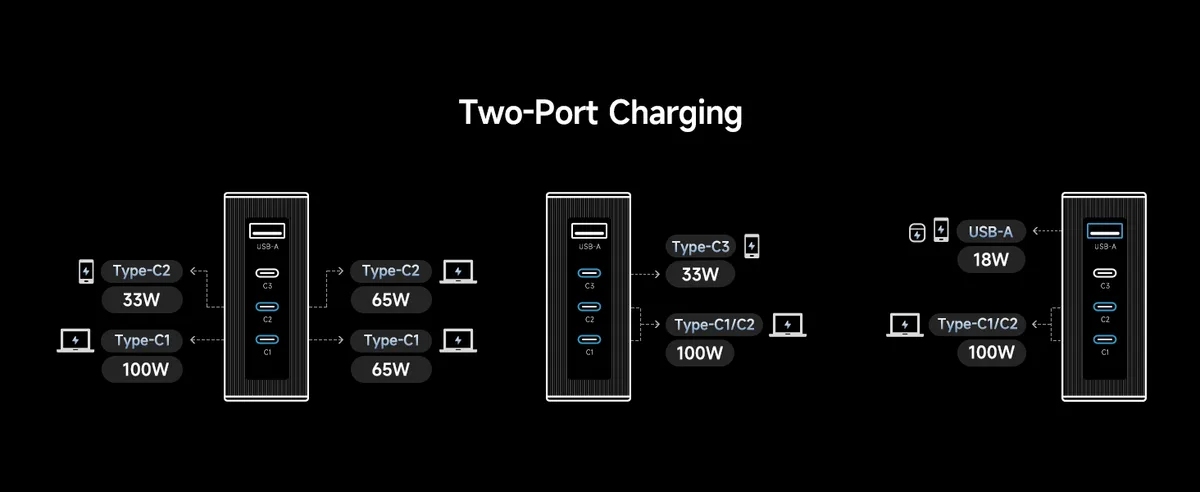
Image source: Bing (Web (fair-use with source credit))
- Do both your laptops support USB-C PD input? If no, you need separate proprietary adapters for each device.
- Does either laptop require more than 100W of USB-C input for active use? If yes, a 140W charger can’t support dual charging. Opt for a 240W multi-port charger or two separate adapters.
- Does your 140W GaN charger have a dual-port split that meets or exceeds both laptops’ minimum wattage requirements? If no, one or both laptops will charge slowly or not at all.
- Will you ever run heavy workloads on both laptops at the same time? If yes, calculate your combined power draw. If it exceeds 140W, you need a higher-output charger.
If you answered yes to all four questions, a 140W GaN dual charger is a perfect, space-saving fit for your setup. If you answered no to any, choose a higher-wattage multi-port charger or separate adapters to avoid slow charging or device damage.
Frequently Asked Questions
Can a 140W GaN charger charge a laptop and a phone at the same time?
Yes, most 140W GaN chargers handle a laptop and phone simultaneously. The laptop gets most of the wattage, and the phone gets 18W to 30W. This is a great use for the extra port if you only have one laptop to charge.
Will dual charging with a 140W GaN charger damage my laptops?
No, if you use a certified charger with overheat, overcurrent, and short circuit protection. Cheap uncertified models lack these safeguards, which can degrade your laptop’s battery or damage its USB-C port over time. Always look for UL, CE, or UKCA marks before buying.
How long does it take to charge two laptops with a 140W GaN charger?
It depends on battery size and wattage split. Two 13-inch ultrabooks with 60Wh batteries hit 80% in ~1 hour on a 65W/65W split. A 14-inch MacBook Pro plus 45W ultrabook hits 80% in 1.5 hours on a 100W/40W split.
Can I use a 140W GaN charger for two laptops if one is a gaming laptop?
Almost never. Most gaming laptops need 130W or more for active use, which exceeds the 140W total output. It only works if your gaming laptop’s USB-C port supports PD input at a wattage below the charger’s per-port split.
Do I need special cables for dual 140W GaN laptop charging?
Yes, use USB-C to USB-C cables rated for at least 140W. Standard 60W or 100W phone cables will throttle speed or overheat under dual load. Look for 140W or 240W markings on the cable connector to confirm compatibility.

Similar Posts