can you plug a laptop charger into an extension cord power strip
Senior Hardware Diagnostics Specialist & Lead Thermal Editor at Laptop Post Testing Lab · CompTIA A+, ACMT, B.S. in Computer Engineering · 12+ years bench-testing laptop thermal solutions & motherboard repairs
Can you plug a laptop charger into an extension cord power strip without risking a fire or fried laptop? It’s a question almost everyone asks when their desk setup runs out of wall outlets, or they’re setting up a temporary workspace in a dorm, hotel, or garage. The short answer is usually yes, but only if you follow strict safety rules.
Per National Fire Protection Association aggregate data as of 2026, nearly 3,500 US home fires annually start from overloaded power cords, with improper power strip use a top contributor NFPA electrical safety. The National Electrical Code sets clear load limits that most people ignore until it’s too late. We’ll break down exactly what specs to match, what mistakes to avoid, and when to skip the power strip entirely to keep you and your devices safe.
Why Getting This Question Right Prevents Fires, Shocks, and Property Damage
Incorrect power strip use with laptop chargers isn’t just a minor inconvenience. The US Consumer Product Safety Commission links overloaded or damaged power cords to thousands of residential fires and hundreds of shock injuries every year. A single overheated power strip can melt wiring, ignite nearby fabrics or paper, and destroy your laptop, phone, and other connected devices.
These risks are entirely avoidable if you follow basic electrical safety guidelines.
Quick Answer: Yes, But Only If You Follow Specific Safety Rules
Yes, you can plug a laptop charger into an extension cord power strip in most cases. This only works if the power strip’s amp and wattage ratings exceed your charger’s draw. Always use a UL-listed, grounded power strip rated for your devices’ total load.
Never daisy-chain multiple power strips or extension cords together. When in doubt, plug directly into a wall outlet.
Core Electrical Specs You Need to Match Before Plugging In
The only hard rule for safe use is that your power strip’s maximum rated load must exceed the total wattage of all devices plugged into it, including your laptop charger. Laptop chargers draw far less power than kitchen appliances or space heaters, but high-wattage gaming and workstation models still require careful matching. Check the printed label on the side of your power strip (pictured below) to find its maximum amp and wattage limits before plugging anything in.
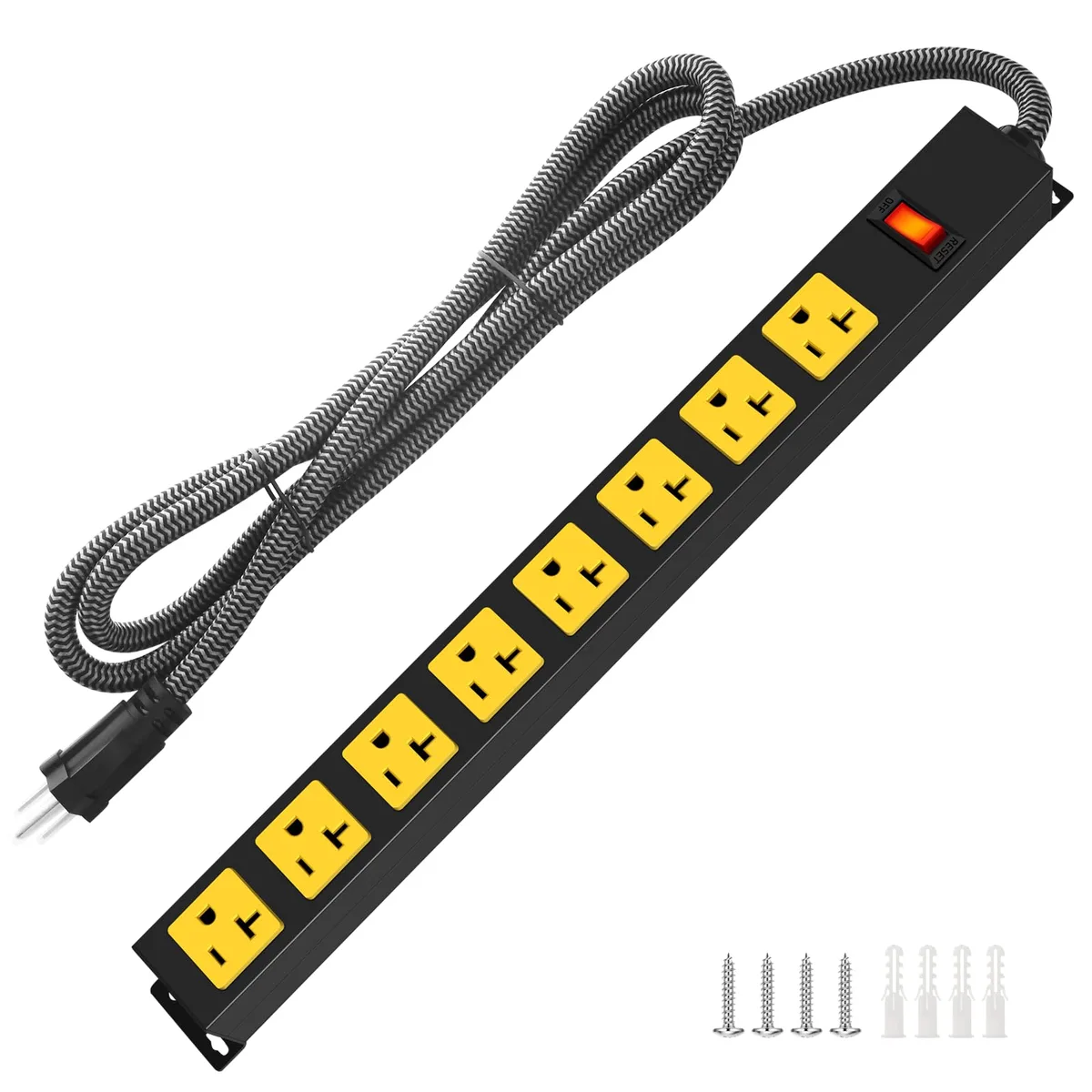
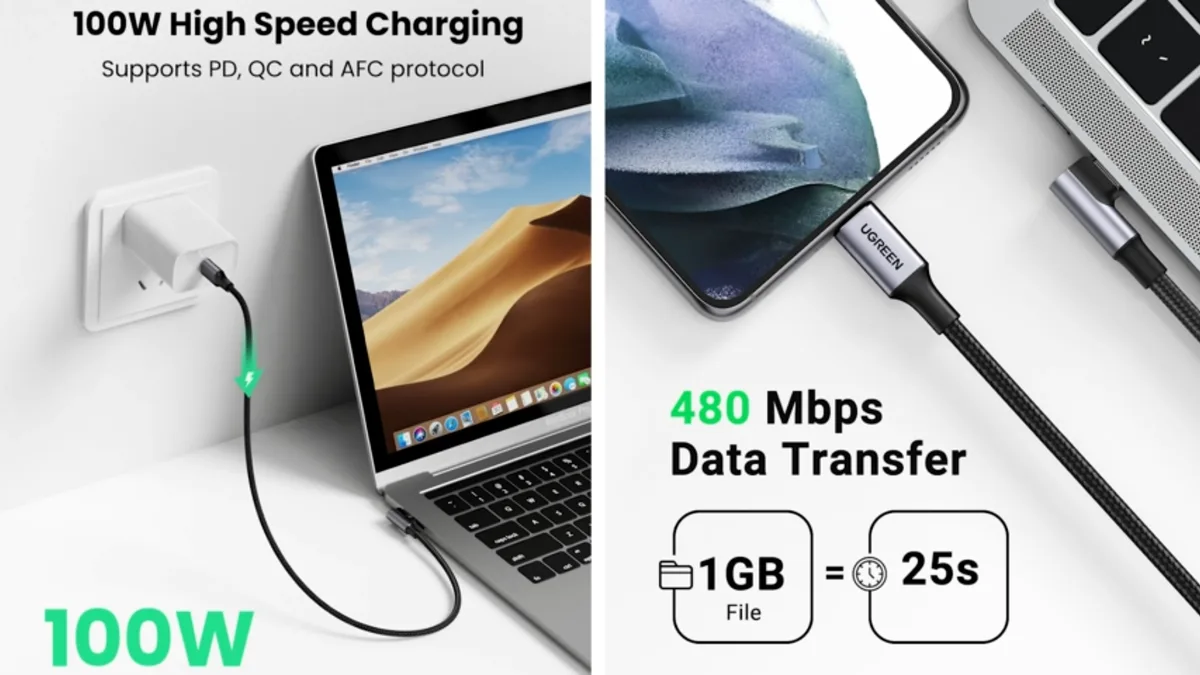
Your laptop charger’s maximum output wattage is printed on the brick itself, usually near the output voltage and amperage specs. A typical 100W charger will run safely on any standard 15A power strip, which is rated for up to 1800W of total draw per National Electrical Code rules.
| Laptop Type | Typical Charger Wattage | Minimum Power Strip Rating Needed |
|---|---|---|
| Ultrabook / Chromebook | 45W – 65W | Any standard 15A/1800W UL-listed power strip |
| Standard consumer laptop | 65W – 150W | Any standard 15A/1800W UL-listed power strip |
| Gaming / workstation laptop | 180W – 280W | Heavy-duty 15A+ power strip with 12AWG wire |
If you’re plugging other devices like monitors or phone chargers into the same power strip, add their wattage to your laptop charger’s draw to get your total load. Never exceed 80% of the power strip’s maximum rated wattage for continuous use, per NEC guidelines.
High-Risk Mistakes That Turn a Simple Plug-In Into a Safety Hazard
The vast majority of power strip-related fires come from a small set of easily avoidable mistakes. Daisy-chaining, or plugging one power strip into another or into an extension cord, is the top hazard, as it bypasses built-in overload protection and creates a hot spot for fires.
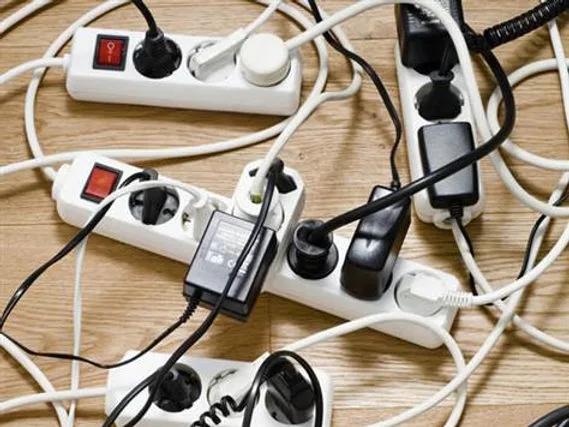
Other common dangerous errors include:
- Using a power strip with a lower amp rating than your charger requires, leading to overheating and melted wiring
- Plugging high-wattage devices like space heaters, microwaves, or gaming desktops into the same power strip as your laptop, exceeding the 15A/1800W maximum load for standard US household circuits
- Using frayed, cracked, or damaged power cords with exposed wiring, which increases shock and fire risk
- Skipping the grounding prong (using a 2-prong adapter on a 3-prong charger) to fit into an ungrounded outlet, which removes critical shock protection
- Buying cheap, non-UL listed power strips that lack proper overload protection or fire-resistant components
OSHA bans daisy-chained power strips in most office environments for this exact reason OSHA electrical safety, and many US college dormitories will confiscate non-UL listed strips during safety inspections.
Step-by-Step Safety Check to Use a Power Strip With Your Laptop Charger
Follow these steps to eliminate risk when using a power strip with your laptop charger:
- First, locate your laptop charger’s maximum output wattage, printed on the brick (e.g. “Output: 20V 5A 100W”).
- Check your power strip’s rating label to confirm its maximum wattage is at least 20% higher than your charger’s draw, to account for minor power spikes.
- Inspect the power strip and its cord for fraying, cracks, burn marks, or exposed wiring before use. Discard any damaged units immediately.
- Plug the power strip directly into a working, grounded 3-prong wall outlet, not into another power strip, extension cord, or adapter.
- Plug your laptop charger into an available outlet on the power strip, ensuring the plug fits snugly with no wiggling.
- Monitor the power strip for unusual warmth, discoloration, or burning smells during the first 30 minutes of use. Unplug immediately if you notice any of these signs.
- Unplug the power strip when leaving the area for extended periods, or during severe electrical storms, to avoid surge damage.
Replace your power strip every 2 to 3 years, even if it looks undamaged, as internal safety components wear out over time per manufacturer guidelines.
Safe Practices for Every Common Use Case
Your safest power strip setup changes based on where and how you’re using your laptop. Dorm rooms, home offices, gaming desks, travel, and garage workspaces all have unique rules to follow to avoid overload and fire risk.
For college dorm rooms:
- Verify your school’s fire code first. Most US dormitories ban non-UL-listed power strips and extension cords entirely as of 2026.
- Only use strips with a maximum load rating higher than your laptop charger’s wattage plus any other devices you plug in.
- Never hide the power strip under rugs, bedding, or behind furniture, as trapped heat increases fire risk.
For remote home offices:
- Keep total connected device wattage under 1440W on a standard 15A circuit to stay within the NEC 80% continuous load rule.
- Plug your monitor, external hard drives, and laptop charger into separate strips if their combined draw nears the limit.
- Unplug the entire strip when leaving for extended periods to avoid surge damage from grid fluctuations.
For high-wattage gaming laptops:
- Use a heavy-duty 12AWG power strip rated for 20A/2400W minimum for 180W to 280W chargers.
- Never plug your gaming laptop into the same strip as a space heater, microwave, or other high-draw appliance.
- Check the strip’s cord for warmth after 30 minutes of use, overheating means it’s underrated for your setup.
For travel and temporary setups:
- Pack a compact, UL-listed travel power strip instead of using unknown hotel or Airbnb strips, which are often worn out or uncertified.
- Never plug your travel strip into an existing old or damaged power strip at your destination.
- Use a GFCI adapter if you’re plugging into a damp bathroom or outdoor outlet.
For garage or outdoor use:
- Only use power strips with an SJTW-rated outdoor cord jacket and built-in GFCI protection.
- Never use an indoor-rated power strip in a damp, cold, or wet environment, as moisture can cause short circuits and shock.
- Coil excess cord loosely, not wrapped tightly around the strip, to avoid heat buildup.
Power Strip vs Surge Protector vs Heavy-Duty Extension Cord: Which Do You Actually Need?
Not all power cords are built for the same job, and picking the wrong one for your laptop setup creates unnecessary risk. The three most common options have clear differences in load capacity, safety features, and ideal use cases.
| Option | Max Load Rating | Key Safety Feature | Best For |
|---|---|---|---|
| Basic non-surge power strip | 15A / 1800W | Overload protection switch only | Temporary low-wattage use (ultrabook + phone charger) only, no long-term use |
| UL-listed surge protector power strip | 15A / 1800W | Surge suppression (200J to 1000J rating), overload protection | Home offices, dorm rooms, protecting sensitive laptop components from voltage spikes |
| Heavy-duty 12AWG extension cord power strip | 20A / 2400W | Thicker wire gauge, higher amp capacity, outdoor-rated jacket options | Gaming laptops, outdoor events, workshop setups with high-wattage chargers |
Basic non-surge strips lack protection against voltage spikes from lightning or grid faults, so they’re only suitable for short-term, low-risk use. Surge protectors absorb excess voltage to protect your laptop’s motherboard, SSD, and battery, but their suppression components wear out over time, so replace them after a major surge or every 3 to 5 years. Heavy-duty strips handle higher wattage draws without overheating, making them the only safe choice for 180W+ gaming laptop chargers or setups in damp outdoor environments.
What to Do If Your Power Strip Overheats, Trips, or Fails
Even with perfect setup, power strips can fail, and knowing how to respond prevents small issues from turning into fires or damaged devices. The first rule is to act fast if you notice any warning signs.
If the power strip feels warm to the touch, smells like burning plastic, or has discolored or melted plastic:
- Unplug the power strip from the wall outlet immediately. Do not touch the plug if it is hot, as it may be conducting excess current.
- Move the strip away from flammable materials like paper, fabric, or curtains.
- Discard the damaged strip in a metal container, not a plastic trash bin, to reduce fire risk.
- Test your wall outlet with a different device to confirm it is not the source of the problem.
If your circuit breaker trips when you plug in your laptop charger:
- Unplug all devices from the power strip first.
- Reset the breaker at your home’s electrical panel.
- Plug devices back in one at a time to identify which one is causing the overload.
- If the breaker trips again with only your laptop charger plugged in, your charger or wall outlet may be faulty, not the power strip.
If your laptop charger works in the wall outlet but not when plugged into the power strip:
- Test the power strip with a different low-wattage device, like a lamp, to confirm it is functioning.
- If the lamp works but the charger does not, the power strip may have a loose outlet or insufficient power delivery for your charger’s wattage.
- Replace the power strip with a higher-rated model that meets your charger’s specs.
Mandatory Safety Rules and Certifications to Look For
Not all power strips are created equal, and uncertified models make up the majority of cord-related fire incidents per CPSC data. Knowing which certifications to look for cuts your risk drastically.
The most critical mark is the UL (Underwriters Laboratories) listing, which confirms the power strip has passed independent testing for fire and shock risk per the UL 1449 standard for surge protective devices. Look for the UL logo printed directly on the power strip’s body, not just on the packaging.

Other key rules and standards to follow:
- The National Electrical Code requires power strips to never exceed 80% of a circuit’s maximum rated load for continuous use, over 3 hours. For a standard 15A US household circuit, that’s a maximum of 1440W total connected device draw.
- The CPSC bans the sale of power strips without overcurrent protection, and requires clear wattage and amp rating labels on all units.
- OSHA regulations prohibit daisy-chaining power strips in all office and industrial workspaces, a rule that applies to home offices with business equipment too.
- Most US college dormitories require UL-listed power strips only, with strict bans on extension cords and ungrounded adapters, per campus fire codes.
- Power strips used in garages, workshops, or outdoor areas must be GFCI-protected to cut power instantly if a short circuit occurs, per NEC requirements for damp locations.
When to Skip the Power Strip Entirely and Call an Electrician
There are some setups where a power strip is not just unnecessary, but a major safety hazard. If you’re dealing with any of the following issues, skip the strip and call a licensed electrician instead.
If your wall outlet is ungrounded, with only 2 prongs and no round ground pin, do not use a 3-prong adapter to plug in your laptop charger. Ungrounded outlets provide no shock protection if a fault occurs, and running a laptop charger on one increases fire risk. An electrician can install a grounded outlet for $100 to $300 per unit as of 2026, a small cost compared to fire damage.
If you need to plug in multiple high-wattage devices, like a 180W gaming laptop, 50W external monitor, 500W desktop PC, and 1500W space heater, that total more than 1440W on a single circuit, your existing outlets are insufficient. An electrician can add dedicated circuits to handle the load safely.
If your circuit breaker trips every time you plug in your laptop charger or other devices, this is a sign of outdated wiring or an overloaded circuit, not a problem a power strip can fix. Using a higher-rated power strip in this case will only increase fire risk.
If you’re setting up a permanent workspace that requires more than 2 to 3 outlets in one area, extension cords and power strips are only temporary solutions per NEC code. An electrician can install additional outlets to meet your needs without violating fire safety rules.
If you notice frequent voltage drops, flickering lights, or warm wall outlets when using your laptop charger, this indicates faulty wiring that needs professional repair, not a power strip workaround.
Final Decision Guide: Is Plugging Your Laptop Charger Into a Power Strip Safe for Your Setup?
Answer these three questions to pick the safest option for your setup.
First, check your laptop charger’s maximum wattage, printed on the brick. If it’s 150W or less, a UL-listed 15A power strip works for most indoor use, as long as total connected device draw stays under 1440W per NEC continuous load rules.
If your charger draws 180W to 280W, common for gaming and workstation laptops, you need a heavy-duty 12AWG power strip rated for 20A or higher. Never plug other high-wattage devices like space heaters or desktop PCs into the same strip.
Second, check your environment. Dorm rooms require campus-approved UL-listed strips only, per most university fire codes as of 2026. Garages and outdoor spaces need GFCI-protected, outdoor-rated strips with SJTW cord jackets to avoid shock and short circuits.
Third, assess your existing wiring. If your wall outlet is ungrounded, or your circuit breaker trips when you plug in your laptop, skip the power strip entirely. These are signs of faulty wiring that only a licensed electrician can fix.
Frequently Asked Questions
Can I plug a MacBook charger into a power strip?
Yes, as long as the power strip is UL-listed and rated for 15A or higher. Even the highest-wattage MacBook Pro chargers top out at 140W, well under the 1800W maximum load of a standard 15A power strip.
Is it safe to leave my laptop charger plugged into a power strip overnight?
Yes, if the power strip is not overloaded and has no other high-draw devices connected. Unplug the entire strip during severe electrical storms to avoid surge damage to your laptop’s motherboard and SSD.
What happens if I overload a power strip with my laptop and other devices?
The strip’s built-in overload protection should trip and cut power automatically. If it fails, the strip can overheat, melt its plastic housing, and ignite nearby flammable materials like paper or curtains, per CPSC fire incident data.
Do I need a surge protector instead of a basic power strip for my laptop?
A surge protector is strongly recommended for all laptop setups. It absorbs voltage spikes from lightning or grid faults that can destroy sensitive internal components like your SSD and motherboard. Look for a model with at least 400J of surge suppression rating, and replace it after any major surge event.
Can I use an outdoor extension cord power strip for my indoor laptop?
You can, but it’s unnecessary for most dry indoor setups. Outdoor-rated strips have GFCI protection and weatherproof jackets, which are only required for damp garages, workshops, or outdoor event spaces.

Similar Posts