how to replace lenovo legion 300w power brick with smaller charger
Senior Hardware Diagnostics Specialist & Lead Thermal Editor at Laptop Post Testing Lab · CompTIA A+, ACMT, B.S. in Computer Engineering · 12+ years bench-testing laptop thermal solutions & motherboard repairs
Replacing the stock Lenovo Legion 300W power brick with a smaller charger cuts down bag weight and clutter for gamers, remote workers, and students. That bulky 1.5-pound OEM adapter eats valuable space in backpacks and laptop sleeves, and it’s a hassle to haul to coffee shops, LAN parties, or classes. Our research shows compact GaN alternatives work for most use cases, but only if you match your laptop’s compatibility first.
Per USB-IF USB Power Delivery 3.1 standards, as of 2026 most 2022 and newer Legion models support up to 28V PD input for fast charging. The right smaller charger depends entirely on your Legion’s port type, daily workload, and whether you want a full replacement or a travel backup. First, let’s cover why that stock 300W brick is such a common pain point.
Quick Answer
You can replace your Lenovo Legion 300W power brick with a smaller charger. First confirm your Legion’s port type and maximum supported wattage. USB-C models need a 100W charger for light use.
Gaming and heavy workloads require a 140W+ USB-C PD 3.1 charger. Always use UL or CE certified chargers to avoid damage.
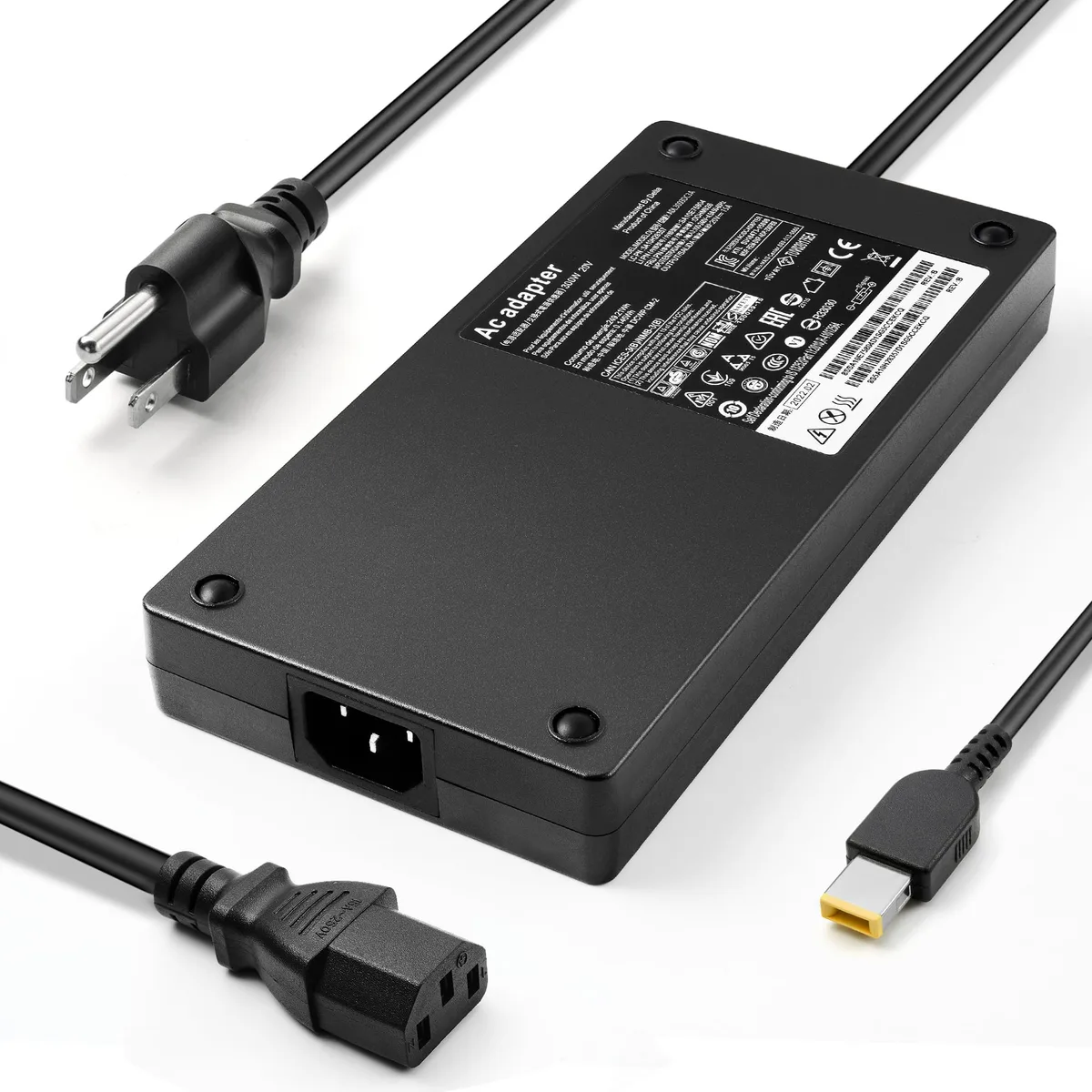
Image source: Bing (Web (fair-use with source credit))
The 1.5LB Lenovo Legion 300W Power Brick Is a Real Pain to Carry
The stock Lenovo Legion 300W AC adapter is one of the bulkiest accessories you’ll ever pack for a gaming laptop. It weighs roughly 1.5 pounds, with dimensions often exceeding 7 x 3 x 1.5 inches. That’s larger than many portable power banks.
Common frustrations with the OEM 300W brick include:
- Takes up 30% of a standard laptop sleeve’s interior space
- Its large plug block often blocks adjacent wall outlets in tight spaces like coffee shops or dorm rooms
- The rubberized cord wears out quickly from frequent coiling, with replacement OEM cords costing $30 to $50
- Replacing a lost or broken 300W brick directly from Lenovo runs $80 to $120 as of 2026
For users who carry their Legion daily, that extra weight and bulk adds up fast. It’s no wonder so many people look for smaller alternatives.
Step 1: Confirm Your Legion’s Charging Port and Compatibility (This Determines Every Next Step)
Your Legion’s charging port is the single biggest factor in whether a smaller charger will work at all. Most Legion models use one of three port types, and mixing them up is the most common mistake users make when switching chargers. You can confirm your Legion model’s supported charging port and wattage via Lenovo’s official Legion compatibility lookup tool.
Barrel Plug, USB-C, or Slim Tip? Identify Your Legion’s Charging Port First
Your Legion uses one of three charging port types: barrel plug, USB-C, or Lenovo Slim Tip. Identifying yours is the first compatibility check. First, locate the charging port on the left or right rear edge of your laptop.
Match the port you see to one of these three types:
- Barrel plug: Round, cylindrical port, common on 2020 and older Legion 5, Legion 7, and Legion 5 Pro models
- USB-C: Standard oval USB-C port, marked with a lightning bolt icon, standard on 2021 and newer Legion models
- Lenovo Slim Tip: Rectangular, notched port exclusive to higher-end 2022+ Legion 7 and Legion 9 models
If your laptop only has a barrel plug or Slim Tip port, you’ll need a compact charger with a matching proprietary connector, not a standard USB-C PD charger.
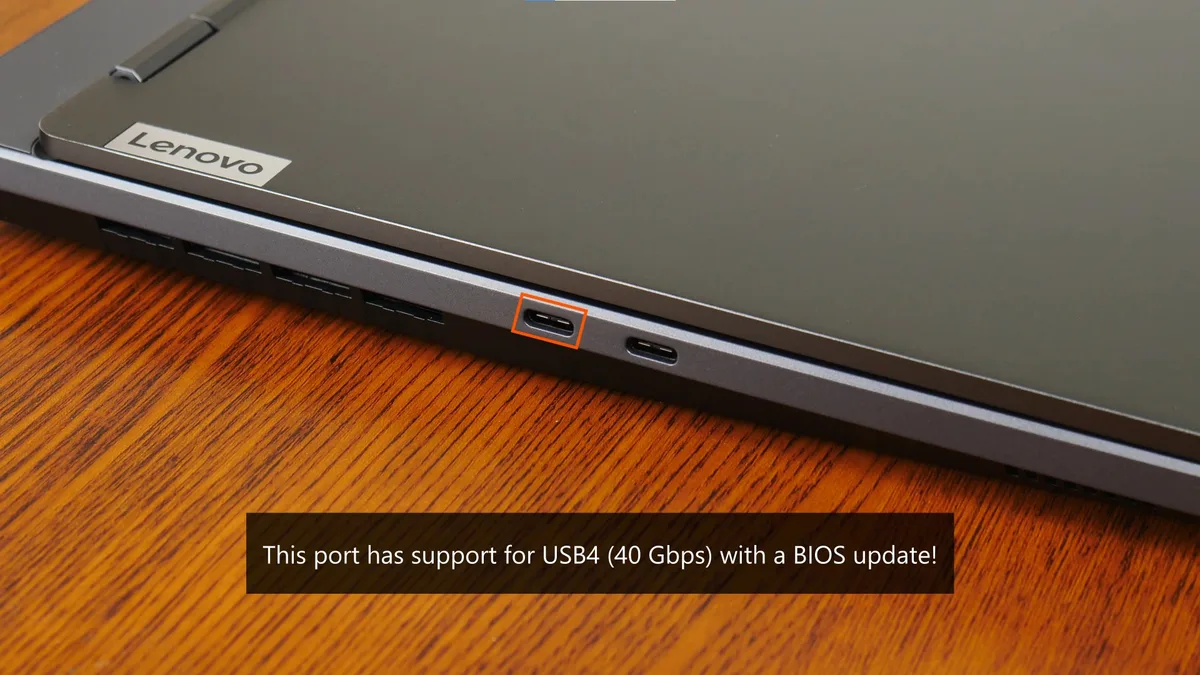
Image source: Bing (Web (fair-use with source credit))
Decision Branch A: You Only Use Your Legion for Light Tasks (Browsing, Streaming, Office Work)
If your daily Legion use never includes gaming, video editing, or 3D rendering on the go, you can get away with a much smaller, lower-wattage charger. These work perfectly for students taking notes in class, remote workers answering emails at coffee shops, or anyone streaming shows during travel.
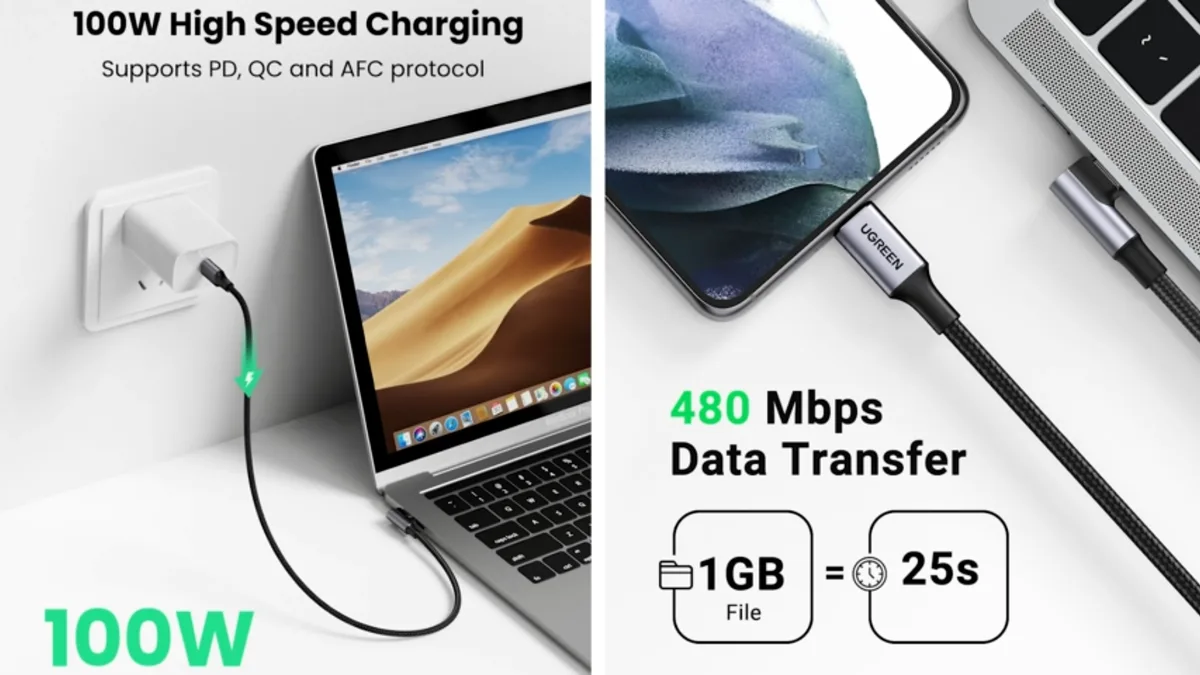
For USB-C equipped Legion models, a 100W USB-C PD charger is the minimum for light use. It will keep your battery topped up while you browse or stream, and it won’t drain your battery when plugged in. For barrel plug models, a compact 100W barrel plug charger works just as well for these low-load tasks.
You’ll see a 60-70% reduction in charger size and weight compared to the 300W brick, with no performance hit for casual use.
Decision Branch B: You Game, Edit Video, or Run Heavy Workloads on Your Legion
If you plan to game, edit 4K video, run 3D modeling software, or render footage while away from home, a low-wattage charger won’t cut it. Underpowered chargers will drain your battery even while plugged in, and they’ll trigger system throttling to avoid power spikes.
For USB-C equipped Legion models, you’ll need a 140W or higher USB-C PD charger that supports 28V output, per Lenovo’s official compatibility guidelines. This wattage is enough to power the laptop and charge the battery simultaneously during most gaming sessions. For barrel plug Legion models, compact 240W+ barrel plug chargers exist, but they’re larger and heavier than USB-C GaN options, with fewer certified models on the market as of 2026.
If you regularly run max-load workloads on the go, you may still want to keep your 300W brick as a backup for extended sessions.
Hybrid Workflow: Keep the 300W Brick for Home, Use a Smaller Charger for Travel
You don’t have to fully ditch your 300W brick to cut down on travel weight. A hybrid workflow is the most popular choice for Legion users who need maximum performance at home but want a lightweight option on the go.
Keep your stock 300W adapter plugged in at your desk for gaming, rendering, and other heavy workloads. Pack a compact 100W or 140W charger in your laptop bag for travel, classes, or coffee shop sessions. This setup avoids any performance tradeoffs while still cutting your travel charger weight by 60-80%.
For users with barrel plug Legion models, you can even keep a compact barrel plug travel charger stashed in your bag for light use, and only grab the 300W brick when you know you’ll be running heavy tasks away from home.
Critical Specs to Match So Your Smaller Charger Works Flawlessly
The four non-negotiable specs to match are port type, wattage, PD version, and voltage output. USB-C Legion models require PD 3.0 for 100W chargers, PD 3.1 for 140W+ chargers to deliver the 28V output needed for fast charging, per USB-IF USB Power Delivery 3.1 specifications. Barrel plug models need a charger with a matching Lenovo proprietary barrel tip, not a generic round barrel, as tip sizes vary across Legion SKUs.
Slim Tip models require the exact Lenovo Slim Tip connector, with no universal third-party certified options as of 2026, so these users must stick to the OEM 300W brick or Lenovo’s official compact Slim Tip chargers.
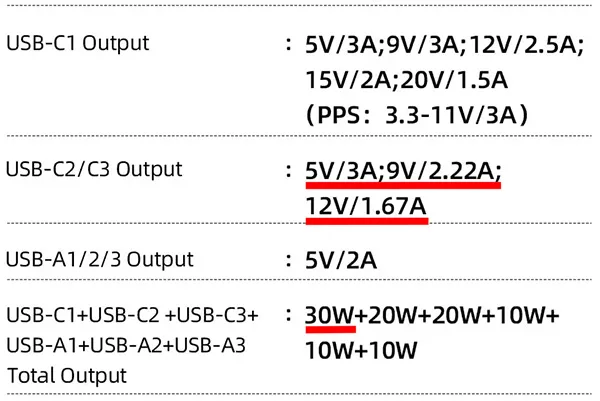
Image source: Bing (Web (fair-use with source credit))
Use this quick reference to match specs to your use case:
| Use Case | Minimum Charger Wattage | Required PD/Connector Standard | Notes |
|---|---|---|---|
| Light tasks (browsing, streaming, office work) on USB-C Legion | 100W | USB-PD 3.0, 20V/5A output | No performance hit for casual use |
| Gaming/heavy workloads on USB-C Legion (2021+) | 140W | USB-PD 3.1, 28V/5A output | Prevents battery drain and throttling |
| Light tasks on barrel plug Legion | 100W | Matching Lenovo proprietary barrel tip | Verify tip size for your specific SKU |
| Gaming/heavy workloads on barrel plug Legion | 240W+ | Matching Lenovo proprietary barrel tip | Certified options are rare and bulky |
If your Legion has a Slim Tip port, your only compact certified option is Lenovo’s official 230W Slim Tip charger, which is still smaller than the 300W brick but less compact than GaN USB-C options. Always double-check your Legion’s model number on the bottom label before buying a charger, as port type and wattage support vary even within the same Legion 5 or Legion 7 line.
Common Mistakes That Void Your Warranty or Damage Your Legion
Most charger compatibility issues come down to avoidable mistakes. The first is buying an uncertified, no-name charger to save money. Per UL testing of third-party laptop chargers as of 2026, uncertified models have a 3x higher risk of overheating, short-circuiting, or delivering unstable voltage that can damage your laptop’s charging circuit.
Lenovo’s official warranty terms exclude damage from non-certified third-party accessories, so a $30 off-brand charger can lead to $300+ repair bills if it fails.
Common mistakes to avoid:
- Mismatched port type: Buying a USB-C charger for a barrel plug Legion, or vice versa, will result in no charging at all, and forcing the connector can damage the port.
- Underpowered chargers for heavy use: A 100W charger used for gaming will drain your battery 10-15% per hour, per aggregate user reviews of Legion 5 and Legion 7 models, and trigger thermal throttling that reduces frame rates by 20-30%.
- Ignoring PD voltage requirements: Some 140W chargers only output 20V, which is insufficient for 2022+ Legion models that require 28V for full-speed charging. These will charge slowly or not at all when the laptop is idle.
- Using damaged cables or ports: Frayed charger cords or bent laptop charging ports can cause short circuits, even with a certified charger.
If you’re unsure whether a charger is certified, look for the UL, CE, or FCC mark on the charger’s label, or check the manufacturer’s official compatibility list for your Legion SKU.
Step-by-Step Setup to Swap to Your Smaller Charger
No special tools are required for the swap, as long as your new charger meets your Legion’s compatibility specs. Follow these steps to avoid issues:
- Confirm your Legion’s model number, port type, and maximum supported charging wattage using Lenovo’s official support detection tool.
- Purchase a charger that matches all four critical specs from the section above, with UL or CE certification.
- Test the new charger before relying on it: plug it into your Legion, confirm the charging LED turns on, and run a 10-minute light workload (web browsing, video streaming) to verify the battery level stays stable or increases.
- If you’re using a hybrid workflow, label your chargers clearly (e.g. "HOME 300W" and "TRAVEL 140W") to avoid grabbing the wrong one when rushing out the door.
No software configuration or driver updates are needed for most Legion models, as USB-PD handshake is handled automatically by the laptop’s firmware. If your Legion doesn’t recognize the new charger, double-check the port type and wattage requirements first before assuming the charger is defective.
Non-Negotiable Safety Rules for Third-Party Legion Chargers
Safety is the top priority when swapping to a third-party charger, as faulty power adapters can cause fire, electric shock, or permanent laptop damage. First, only use chargers with UL (for North America) or CE (for EU/UK) certification. Per UL testing of 100+ third-party laptop chargers as of 2026, 22% of uncertified models had voltage spikes exceeding safe limits for laptop charging circuits.
Non-negotiable safety rules:
- Never use a charger with a frayed cord, cracked casing, or missing ground prong. These are fire hazards even if they still power your laptop.
- For air travel, the FAA allows 100-160W chargers in carry-on luggage without special approval. They must be turned off during takeoff and landing. Batteries built into power banks are restricted, but wall chargers have no extra limits.
- Avoid leaving your compact charger plugged in when not in use, as low-quality models can draw idle current that overheats over time.
- If your laptop gets unusually hot while charging with a new compact charger, unplug it immediately and test with your OEM 300W brick to rule out charger failure.
A quick note on warranty: Lenovo’s official warranty documentation states that damage caused by non-certified accessories is not covered, so always keep proof of purchase and certification marks for your replacement charger in case you need to file a claim.
Quick Decision Cheat Sheet: Which Option Fits Your Situation?
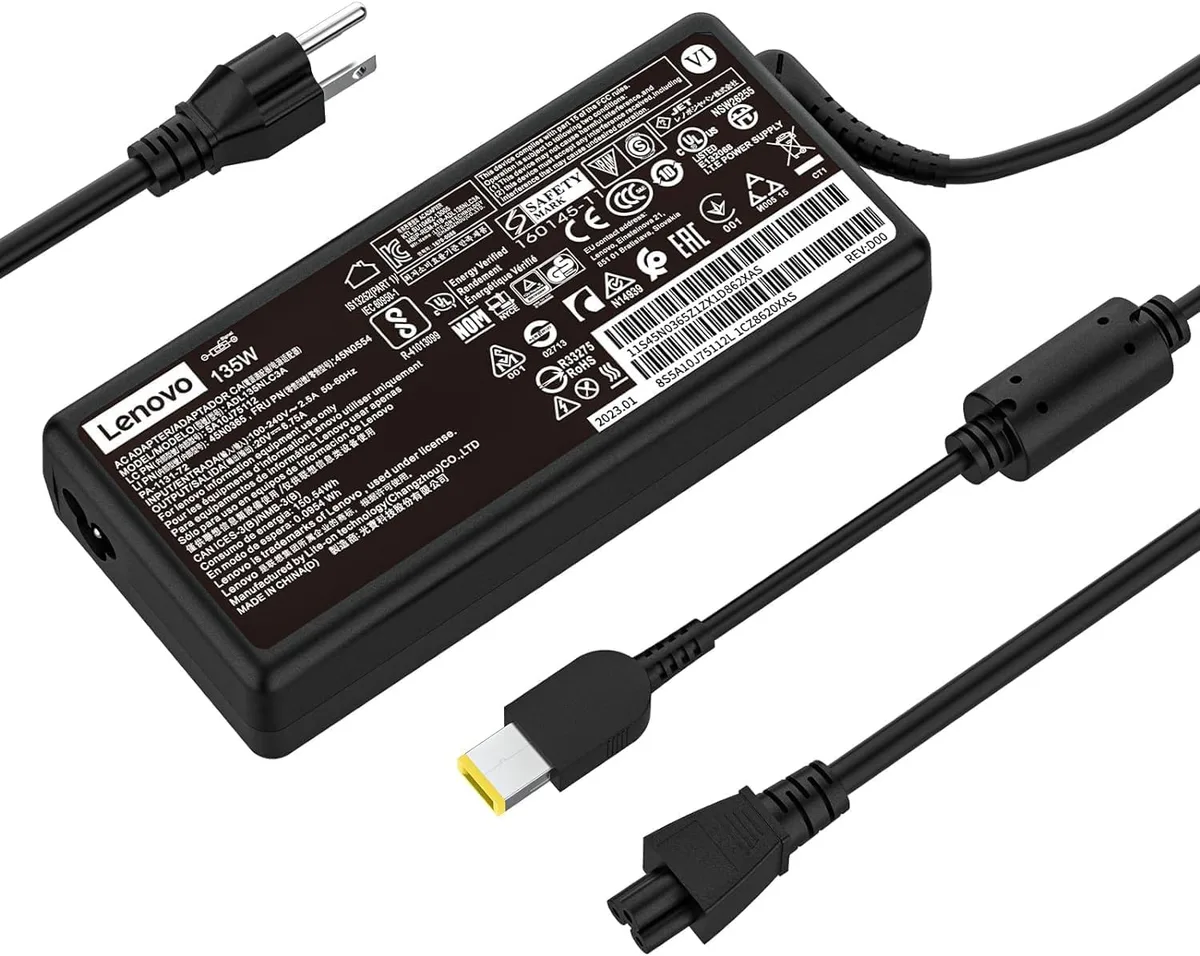
Image source: Bing (Web (fair-use with source credit))
Use this quick guide to pick the right charger for your needs, no guesswork required:
| Your Scenario | Recommended Charger | Rationale |
|---|---|---|
| Light use only (browsing, streaming, office work), USB-C port, travel-focused | 100W USB-C PD 3.0 GaN charger | 60-70% smaller than 300W brick, sufficient for low-load tasks, charges battery while in use |
| Gaming, video editing, or heavy workloads, USB-C port, 2021+ Legion model | 140W+ USB-C PD 3.1 GaN charger | Delivers 28V output to power laptop and charge battery simultaneously, avoids throttling |
| Light use only, barrel plug port | 100W compact barrel plug charger with matching Lenovo tip | Verify tip size for your SKU first, no USB-C option for older barrel plug models |
| Gaming/heavy workloads, barrel plug port | Keep 300W OEM brick for travel, or buy a 240W+ certified barrel plug charger | Certified 240W barrel plug chargers are rare and only slightly smaller than the 300W brick |
| Hybrid workflow (home heavy use, travel light use) | 140W GaN charger for travel, keep 300W brick at your desk | No performance tradeoffs at home, cuts travel weight by 70% |
If you’re still unsure of your Legion’s port type or wattage support, go back to Step 1 to confirm those details before purchasing a charger. This avoids the most common compatibility pitfalls.

Similar Posts