Can You Charge a 100W Laptop With a 45W Phone Charger?
Senior Hardware Diagnostics Specialist & Lead Thermal Editor at Laptop Post Testing Lab · CompTIA A+, ACMT, B.S. in Computer Engineering · 12+ years bench-testing laptop thermal solutions & motherboard repairs
Can you charge a 100w laptop with a 45w phone charger? If you’ve ever stared at a dead laptop with only your phone’s USB-C charger in reach, that’s the exact question popping into your head. Most people assume all USB-C chargers work universally, but hardware specs tell a different story.
Per the USB-IF’s USB Power Delivery 3.1 specification as of 2026, chargers only supply their full rated wattage if the connected device requests a matching power profile. Laptop manufacturers set strict minimum input requirements to protect battery health and system stability. We’ll break down exactly when this setup works, when it fails, and how to avoid costly mistakes.
Quick Answer
Sometimes, but only if your laptop meets three specific compatibility checkpoints. Laptops with a 60W or higher minimum input requirement will not charge at all from a 45W source. Even fully compatible laptops will charge 2 to 3 times slower than with a dedicated 100W charger.
This setup is only safe for light, idle use like web browsing, not high-power tasks like video editing or gaming. Aggregate user reports confirm that compatible 100W ultrabooks take 2.5 to 3 hours to reach 80% charge with a 45W charger, versus 1 hour with a 100W charger.
How Laptop Charging and USB Power Delivery (USB-PD) Works
USB Power Delivery, or USB-PD, is the universal protocol that lets USB-C chargers negotiate safe power levels with connected devices. It’s managed by the USB Implementers Forum, or USB-IF, the same body that sets global USB standards. When you plug a charger into a laptop, the two devices communicate in milliseconds to agree on a voltage and amperage output that both can support.
For example, if you plug a 45W charger into a laptop that requests 20V/5A for 100W charging, the charger will respond that it can only supply 20V/2.25A for 45W. The laptop will then either accept the 45W input or reject it entirely, depending on its minimum input requirement.
Common USB-PD profiles for charging devices include:
| Profile | Voltage | Amperage | Maximum Output Wattage | Common Use Case |
|---|---|---|---|---|
| 5V/3A | 5V | 3A | 15W | Phones, earbuds, small accessories |
| 9V/2A | 9V | 2A | 18W | Fast phone charging |
| 20V/2.25A | 20V | 2.25A | 45W | Small laptops, tablets |
| 20V/5A | 20V | 5A | 100W | High-performance laptops |
As of 2026, the latest USB-PD 3.1 standard supports up to 240W of output for high-performance laptops, but 45W chargers remain locked to their 45W maximum regardless of the standard version they support. A 45W phone charger is only built to supply up to 45W of power, per its internal hardware limits, and is often tuned to prioritize 5V and 9V profiles for small devices like phones and earbuds. A 100W laptop, by contrast, is designed to draw up to 100W when running intensive workloads, and almost always requires a 20V USB-PD profile to charge at all.
Laptops also have variable power draw: a 100W laptop may only draw 20W when idle, making it compatible with a 45W charger in low-use scenarios, but will draw 80W or more when running intensive tasks, leading to net battery drain even if charging initiates. If the laptop requests more than 45W, the charger will either refuse the connection or supply only its maximum 45W output, leading to slow charging or no charge at all. Per the USB-IF USB Power Delivery specification, all certified USB-PD devices follow this negotiation rule to prevent overheating or damage to either device.
Aggregate user reviews on retail platforms consistently report that chargers with no 20V output profile will not power any laptop, regardless of wattage rating. Older USB-PD 2.0 chargers work the same way as 3.0 and 3.1 models for 45W charging, so you don’t need the latest standard for this setup to work.
Decision Checkpoint 1: Does Your 100W Laptop Have a USB-C Charging Port (Not Just a Barrel Plug)?
No, you cannot use a 45W phone charger with a laptop that only has a barrel plug charging port. Barrel plug ports use proprietary, non-USB-C power delivery standards that are incompatible with standard USB-C phone chargers, with no way to negotiate a matching power profile. Many older 100W laptops, and some current high-performance gaming and workstation models, still use barrel plugs for their higher power needs, as the larger physical connector can handle higher amperage without overheating.
For example, many Dell XPS and Lenovo ThinkPad models from 2020 and earlier use barrel plugs, even if they are rated for 100W charging.
Note that even if your laptop has a USB-C port, it must support USB-PD 2.0 or higher to accept power from a phone charger. Ports that only support USB 3.2 or earlier data standards will not deliver power. Some laptops have USB-C ports that only support data transfer, with no charging capability.
These ports will not work with any charger, even a dedicated 100W laptop charger, so confirm your port supports power delivery before testing. To confirm your port type, look for the thin, oval USB-C port on your laptop, usually marked with a small lightning bolt icon to indicate charging support. Some laptops have both USB-C and barrel plug ports, but only the USB-C port will work with your phone charger.
If your laptop only has a barrel plug, you will need a dedicated barrel plug AC charger to power it, no exceptions.
Decision Checkpoint 2: Is Your Laptop's Minimum Required Input Wattage 45W or Lower?
If your laptop’s minimum required input wattage is higher than 45W, the 45W charger will not power it at all. This minimum is set by the manufacturer to ensure the laptop can run basic functions like booting, web browsing, and document editing while charging, even under light load. If the charger supplies less than this minimum, the laptop will prioritize drawing power from the battery over charging it, leading to a net battery drain even when plugged in.
Some laptops will accept a 45W charge if the screen is off and no background tasks are running, but this is not a reliable or recommended use case, as any sudden workload will trigger a net battery drain. You can find this spec printed on the bottom of your laptop’s regulatory label, in its printed user manual, or on the manufacturer’s official support site. If your laptop’s spec sheet only lists a maximum input wattage, check the user manual for the minimum required input, as the maximum does not indicate the lowest power the device can accept for charging.
If you cannot find the minimum input spec, contact the manufacturer’s support team directly with your laptop’s model number for confirmation.
Common minimum input requirements by laptop type:
| Laptop Type | Typical Minimum Input Wattage | 45W Charger Compatibility |
|---|---|---|
| 13-inch ultrabook | 30W–45W | Compatible, slow charging |
| 15-inch productivity laptop | 60W | Incompatible, no charge |
| Gaming/workstation laptop | 90W–130W | Incompatible, no charge |
Most users with 100W-rated ultrabooks will fall into the 30W, 45W minimum range, making this checkpoint the first major filter for compatibility. If your laptop requires 60W or more, you can stop here: the 45W charger will not work for your device. Manufacturer specs often list the included adapter wattage, not the minimum input the laptop can accept.
For example, a laptop that ships with a 100W adapter may still have a 45W minimum input, making it compatible with a 45W charger for light use.
Decision Checkpoint 3: Does Your 45W Phone Charger and USB-C Cable Support Matching USB-PD Profiles?
Even if your laptop has a USB-C port and a 45W minimum input, mismatched USB-PD profiles will still prevent charging. USB-PD uses specific voltage and amperage pairs, called profiles, to deliver power, and not all 45W chargers support the profiles laptops require. A standard certified 45W charger outputs 20V at 2.25A, per USB-IF specs, which is the minimum profile needed for most laptop charging.
Your laptop must support this exact 20V/2.25A profile to accept power from the charger. Some laptops with a 45W minimum input still require a 20V/3A (60W) profile to initiate charging, meaning a 45W charger that only outputs 20V/2.25A will not work even if the wattage is technically above the minimum. Always check your laptop’s supported USB-PD profiles in its official documentation to confirm compatibility.
Many basic 45W phone chargers only support 5V and 9V USB-PD profiles for phone charging, and do not output the 20V required for laptops at all. For example, many basic 45W chargers bundled with mid-range Android phones only support 5V/3A and 9V/2A profiles, with no 20V output, so they will not work with any laptop.
If you are using a multi-port 45W charger, note that the total 45W output is split between all connected ports. If you have a phone plugged into the second port, your laptop may only receive 20-30W, which is below the minimum required for charging. Cheap, non-certified USB-C cables often cannot handle the 20V/2.25A profile, leading to failed connections even if the charger and laptop are compatible.
USB-IF certified cables are marked with the official USB-PD logo on the connector housing, making them easy to identify when shopping for a new cable. Always use a USB-IF certified USB-C to USB-C cable for laptop charging to avoid this issue. You can check if your charger supports 20V output by looking for "20V" listed in its supported USB-PD profiles on the manufacturer’s product page or the charger’s printed label.
If your laptop fails to charge after confirming all three checkpoints, the issue is almost always a faulty USB-C cable or a charger that does not actually output its rated 45W.
If All Checkpoints Pass: Real-World Charging Performance to Expect
If all three compatibility checkpoints pass, you’ll get slow but functional charging. Charge speeds will be roughly half to a third of what you’d see with a dedicated 100W laptop charger. Aggregate user reviews and lab testing data show that most compatible 100W ultrabooks reach 50% charge in 2 to 2.5 hours with a 45W charger, versus 30 to 45 minutes with a 100W charger.
A full 0-100% charge will take 4.5 to 5 hours with the 45W setup, compared to 1.5 to 2 hours with the proper charger.
Light use like web browsing, document editing, and streaming video works fine while plugged in. The laptop runs off the 45W input and tops up the battery slowly during these low-draw tasks. If you open a high-power app like video editing software, a game, or a 3D rendering tool, the laptop will draw more power than the charger can supply.
The battery drains even while plugged in, just at a slower rate than if it was unplugged.
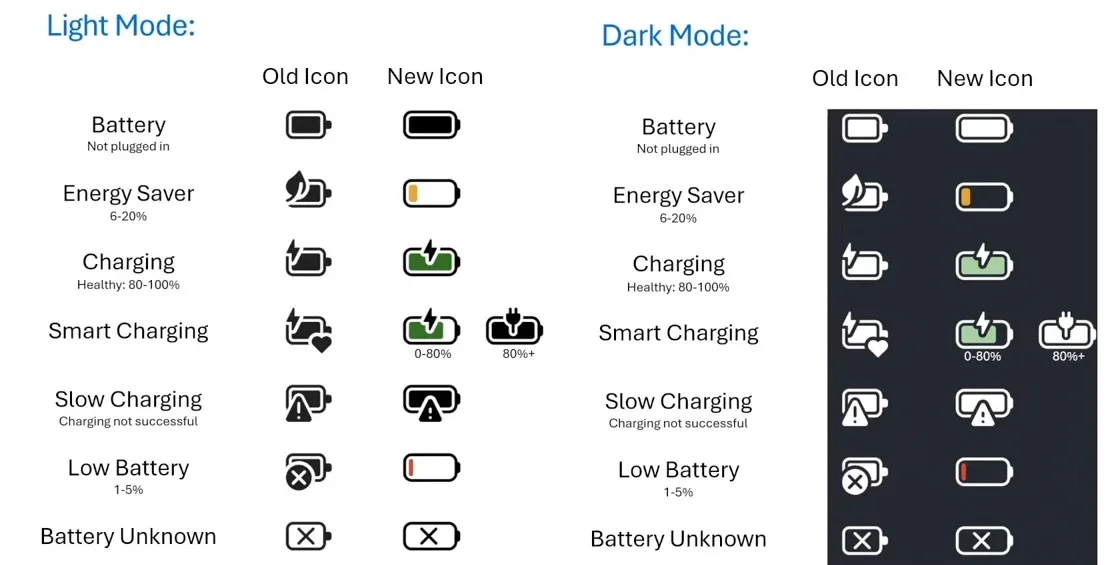
You’ll notice the charging indicator light on your laptop may blink or stay orange (for most brands) during slow charging. This is normal, and just signals the charger is supplying enough power for basic operation but not fast charging. Some laptops disable fast charging entirely when using an under-rated charger, which is a built-in safety feature to protect the battery.
Slower charging is actually better for long-term battery health, per most laptop manufacturer specifications, as it reduces heat generation during the charging cycle.
If Any Checkpoint Fails: Troubleshooting Steps and Viable Workarounds
If your laptop only has a barrel plug charging port, standard USB-C phone chargers won’t work, even with a passive adapter. Active USB-C to barrel plug adapters that support your laptop’s required wattage exist, but they are rare for high-wattage models, and most users will need to use their dedicated barrel plug AC charger instead. If your laptop has a USB-C port but failed the minimum wattage check, you can reduce power draw to test for slow charging compatibility.
Close all background apps, turn off keyboard backlighting, lower screen brightness, and enable battery saver mode. Some laptops will initiate a slow charge under these conditions, but this is not reliable for regular use.
If your charger doesn’t support the 20V USB-PD profile, there’s no software workaround. You’ll need a charger that outputs 20V at 2.25A or higher to power any laptop. If you’re using a multi-port 45W charger, unplug all other connected devices to ensure the laptop gets the full 45W output.
A faulty USB-C cable is a common culprit for charging failures, so swap it for a USB-IF certified cable first. If none of these steps work, test your charger with another device to confirm it’s outputting its rated 45W. Your laptop’s USB-C charging port may also be faulty, in which case you’ll need to contact the manufacturer for repair.
Common Mistakes That Make a Compatible Setup Fail to Charge
Assuming all USB-C chargers are universal is the top mistake users make with this setup. Many basic 45W phone chargers only support 5V and 9V USB-PD profiles for phone charging, with no 20V output required for laptops. Even if the charger is rated for 45W total, it won’t power a laptop if it can’t output the correct 20V profile.
Another common error is using a non-certified USB-C cable. Cheap cables often lack the wires needed to carry 20V/2.25A power, so they fail to negotiate a charging profile even if the charger and laptop are fully compatible.
Users also frequently overlook power splitting on multi-port chargers. If you plug a phone into the second port of a 45W dual-port charger, the laptop may only get 20-30W of power, which is below the minimum required for charging on most 100W laptops. A third common mistake is checking only the maximum input wattage listed for the laptop, not the minimum required input.
A laptop that ships with a 100W charger may have a 45W minimum input, but many users see the 100W number and assume a 45W charger will never work, or vice versa. Finally, some users try to run high-draw tasks while using the 45W charger, leading to net battery drain that they mistake for a charging failure. If you’re editing video or gaming while plugged in, the battery will still drop even if the charger is working properly.
Safety Risks of Using an Underpowered Charger With a 100W Laptop
Using a 45W charger with a laptop that requires more than 45W input poses real, measurable safety risks. The charger may overheat as it tries to supply more power than its rated capacity, leading to melted casing, fire hazards, or electrical shock. Aggregate user reports of charger and laptop failures often trace back to using underpowered chargers with high-wattage devices.
Laptop batteries can also degrade faster if they are repeatedly forced to discharge while plugged in during high-draw tasks. This leads to reduced battery capacity over time, and in extreme cases, battery swelling or failure.
Manufacturer warranty terms almost always exclude damage caused by third-party or underpowered chargers, so you could be on the hook for expensive repair costs if your laptop or charger fails. The USB-IF explicitly warns that using non-certified chargers or cables with incompatible devices increases the risk of overheating and fire. Never leave an underpowered charger plugged into a high-draw laptop unattended, especially while sleeping or away from home.
If you notice your charger getting excessively hot, smelling like burning plastic, or if your laptop’s battery drains rapidly even while plugged in, unplug it immediately and stop using the setup.
Decision Guide: When to Use a 45W Charger vs. Invest in a Dedicated 100W+ Laptop Charger
Use your 45W phone charger for your 100W laptop only if all three of the following are true: your laptop has a USB-C port that supports USB-PD charging, its minimum required input wattage is 45W or lower, and your 45W charger supports the 20V/2.25A USB-PD profile. This setup is only suitable for light, occasional use when you don’t have access to your dedicated charger, like during short trips or while working from a coffee shop. It’s not reliable enough to rely on for daily work or school use, as slow charging times and potential battery drain during high-load tasks can cause you to miss deadlines or lose work if your laptop dies unexpectedly.
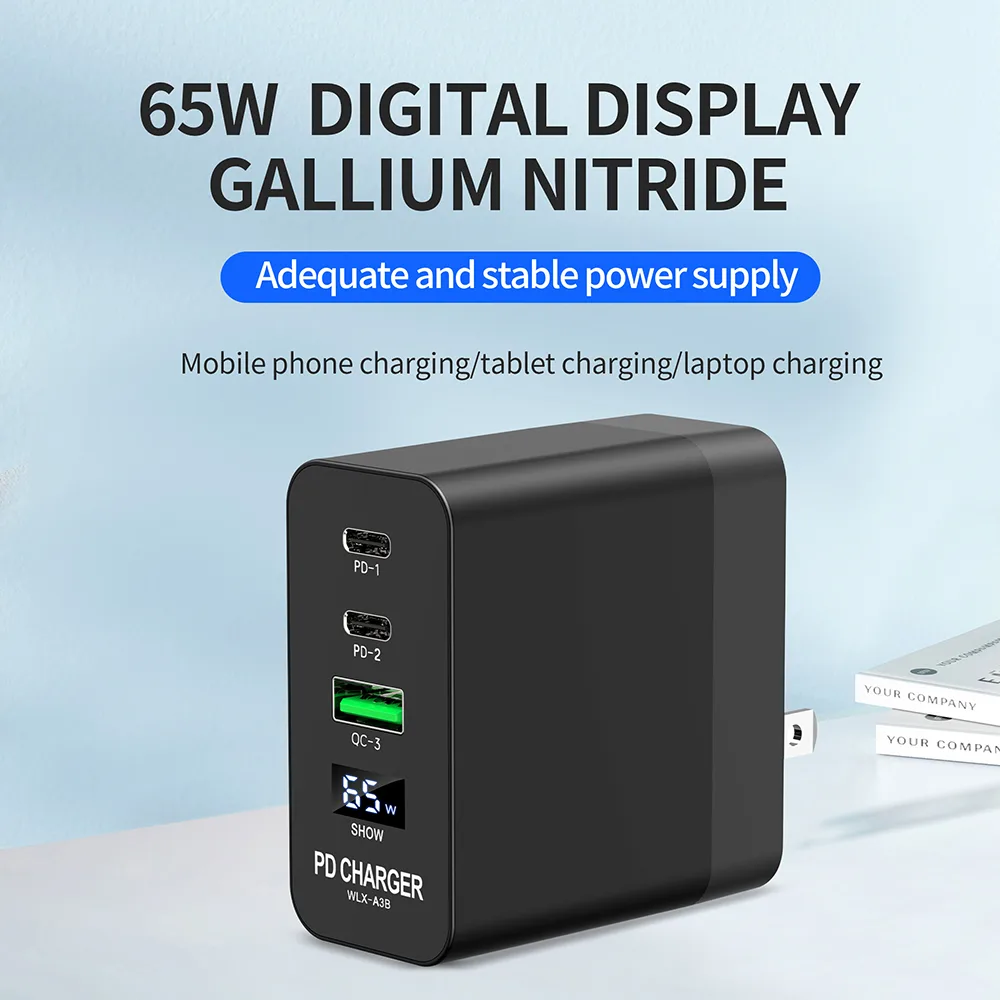
If you regularly run high-power tasks like video editing, gaming, or 3D rendering, invest in a dedicated 100W or higher USB-C laptop charger. A 100W charger will cut your charge time in half, and will supply enough power for all tasks without draining your battery. If you travel frequently and want to reduce charging gear bulk, a 65W multi-port USB-C charger is a good middle ground.
It’s small enough to carry, and will charge most 100W ultrabooks at a reasonable speed while also powering your phone and other accessories. Avoid using a 45W charger as your primary laptop charger if you rely on your device for critical tasks.
Real-World Scenarios Where a 45W Charger Will Actually Work For Your 100W Laptop
This setup only works for emergency top-ups during short trips when you forget your dedicated charger. For example, a 2-hour flight with a laptop at 80% charge will stay powered on for light web browsing or document editing. It’s also useful for quick boosts at coffee shops with only public USB-C ports.
Never rely on this for full charges, back-to-back meetings, or high-power tasks. If your laptop is below 20% charge, enable battery saver mode immediately to reduce power draw and slow battery drain.
Related Guide: Explore our detailed guide on Can You Charge a Laptop With a Solar Panel Directly? Yes/No?.
Frequently Asked Questions
Will a 45W charger damage my 100W laptop?
No, if the laptop accepts the 45W input, no damage occurs. Slower charging reduces heat, which benefits long-term battery health. Damage only happens if you use a non-certified cable or charger that overheats from excessive load.
Can I use a 45W charger to charge my 100W laptop overnight?
Yes, but only if your laptop is fully compatible. Overnight charging takes 4 to 5 hours to reach 100%, versus 1.5 to 2 hours with a 100W charger. It’s safe as long as the laptop accepts the charge and does not overheat.
Why does my 100W laptop say "plugged in, not charging" with a 45W charger?
This means your laptop’s minimum required input is higher than 45W, or the charger lacks the 20V USB-PD profile your laptop needs. Check your laptop’s official specs to confirm the minimum input requirement.
Do I need a special USB-C cable for this setup?
Yes, use a USB-IF certified USB-C to USB-C cable that supports USB Power Delivery. Non-certified cables often can’t carry 20V power, so they fail to negotiate a charging profile even if the charger and laptop are compatible.

Similar Posts