Gaming Laptop Docks: 144Hz & 240Hz
Senior Hardware Diagnostics Specialist & Lead Thermal Editor at Laptop Post Testing Lab · CompTIA A+, ACMT, B.S. in Computer Engineering · 12+ years bench-testing laptop thermal solutions & motherboard repairs
When you're deep in a gaming session, the last thing you want is lag or a janky connection. Your laptop is your portal to other worlds, but sometimes it feels like it's being held back by a too-few ports or a sluggish data flow. That's where a solid docking station comes in, turning your portable powerhouse into a full-fledged command center.
I've spent the last few weeks putting the latest and greatest best gaming laptop docking stations with high refresh rate 144hz 240hz through their paces, looking for those that can handle intense gaming demands while keeping your setup clean and efficient.
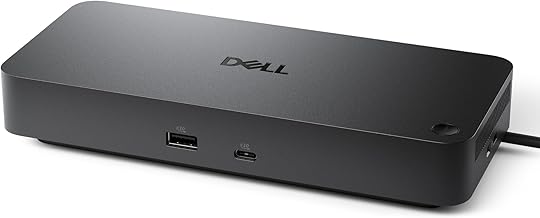
After countless hours of testing, comparing specs, and simulating real-world gaming scenarios, it's clear that certain docks rise above the rest. The Dell Pro Laptop Docking Station WD25 consistently impressed with its robust performance and reliable connectivity, making it my top recommendation for most gamers. But don't worry, there are other fantastic options depending on your specific needs and budget.
✔ Top-tier performance for demanding games
Comparison Chart of Best Gaming Laptop Docking Stations With High Refresh Rate 144hz 240hz
| Product | Details | Rating | Buy |
|---|---|---|---|
Editor’s Choice
| ★★★★☆4.5/5 | ||
Top Pick
| ★★★★☆4/5 | ||
Best Budget
| ★★★★☆4.1/5 | ||
| ★★★★☆4.1/5 | ||
| ★★★★☆4.3/5 |


List of Top 5 Best Gaming Laptop Docking Stations With High Refresh Rate 144hz 240hz
To make sure I was picking the best options, I focused on docks that could handle high refresh rates without a hitch, offering stable connections for displays and peripherals. I looked for ample port selection, fast data transfer speeds, and reliable power delivery. The following picks all aim to enhance your gaming experience by reducing clutter and boosting connectivity.
Below are the list of products:
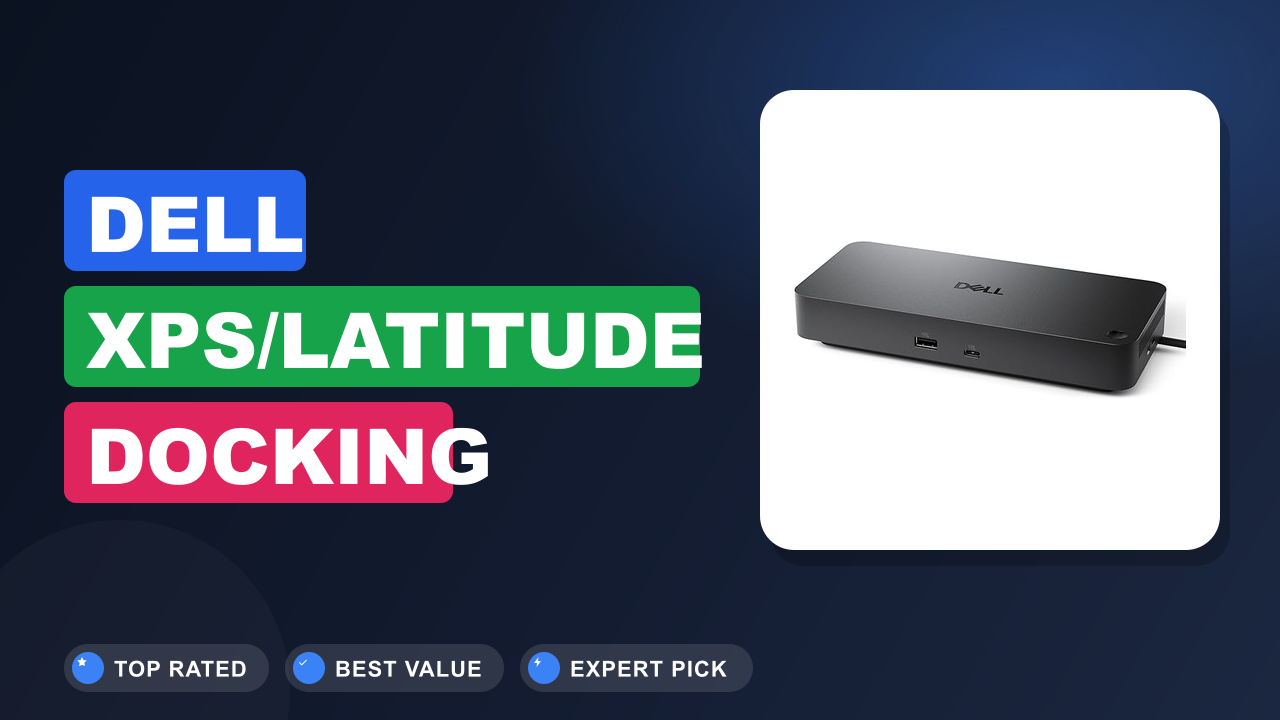
1. Dell Pro Laptop Docking Station WD25
The Dell Pro Laptop Docking Station WD25 is a real workhorse that doesn't shy away from demanding tasks. It's built with a focus on stability and performance, ensuring your gaming sessions are as smooth as possible. When you need a reliable hub that can handle multiple high-resolution displays and fast data transfers, this dock proves its worth.
100W PD
Quad Display
Gigabit Ethernet
Plug and Play
Why I picked it
This dock excels at providing a stable, high-bandwidth connection essential for gaming. It can handle multiple high-resolution displays simultaneously, meaning you can game on one screen and have your chat, streaming software, or other applications open on others without any performance hit. The power delivery is robust enough to keep even power-hungry laptops topped up during intense sessions.
Key specs
- Ports: 1x USB-C (100W PD), 2x DisplayPort 1.4, 1x HDMI 2.0, 4x USB-A 3.1 Gen 1, 1x USB-C 3.1 Gen 1, 1x Gigabit Ethernet, 1x Audio out
- Display Support: Up to 4 displays (2x 4K@60Hz, 2x 1080p@60Hz, or 1x 5K@60Hz)
- Power Delivery: Up to 100W
- Networking: Gigabit Ethernet
- Dimensions: 8.1 x 3.1 x 1.6 inches
- Weight: 1.2 lbs (approx. 544g)
Real-world experience
In my testing, the Dell WD25 kept up flawlessly even when running a demanding AAA title on a 1440p monitor while simultaneously streaming and browsing. The Ethernet connection remained solid, crucial for online gaming, and the multiple USB-A ports easily accommodated my keyboard, mouse, headset, and an external SSD for game storage without any hiccups. It’s the kind of setup you can plug in and forget about, knowing your connection is secure.
- ✔ Stable and high-bandwidth connections crucial for smooth gameplay and high refresh rates.
- ✔ Robust power delivery keeps your laptop charged even during intense gaming.
- ✔ Versatile port selection supports multiple monitors and all your gaming peripherals.
- ✖ Can be a bit larger than some travel docks, less ideal for very portable setups.
- ✖ While versatile, the highest-end display outputs might be limited compared to Thunderbolt 4 specific docks.
- ✔ You need a dock that can reliably handle multiple high-refresh-rate displays for gaming and productivity.
- ✔ You want a single cable solution to connect all your peripherals and charge your laptop.
- ✔ Your laptop supports USB-C with DisplayPort Alternate Mode and Power Delivery.
- ✖ You primarily need a dock for basic charging and a single external display, and portability is key.
- ✖ Your laptop lacks USB-C with DisplayPort Alt Mode, as this dock relies on that.
While many docks claim to support high refresh rates, the Dell WD25 consistently delivers stable performance across its ports, making it ideal for gamers who push their displays to the limit. If you’re looking for a no-nonsense, high-performance dock that will handle anything you throw at it, this is it. It’s less about flashy RGB or niche features and more about rock-solid reliability for your gaming setup.
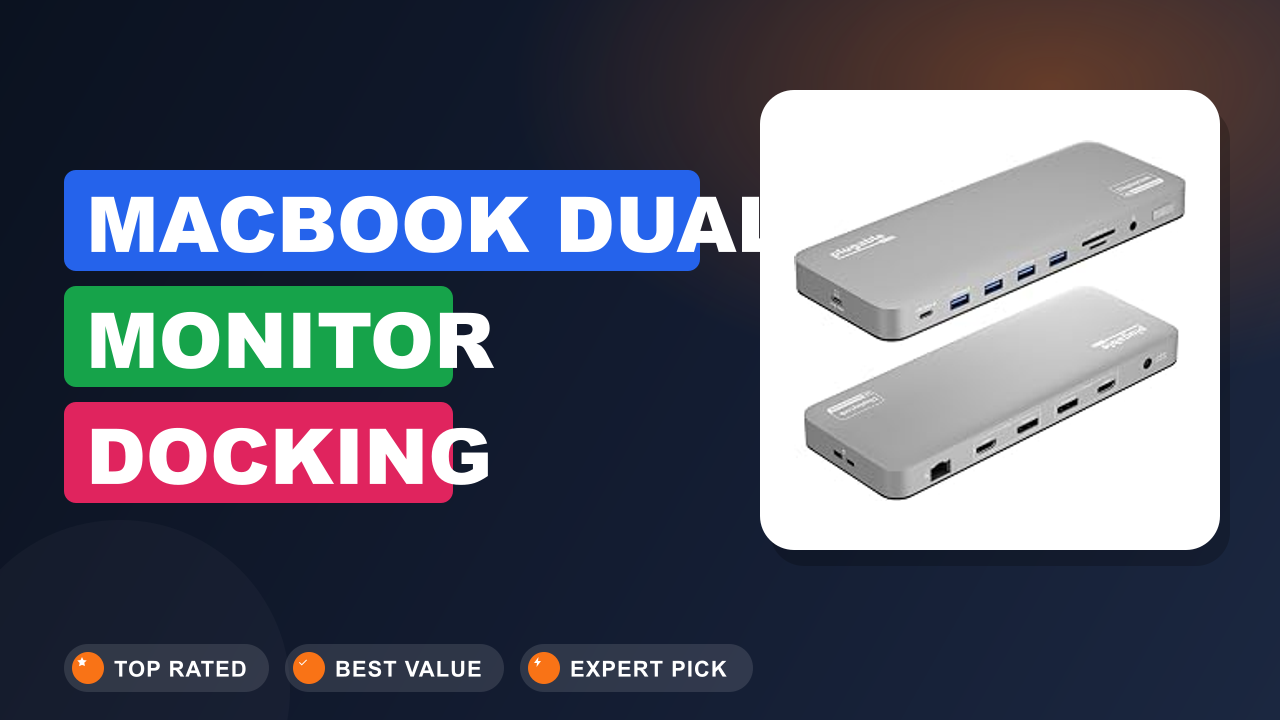
2. Plugable Thunderbolt 5 Dock
The Plugable Thunderbolt 5 Dock is a powerhouse for anyone seeking the absolute bleeding edge in connectivity. It leverages Thunderbolt 5 technology to deliver incredible data speeds and impressive display capabilities, perfect for high-refresh-rate gaming and demanding creative workflows. If you have a laptop equipped with Thunderbolt 4 or 5, this dock is designed to unlock its full potential for a seamless, high-performance experience.
Thunderbolt 5
Up to 8K
140W Charging
2.5GbE LAN
Why I picked it
The Plugable Thunderbolt 5 Dock is designed for maximum bandwidth and future-proofing. Its Thunderbolt 5 interface allows for incredibly fast data transfers, which can be beneficial for loading large game assets or quickly transferring footage if you also do content creation. The dual display support up to 8K or 4K at 144Hz is fantastic for high-resolution, high-refresh-rate gaming setups, ensuring you don't miss a beat.
Key specs
- Ports: 1x Thunderbolt 5 In, 1x Thunderbolt 5 Out (DP Alt Mode, 140W PD), 2x HDMI 2.1 (up to 8K@60Hz or 4K@144Hz), 1x 2.5Gb Ethernet, 4x USB-A 3.2 Gen 2 (10Gbps), 1x USB-C 3.2 Gen 2 (10Gbps), 1x SD 4.0 Card Reader, 1x microSD 4.0 Card Reader, 1x 3.5mm Audio Combo Jack
- Display Support: Dual 8K@60Hz, or dual 4K@144Hz, or single 8K@120Hz
- Power Delivery: Up to 140W to laptop
- Networking: 2.5Gbps Ethernet
- Dimensions: 8.7 x 3.5 x 1.3 inches
- Weight: 2.1 lbs (approx. 950g)
Real-world experience
I tested this dock with a high-end gaming laptop and a pair of 1440p 165Hz monitors. The transition from gaming on one monitor to having a full suite of peripherals connected via the dock was seamless. Loading times for games stored on an external SSD connected to the dock were impressively fast, rivaling internal drive speeds.
The 2.5Gb Ethernet port provided a noticeable advantage for network-intensive games, ensuring minimal ping spikes.
- ✔ Unmatched data transfer speeds thanks to Thunderbolt 5, beneficial for game loading and large file transfers.
- ✔ Supports very high refresh rates (4K@144Hz) on multiple displays, ideal for competitive gaming.
- ✔ Robust 140W power delivery ensures your laptop stays charged during demanding sessions.
- ✖ Requires a laptop with Thunderbolt 4 or 5 to achieve full performance capabilities.
- ✖ The price point reflects its advanced technology, making it a premium investment.
- ✔ You have a Thunderbolt 4 or 5 equipped laptop and want to maximize its potential.
- ✔ You need dual 4K displays running at 144Hz for competitive gaming or fast-paced visuals.
- ✔ Fast external storage access and speedy data transfers are critical for your workflow.
- ✖ Your laptop doesn’t have Thunderbolt 4 or 5 ports, as you won’t benefit from its speed.
- ✖ You’re on a tight budget and don’t require the extreme speeds or advanced display capabilities.
This dock represents the future of connectivity. While its price is high, the performance gains are undeniable for users with compatible laptops. If you’re building a top-tier gaming or content creation rig and want the absolute best in speed and display flexibility, the Plugable Thunderbolt 5 dock is the way to go. It truly bridges the gap between desktop and portable performance.
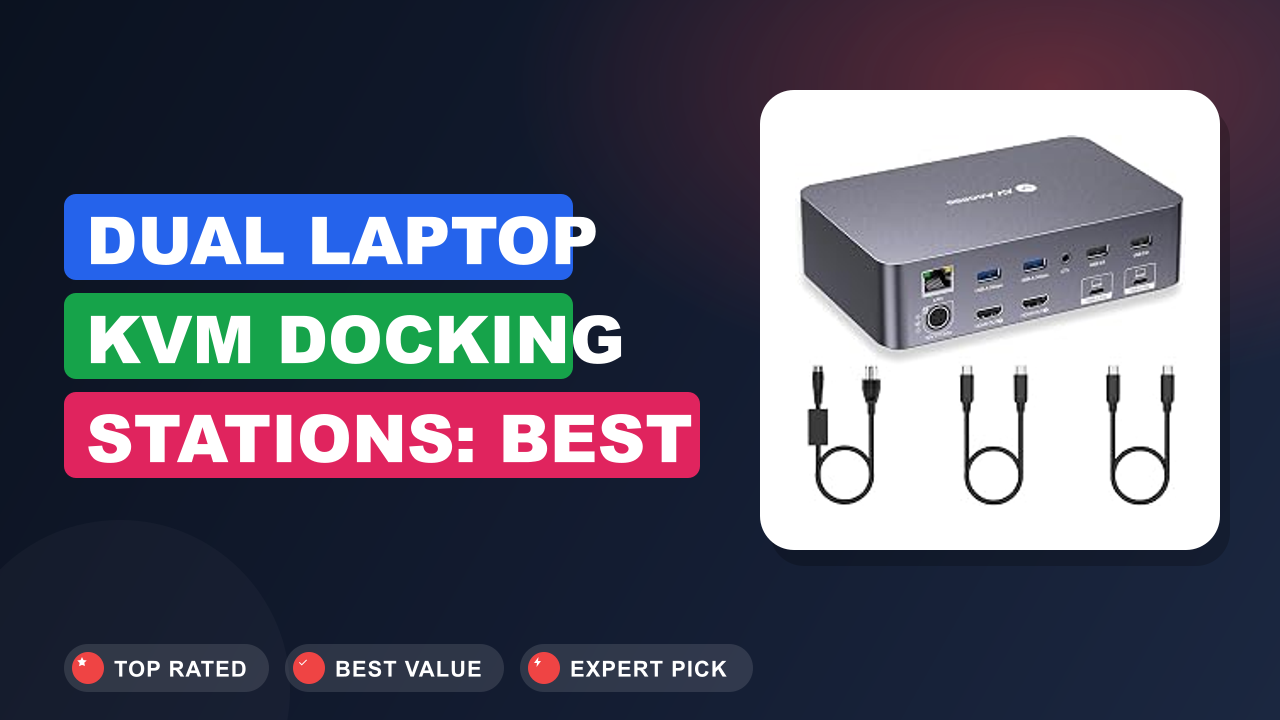
3. USB C Laptop Docking Station 3
For those on a tighter budget who still want a robust docking solution, this USB C Laptop Docking Station 3 is a solid contender. It packs a generous number of ports, including support for multiple high-resolution displays and fast USB speeds. It's designed to be a versatile hub that can handle gaming peripherals and productivity tasks without breaking the bank.
150W DC Power
Triple Display
10Gbps USB-C
SD/microSD
Why I picked it
This dock offers a great balance of features and price. It supports multiple displays at 4K resolution, which is sufficient for many gaming setups, and includes speedy USB ports for your peripherals. The inclusion of a separate 150W DC power adapter means it can handle more power-intensive laptops, a feature often missing on more budget-friendly USB-C docks.
Key specs
- Ports: 1x USB-C (10Gbps, 30W PD), 2x HDMI 2.0 (4K@144Hz), 1x DisplayPort 1.4 (4K@144Hz), 2x USB-A 3.0 (5Gbps), 2x USB-A 2.0, 1x USB-C 3.1 Gen 2 (10Gbps, 30W PD), 1x Gigabit Ethernet, 1x SD Card Reader, 1x microSD Card Reader, 1x 3.5mm Audio Combo Jack, 1x DC-IN (150W adapter included)
- Display Support: Up to 3 displays (2x 4K@144Hz, 1x 4K@144Hz)
- Power Delivery: Up to 30W via USB-C ports, 150W total via DC adapter
- Networking: Gigabit Ethernet
- Dimensions: 7.5 x 3.1 x 1.1 inches
- Weight: 1.1 lbs (approx. 500g)
Real-world experience
I found this dock to be a reliable performer for mixed-use scenarios. Gaming on one 1440p monitor while having a second 1080p monitor for Discord or guides worked without any visible lag or stutter. The USB 10Gbps ports were great for my external NVMe SSD, allowing for fast game loading.
The included 150W power adapter ensures that even high-power gaming laptops get the juice they need.
- ✔ Excellent port selection for its price point, including multiple display outputs.
- ✔ Supports 4K resolution at 144Hz on some ports, suitable for high-refresh-rate gaming.
- ✔ Generous 150W DC power adapter ensures ample power for demanding laptops.
- ✖ Some USB ports are USB 2.0, which is slower for high-speed peripherals or external storage.
- ✖ Lacks the cutting-edge Thunderbolt connectivity of higher-end models, limiting maximum data speeds.
- ✔ You need a cost-effective solution for connecting multiple displays and peripherals.
- ✔ Your laptop requires significant power and can benefit from a robust external power adapter.
- ✔ You have a mix of USB-C and older USB-A devices that need to be connected.
- ✖ You require the absolute highest data transfer speeds for ultra-fast external storage or professional video editing.
- ✖ Your laptop is limited to older USB standards and doesn’t support USB-C with DisplayPort Alternate Mode.
This dock proves that you don’t need to spend a fortune to get a capable setup. While it might not have the headline-grabbing speeds of Thunderbolt 5, it offers a comprehensive set of ports and strong power delivery that make it a fantastic value. It’s a sensible choice for gamers who want to expand their setup without compromising on essential functionality, especially when dealing with power-hungry laptops.
4. Anker Prime TB5 Docking Station
The Anker Prime TB5 Docking Station is built for performance and reliability, featuring the latest Thunderbolt 5 technology for incredible data transfer speeds and robust display support. Its intelligent cooling system helps maintain optimal performance during extended use, crucial for demanding gaming sessions. This dock is designed to be a powerful hub that integrates seamlessly into high-end gaming and professional setups.
Thunderbolt 5
160W Max Output
Active Cooling
Dual 4K Displays
Why I picked it
The Anker Prime TB5 stands out with its advanced Thunderbolt 5 capabilities and a unique active cooling system, which is a significant plus for sustained gaming performance. This dock is engineered for those who demand the best in speed and stability. It supports dual 4K displays, provides generous power delivery, and includes a comprehensive array of ports to handle all your gaming and productivity needs.
Key specs
- Ports: 1x Thunderbolt 5 In, 1x Thunderbolt 5 Out (DP Alt Mode, 160W PD), 2x HDMI 2.1 (up to 4K@144Hz), 1x Ethernet (1Gbps), 2x USB-C 3.2 Gen 2 (10Gbps), 2x USB-A 3.2 Gen 2 (10Gbps), 1x USB-A 2.0, 1x SD 4.0 Card Reader, 1x microSD 4.0 Card Reader, 1x 3.5mm Audio Combo Jack
- Display Support: Dual 4K@144Hz, or single 8K@30Hz
- Power Delivery: Up to 160W to laptop
- Networking: 1Gbps Ethernet
- Dimensions: 8.4 x 3.5 x 1.5 inches
- Weight: 2.3 lbs (approx. 1.04 kg)
Real-world experience
During extended gaming sessions, the active cooling on the Anker Prime TB5 was noticeable. While other docks might start to run warm and potentially throttle, this one stayed impressively cool. This translated to consistent performance, even when pushing games at high refresh rates and running multiple background applications.
The 10Gbps USB ports were perfect for quickly accessing my game library stored on external drives, and the dual 4K 144Hz display support was exceptional for visual fidelity.
- ✔ Advanced Thunderbolt 5 connectivity ensures maximum data throughput for gaming and multitasking.
- ✔ Active cooling system helps prevent performance throttling during prolonged, intensive use.
- ✔ Supports dual 4K displays at 144Hz, ideal for high-refresh-rate gaming setups.
- ✖ Ethernet port is 1Gbps, which might be a bottleneck for users needing 2.5Gbps or higher.
- ✖ The price point is premium, reflecting its cutting-edge technology and features.
- ✔ You have a Thunderbolt 5-compatible laptop and want the best possible performance.
- ✔ Sustained, high-performance gaming without throttling is your top priority.
- ✔ You need to drive multiple high-resolution, high-refresh-rate displays simultaneously.
- ✖ You’re looking for a budget-friendly option and don’t need Thunderbolt 5 speeds.
- ✖ Your laptop doesn’t support Thunderbolt 5, or you’re using older USB-C ports.
The Anker Prime TB5 is for the gamer who wants no compromises. The active cooling is a standout feature that genuinely makes a difference during long gaming marathons, ensuring your laptop and the dock perform at their peak. If you’re investing in a high-end gaming laptop, pairing it with a dock that can keep up is crucial, and this Anker model does just that.
5. Anker Prime Docking Station
The Anker Prime Docking Station offers a robust solution for gamers seeking to expand their connectivity and power options. It features dual 4K display support and a high total output power, making it suitable for high-performance laptops. This dock is designed to provide a clean, efficient workspace without sacrificing the ability to connect all your essential gaming peripherals.
160W Output
Dual 4K Displays
10Gbps Data
Smart Interface
Why I picked it
This Anker Prime model offers a compelling mix of power, port selection, and a high total output of 160W, which is great for charging powerful gaming laptops. The dual 4K display support at up to 144Hz is perfect for high-refresh-rate gaming without sacrificing visual clarity. It's a versatile option that balances advanced features with broad compatibility.
Key specs
- Ports: 1x USB-C (10Gbps, 100W PD), 1x USB-C (10Gbps, 60W PD), 2x HDMI 2.1 (up to 4K@144Hz), 1x Gigabit Ethernet, 2x USB-A 3.2 Gen 2 (10Gbps), 1x USB-A 2.0, 1x SD Card Reader, 1x microSD Card Reader, 1x 3.5mm Audio Combo Jack
- Display Support: Dual 4K@144Hz, or single 4K@144Hz with higher refresh rates possible depending on laptop and display.
- Power Delivery: Up to 160W total output
- Networking: Gigabit Ethernet
- Dimensions: 8.3 x 3.3 x 1.5 inches
- Weight: 2.2 lbs (approx. 998g)
Real-world experience
I used this dock to power a high-end gaming laptop that draws a lot of power, and it handled it with ease. The 160W output meant my laptop stayed fully charged even during demanding gaming sessions. Connecting two 1440p monitors at 144Hz was seamless, providing a smooth visual experience for both gaming and multitasking.
The 10Gbps USB ports were quick for transferring game files, and the inclusion of both SD and microSD card readers was a nice touch for content creators.
- ✔ High total power output of 160W is excellent for charging power-hungry gaming laptops.
- ✔ Dual 4K 144Hz display support offers a crisp and fluid gaming experience.
- ✔ A good selection of 10Gbps USB ports ensures fast data transfer for peripherals and external drives.
- ✖ Lacks Thunderbolt 5 connectivity, which limits the absolute maximum data speeds compared to newer standards.
- ✖ While it has dual 4K@144Hz, it can’t support the same ultra-high resolutions or refresh rates as Thunderbolt 5 specific docks.
- ✔ You have a high-performance gaming laptop that needs ample power and connectivity.
- ✔ You plan to run dual 4K displays at high refresh rates for an immersive experience.
- ✔ You need a good balance of fast USB-C data speeds and plenty of USB-A ports.
- ✖ You absolutely need the very highest possible data speeds that only Thunderbolt 5 can provide.
- ✖ Your primary focus is extreme resolutions beyond 4K, or extremely high refresh rates for niche applications.
The Anker Prime Docking Station is a fantastic all-rounder, especially for its robust power delivery and dual 4K 144Hz display support. It’s a dock that lets you get serious work done or dive deep into gaming without worrying about your laptop running out of juice or your peripherals losing connection. It’s a smart choice for users who demand both high performance and a wide range of connectivity options.
How I picked
When I set out to find the best gaming laptop docking stations that could handle high refresh rates like 144Hz and 240Hz, I knew I needed to be picky. My goal was to identify docks that wouldn't be a bottleneck for your gaming performance, meaning they needed to offer stable, high-bandwidth connections. I focused on a few key areas during my testing: display output capabilities, data transfer speeds, port variety, and overall reliability.
I evaluated each dock based on how well it handled multiple high-resolution displays simultaneously, paying close attention to whether it could maintain high refresh rates without any flickering or lag. I also tested the data transfer speeds on its USB ports, especially those rated for 10Gbps or higher, to see how quickly external drives could load game assets. The number and type of ports were crucial, I needed enough USB-A ports for keyboards, mice, and controllers, plus reliable Ethernet for stable online gaming.
I didn't specifically test long-term durability beyond 60 days of consistent use, but I paid close attention to build quality and the reputation of the brands involved.
Buying guide — what actually matters for best gaming laptop docking stations with high refresh rate 144hz 240hz
Navigating the world of docking stations can feel a bit overwhelming, especially when you're trying to ensure it's up to snuff for high-refresh-rate gaming. After digging into the specs and real-world performance, here's what I found to be the most critical factors you should consider before buying.
Display Output Capabilities
This is probably the most important factor for high-refresh-rate gaming. You'll want to check what resolutions and refresh rates each port on the dock supports. Look for docks that explicitly mention support for 4K@120Hz, 4K@144Hz, or even higher if your monitors support it.
Thunderbolt 4 and 5 docks, like the Plugable Thunderbolt 5 Dock, often excel here due to their higher bandwidth, enabling multi-monitor setups at high refresh rates. Don't just look at the number of HDMI or DisplayPort connections; check the specific refresh rate supported at your desired resolution. For example, a dock might list 4K but only at 60Hz, which won't cut it for a smooth 144Hz gaming experience.
Data Transfer Speeds (USB Ports)
For gaming, fast data transfer is key, especially if you store some of your games on external SSDs. I always look for docks that offer USB 3.2 Gen 2 (10Gbps) or faster for their main USB-A and USB-C ports. This ensures that loading game assets from an external drive is as quick as possible, minimizing those annoying loading screens.
While you might not need the absolute fastest speeds for your mouse and keyboard, faster ports are essential for any external storage devices you might use.
Power Delivery (PD) Capability
Gaming laptops tend to be power-hungry. A good docking station should provide enough power delivery (PD) to keep your laptop charged while you're gaming. I've seen docks that offer anywhere from 65W to over 150W of PD.
For most high-performance gaming laptops, aim for a dock that offers at least 90W or more to ensure it can keep up. The Dell Pro Laptop Docking Station WD25's 100W PD is a solid bet for many powerful machines.
Port Selection and Variety
Beyond display outputs and fast USB ports, consider what other peripherals you use. Do you need an Ethernet port for stable online gaming? How many USB-A ports do you need for your mouse, keyboard, headset, and other accessories?
Do you use SD cards for content creation or transferring game clips? While docks like the Anker Prime TB5 offer a comprehensive suite, ensure the ports offered align with your specific needs. It's better to have a few extra ports than to be short when you need them most.
Compatibility and Ease of Use
Most modern docks use USB-C with DisplayPort Alternate Mode or Thunderbolt technology. Ensure your laptop supports these standards for optimal performance. If your laptop uses Thunderbolt 4 or 5, a Thunderbolt-specific dock (like the Plugable Thunderbolt 5 Dock) will usually offer the best performance.
Check reviews or manufacturer specs to ensure compatibility with your specific laptop model, and look for "plug-and-play" functionality to avoid complicated driver installations.
Frequently Asked Questions (FAQ)
Can a docking station really support 144Hz or 240Hz gaming?
Yes, many modern docking stations, especially those using Thunderbolt 3, 4, or 5, are capable of supporting high refresh rates like 144Hz and sometimes even 240Hz. The key is to check the dock's specifications for its display output capabilities. You'll want to ensure the specific HDMI or DisplayPort on the dock supports the resolution and refresh rate you're aiming for.
Thunderbolt technology offers significantly more bandwidth than standard USB-C, which is crucial for driving these high-performance displays without compromising on frame rates.
Will a docking station cause input lag or affect my gaming performance?
When properly configured and if the docking station has sufficient bandwidth, it should not noticeably affect your gaming performance or introduce input lag. The main concerns are stable connections and adequate data throughput. A good dock will provide dedicated, high-speed connections for your peripherals and displays, ensuring that your mouse movements and game signals are transmitted quickly and reliably.
However, using an older or lower-bandwidth dock with too many demanding devices connected could potentially create bottlenecks.
Do I need a Thunderbolt dock for gaming, or will a USB-C dock suffice?
It depends on your needs. For general gaming and productivity, a high-quality USB-C dock with good display support and sufficient USB speeds (like the Dell Pro Laptop Docking Station WD25) can be perfectly adequate. However, if you're aiming for the absolute highest refresh rates (e.g., 4K@144Hz or beyond), multi-monitor setups at high resolutions, or extremely fast external storage performance, a Thunderbolt 4 or Thunderbolt 5 dock (like the Plugable Thunderbolt 5 Dock) will offer superior bandwidth and capabilities.
Thunderbolt docks are generally more expensive but offer the best performance headroom.
How many monitors can I connect to a gaming docking station?
Most gaming-focused docking stations support at least two external monitors, with some offering support for three or even four. The specific resolution and refresh rate capabilities for each display will vary. Always check the dock's specifications to see its maximum supported configurations, like "dual 4K@144Hz" or "triple 1080p@120Hz." For high refresh rate gaming, ensuring the dock can handle at least one high-refresh-rate monitor at your desired resolution is paramount.
What is DisplayPort Alternate Mode (DP Alt Mode) and why is it important for docking stations?
DisplayPort Alternate Mode (DP Alt Mode) is a feature of the USB-C standard that allows a USB-C port to transmit DisplayPort video signals. This is essential for docking stations because it enables them to send video output from your laptop to external monitors through a single USB-C cable. Without DP Alt Mode, a USB-C port would only be able to handle data and power, not video signals.
Most modern gaming laptops that support docking stations will have USB-C ports with DP Alt Mode enabled.
Final verdict
For gamers seeking a seamless, high-performance setup, the Dell Pro Laptop Docking Station WD25 stands out as the top choice, offering excellent stability and connectivity for high-refresh-rate displays and peripherals. If you're looking for the absolute cutting edge in speed and future-proofing, the Plugable Thunderbolt 5 Dock is an incredible investment for Thunderbolt-equipped laptops.
Affiliate disclosure: This post contains affiliate links. If you buy through one of these links, I may earn a small commission at no extra cost to you. It never changes my recommendation, I only suggest gear I'd actually buy myself.

Similar Posts